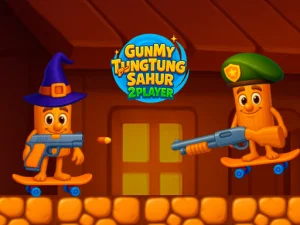
Shared Screen Play and Local Competition
This section functions as a format tag that gathers browser titles supporting two participants on a single device or across local connections. Typical actions include coordinating moves, timing actions, trading roles, or racing against a partner in short rounds. Access benefits include no-download play, fast loading, and touch or keyboard support depending on the title. Session pacing varies from quick rounds to longer matches, fitting break-time play or extended local gatherings.
Picking a Session That Fits Your Setup
Choose based on mood, available time, and the number of input devices at hand. If only one keyboard is available, look for titles that split controls across arrow keys and WASD. When touch screens are the main option, pick layouts with large on-screen buttons and clear tap zones. Players who prefer short bursts can focus on versus modes with fast rounds, while those wanting coordination can select cooperative stages with shared goals.
How Local Pairing Works Across Devices
Most entries in the 2playergames tag rely on shared-screen pairing rather than online matchmaking, keeping setup simple. Controls commonly split between keyboard halves, gamepads, or touch areas, and some titles allow two controllers on the same browser. Loading is usually quick, and performance depends on device age and browser updates, so newer devices tend to run smoother. Mixed genres appear throughout, from reaction-based arcade modes to puzzle stages that reward timing and coordination. For quick access, these browser titles load without installers and support common desktop and mobile browsers.
Finding Comfortable Controls and Pacing
Test control splits early and adjust device placement so both players can reach inputs comfortably. Maintain clear visibility by placing the screen at a central angle and reducing glare for shared viewing. Short sessions work best when selecting versus modes with clear win conditions, while cooperative picks suit longer planning and communication. Use the tag filters to sort by input type, then try a few rounds before settling on a favorite style.
Why Players Return to Shared Browser Titles
Players choose this tag for direct, local interaction that does not rely on complex setup or online accounts. Replay value comes from varied opponent strategies, different partner coordination, and rotating through multiple short rounds. The format fits quick breaks, couch sessions, or classroom and office settings where fast browser access matters, and it supports easy swaps between roles and rules.
2playergames FAQs
Q: Do 2playergames require downloads or accounts? A: Most load directly in the browser without installers or sign-ups.
Q: Can two people play on one phone or tablet? A: Some titles support split touch zones, though larger screens help.
Q: Are controls always keyboard-based? A: Many support gamepads or shared touch layouts depending on the title.
Q: Do local versus modes need internet? A: Usually not, since shared-screen play runs on the same device.