Choose the kind of solo task you want
A one-player session can ask for very different things. You might guide a character through hazards, plan a sequence of moves, or read a situation and select an option. First identify what counts as success in the game you open. Reaching an exit, clearing a board and surviving an encounter are separate goals; a useful first attempt follows the actual objective instead of copying habits from another title.
Think about the time and attention you have available. A puzzle with a small board may suit a deliberate sequence of decisions, while a movement challenge may need several uninterrupted attempts to learn its timing. Check the pause and restart options provided by the current game. Do not assume every browser game saves progress or resumes at exactly the same point after closing its tab.
Aimed jumps and character roles offer different challenges
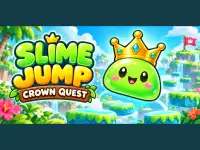
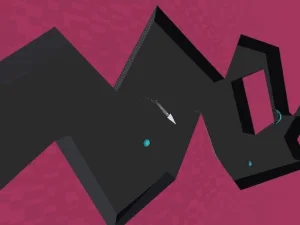
In Slime Jump: Crown Quest, you launch a slime toward a crown by holding, aiming and releasing with mouse or touch input. The landing matters as much as the launch, because it becomes the starting position for the next jump. Look at the platform you want to reach, choose a useful arrival position and inspect where the slime actually lands before aiming again.
Among Us Single Player gives you a different kind of solo activity. It embeds a fan adaptation with a role screen and spaceship setting. An impostor's available actions and objective differ from a crewmate's. Its familiar appearance does not turn it into an official multiplayer lobby, so read the selected role before deciding which action makes sense.
Learn the controls in a manageable order
Start with movement or selection, then add the action that affects the objective. In a platform challenge, learn how the character starts and stops before attempting a narrow landing. In a decision game, read the result of one choice before selecting the next. This separates a control mistake from a misunderstanding of the rules and makes the next attempt more useful.
Check the input requirements on the individual game page. Some solo games are comfortable with touch, while others expect a keyboard and mouse. If an arrow key scrolls the page, click inside the playable area before trying again. Follow any specific control labels in the loaded version instead of assuming that every game uses Space to jump or the same key to interact.
Use solo play to compare one decision at a time
Choose a small goal for a difficult section: a particular landing, a safe route or one correctly understood action. Keep that goal the same for a few attempts and change only one part of your approach. If you alter the route, timing and input together, it is harder to recognize what improved the result. Read the game's feedback before restarting rather than judging an attempt only by whether it ended in success.
When a menu offers additional modes, select the one you actually want. A title can appear around single-player browsing while also offering online or shared-device play. Check the active mode and any connection requirement before treating the session as solo. For another starting point across the site's different collections, return to the BestCrazyGames homepage and compare the objective of your next choice.