































blackjack unblocked games Fast Browser Blackjack Practice for Quick Breaks
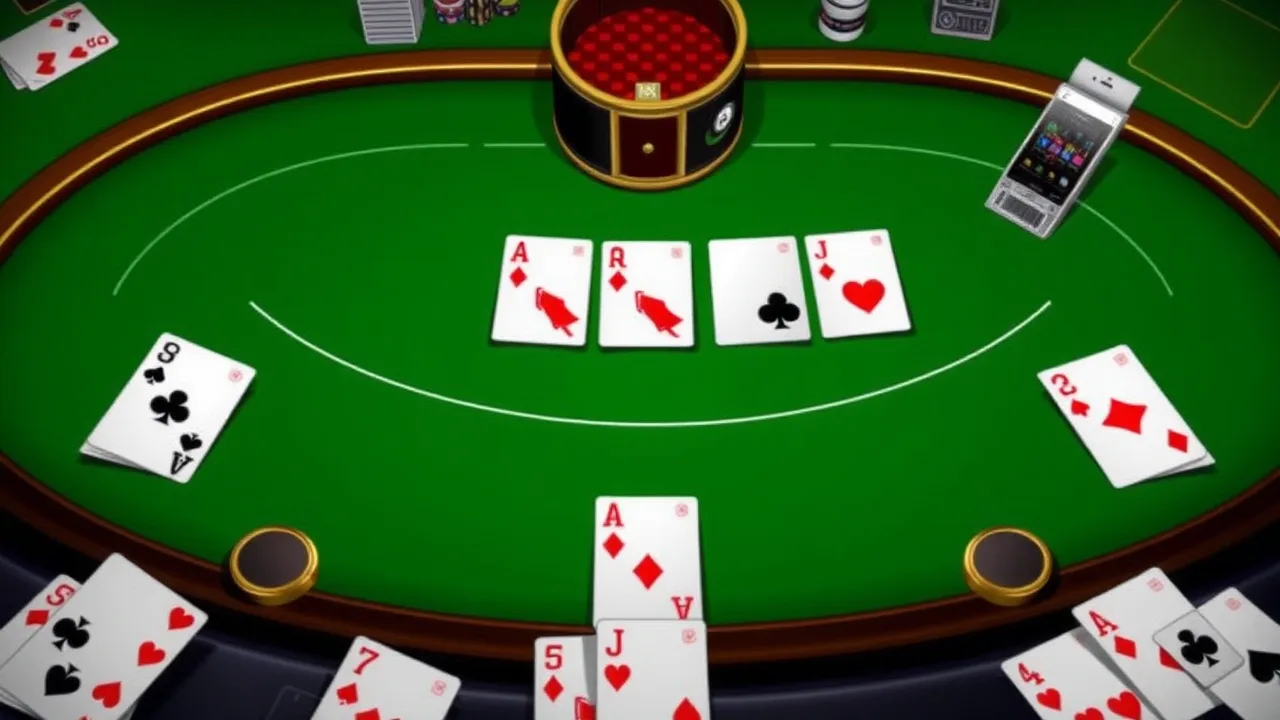
If you want quick card action without downloads, blackjack unblocked games are a neat way to practice timing, mental math, and calm decision making in short sessions. Blackjack is built around a clear goal: get closer to 21 than the dealer without going over. Number cards count at face value, face cards count as 10, and an ace can flex between 1 or 11 depending on what keeps your hand alive. Most tables also let you hit, stand, double down, or split, so each round becomes a small puzzle of probability and nerve. When you play a browser simulator, you can repeat tricky spots, like deciding whether to hit a hard 12 against a dealer 2, without any real money pressure. For a quick practice table, you can jump into the Blackjack Simulator on BestCrazyGames , then treat every hand as training rather than gambling. If you want the official terminology and the classic rule flow, the Wikipedia entry on blackjack explains the standard options and dealer behavior . Play within your school or workplace rules, and use these rounds to sharpen decisions like when to stand on 16, or when to take one more card and accept the risk more often.
🃏 Play blackjack unblocked games Online Free Unblocked
You do not need a fancy setup to enjoy blackjack unblocked games, just a modern browser and a few quiet minutes. The appeal is that the first hand starts fast and the rhythm feels familiar: you read the dealer up card, glance at your total, then choose your move. In a simulator, you can slow that moment down and actually think. A hard 13 against a dealer 7 is a different problem than a soft 17 against a dealer 3, and you start noticing those patterns once you play a handful of rounds.
For school or workplace breaks, the best mindset is practice, not obsession. Set a tiny goal, like playing ten hands and tracking only one thing, maybe how often you bust when you chase 19. If your network allows it, you can jump in, play, and step away without installs or accounts. If it does not allow it, treat that as the end of the story and save the session for later at home.
What makes these sessions surprisingly sticky is feedback. You win, you lose, you push, and you immediately see why. When you stand on 12 and the dealer flips a 6 then draws to 21, it feels unlucky, but it also teaches you that correct choices can still lose. Over time, you develop steadier habits: you stop taking wild hits out of boredom, you avoid doubling in awkward spots, and you learn to respect the dealer’s strong up cards. That steady, repeatable loop is exactly why blackjack unblocked games can be both relaxing and quietly educational.
Try varying the pace too. Play one round quickly, then replay the same decision slowly, speaking your reasoning out loud. That tiny habit makes strategy feel less like guessing and more like a repeatable process even on hectic days.
✨ blackjack unblocked games Feature Highlights
The best blackjack unblocked games keep the interface clean, because the fun is in decisions, not menus. A good simulator shows totals clearly, highlights soft hands, and makes actions obvious. Hit should be a single click. Stand should feel final. Double should only appear when it is legal. If the game lets you split, it should explain what happens to aces and whether you can resplit, even if it does so with a small tooltip instead of a wall of text.
Look for a steady shuffle model. Some simulators reshuffle every hand, which is fine for learning basic choices. Others simulate a shoe and reshuffle after a chunk of cards, which feels closer to a casino table. Either way, the feature that matters is consistency: you should be able to replay the same kind of scenario and see similar long run outcomes, not random rules switching between rounds.
Sound and speed count too. Muted audio, snappy animations, and an option to speed up dealing are small quality touches that make practice sessions easier. A simple stats panel is another underrated feature. Even a basic readout, like win rate, bust rate, and average bet, helps you notice habits. If you are busting a lot on 12 through 16, you might be chasing too often. If you never double, you might be leaving value on the table.
Finally, accessibility matters. Clear contrast, readable card faces, and touch friendly buttons make the game workable on a phone or a shared computer. These quality of life features do not scream for attention, but they are what make blackjack unblocked games easy to return to without friction.
Bonus points if the simulator offers a basic strategy hint mode you can toggle off, so you learn with training wheels first and then test yourself honestly later.
🎮 blackjack unblocked games Gameplay Explained
The core loop in blackjack unblocked games is simple, but the interesting part is how fast the context changes. You start with two cards, the dealer shows one, and you make a plan. If your total is low, you usually build by hitting. If it is high, you usually protect it by standing. The twist is that the dealer up card acts like a weather report. A dealer 6 often suggests danger for the dealer and patience for you. A dealer 10 often suggests pressure and careful risk taking.
A useful way to read a hand is to separate hard totals from soft totals. Hard totals cannot change their value without busting. Soft totals have an ace counted as 11, which gives you a cushion. That cushion changes how aggressive you can be. For example, a soft 17 can take a hit with less fear than a hard 17, because the ace can drop to 1 if needed.
Most simulators keep the dealer logic straightforward: the dealer draws until reaching 17 or higher. You do not get to negotiate that rule, so your edge comes from managing your own risk. Over a short session, you will see familiar moments repeat. You get dealt 16 against a dealer 10. You get a pair of 8s and wonder if splitting is worth the chaos. You get 11 against a dealer 6 and feel the itch to double.
That repetition is the point. Each round is quick feedback on a single decision. Over time, you stop focusing on the last bad beat and start focusing on the process: choose the action that makes sense, accept the outcome, and move on. When you treat blackjack unblocked games as repetition training, the gameplay becomes calmer, faster, and more satisfying. Small improvements show up surprisingly fast.
📌 About blackjack unblocked games Essentials
At its heart, blackjack unblocked games turn a classic casino card game into a low pressure practice space. You are not playing for cash, but you are still playing a real ruleset: totals matter, the dealer follows fixed behavior, and your choices affect the math of the hand. That makes these games more than a time filler. They can be a quick way to build intuition about odds and discipline, especially if you tend to play too emotionally.
Most versions use a standard deck or a multi deck shoe, and they treat a natural 21 as the strongest opening hand. What you should pay attention to is not the graphics, but the rule details. Does the dealer stand on soft 17 or hit it? Are you allowed to double after splitting? Is surrender offered? Small differences change correct play. A good simulator makes these rules visible somewhere, even if it is tucked behind a small icon.
There is also a social side, even in single player. Blackjack is a game of pace and table etiquette, and simulators can help you learn that rhythm. You get used to waiting for the dealer reveal, you learn to keep track of your own total, and you learn to avoid impulsive hits. If you ever play in person, that calmness is valuable.
Finally, treat the word unblocked as a convenience label, not a mission. Play only where it is permitted. The best part of blackjack unblocked games is that they are available when you want them, then they disappear from your mind when you are done. That balance is what keeps the hobby fun.
If you are learning with friends, compare decisions rather than results. Two players can make the same correct stand and see opposite outcomes, and that is normal over short runs.
🧠 How to Play blackjack unblocked games for Beginners
To start playing blackjack unblocked games, begin with the simplest goal: avoid busting while still giving yourself a chance to beat the dealer. When the round begins, note your total and the dealer’s up card. If your total is very low, hitting is usually safe because you cannot bust with one card. If your total is very high, standing is usually sensible because one extra card could push you over 21. The tricky zone is the middle, where you have to balance risk against the dealer’s strength.
A beginner friendly routine is to decide in this order. First, check for a natural 21. If you have it, enjoy the easy win or push. Next, look for pairs. If you have two 8s, splitting often gives you two chances to escape a bad total. If you have two 10 value cards, splitting usually creates problems you did not need. After that, consider doubling. If you have 11, doubling can be attractive because any 10 value card gives you 21. If you have a soft hand, like ace and 6, you can often be a bit more aggressive because you have a built in cushion.
Then, play the hand with discipline. When you hit, decide before the card arrives whether you are willing to hit again. This keeps you from chasing losses emotionally. When you stand, commit to the stand. Do not second guess the moment the dealer draws a miracle card.
After each hand, do one quick review. Ask yourself what information you used and whether you would make the same choice again. That ten second reflection is how blackjack unblocked games go from random clicking to real improvement.
If you want structure, play a short set of twenty hands, write down three decisions you felt unsure about, then replay them later carefully.
📱 Touch Controls Guide
On touch devices, blackjack feels different in a good way. Instead of hovering over buttons with a mouse, you make decisions with taps, and the game can feel more like handling chips and cards, even though it is digital. The key is setting up your screen so you do not mis tap at the worst moment. Rotate to landscape if the interface looks cramped. If the hit and stand buttons sit too close together, zoom your browser slightly so each tap is deliberate.
A good touch layout keeps your primary actions in one consistent place. Hit should always be on the same side of the screen, stand on the other, and double and split should appear only when relevant. If you find yourself hunting for buttons, you will make rushed decisions. Some players like to rest a thumb near hit and use the other hand for stand. Others do the opposite. There is no perfect method, but consistency reduces mistakes.
Use a pause routine. Before you tap anything, say your total silently, then say the dealer up card. That two second habit prevents accidental double downs and helps you focus. If your device supports haptic feedback, it can also help confirm taps, but turn it off if it distracts you.
Finally, manage interruptions. Touch play happens on phones, and phones receive notifications. If possible, switch to do not disturb during a short session. If you cannot, then keep sessions short and end on your own terms. The goal is clean practice, not frantic tapping while your attention is split.
Battery and heat matter too. If your phone is hot, browsers may throttle performance and animations can stutter, which is annoying when you are tracking cards. Closing other apps, lowering brightness, and using WiFi can make everything feel smoother for longer.
💡 Essential Tips and Tricks For Beginners
The quickest wins in blackjack come from avoiding common beginner traps. First, do not let a single bad hand push you into revenge hitting. If you bust on 15 once, that does not mean you should avoid hitting forever. It means you should make the best choice, accept the result, and keep your mind clear for the next round. Second, respect the dealer 10 and dealer ace. Those up cards are strong, so your marginal hands need a plan instead of a hope.
A practical trick is to build a simple default rule for the awkward middle totals. Many players freeze at 12 through 16. If you choose one consistent guideline for those totals, you reduce panic. For example, decide that you will be conservative when the dealer looks weak and more aggressive when the dealer looks strong. You are not memorizing a full chart yet, you are just creating order.
Another beginner tip is to treat doubling as a planned action, not a gamble. Double when you have a reason, like a strong total that benefits from one more card. Split only when the pair creates an obviously bad total together, like 8 and 8, or when splitting can turn a stiff hand into two playable ones. If splitting feels confusing, avoid it for a session and focus on clean hit or stand decisions. You can add complexity later.
Finally, keep your session honest. If the simulator offers hints, use them for learning, then turn them off for a test run. Track one metric you care about, like how often you bust or how often you stand on 17 or higher. Small tracking keeps you engaged without turning practice into homework.
One more trick: count to three before every hit, so you do not misclick and you stay intentional.
❓ Gameplay Questions FAQ
Below are quick answers to common gameplay questions people ask when starting blackjack unblocked games.
-
Are blackjack unblocked games the same as casino blackjack?
Most simulators use the same core rules, but small details can differ, like whether the dealer hits soft 17 or whether surrender is available. -
Can I actually improve by playing a free simulator?
Yes, if you focus on decisions. Repetition helps you recognize patterns, especially around stiff hands like 12 through 16 and common double down spots. -
Do I need to memorize a full strategy chart?
Not at first. Start with a few principles, then add one new rule each session. After a week, you will be surprised how much sticks. -
Why do I lose even when my choice felt correct?
Because blackjack has variance. The correct play minimizes long term losses, but short runs can still swing against you. -
Is it okay to play blackjack unblocked games at school or work?
Only if it is allowed and you are using break time. If your network blocks gaming, do not try to force access. Save it for personal time instead.
If you want, treat these FAQs as a checklist. When you run into confusion, pause, review the rule that applies, and then continue. That habit keeps the game enjoyable and keeps your practice purposeful.
Extra tip for learning: take screenshots of hands that surprised you and write a one line note about the dealer up card and your total. Later, compare those notes to a basic strategy chart, not to justify a win, but to see the recommended move. Also remember that rule settings matter. A simulator that pays different blackjack payouts or reshuffles every hand will feel slightly different. Consistency is more important than realism for steady progress over time.
🆕 Latest Updates for blackjack unblocked games
Updates in browser card games are usually quiet, but they matter. When a site refreshes blackjack unblocked games, the most visible change is often responsiveness. Buttons feel snappier, dealing animations speed up, and the layout adapts better to small screens. These tweaks sound minor, yet they remove friction, which is exactly what you want when you are practicing quick decisions.
Rule clarity is another area that tends to improve over time. Some versions add a small rules panel so you can confirm whether the dealer stands on soft 17, whether doubling after a split is allowed, or how blackjack payouts are handled. Even if you never read that panel again, knowing it exists helps you trust what you are learning. A simulator that hides rules can accidentally teach you the wrong habits.
You may also see quality of life additions such as an undo lock on mis taps, optional sound toggles, or a faster replay button that restarts the hand flow instantly. For players who use practice sessions as drills, that replay speed is gold. It lets you run twenty hands in minutes and focus on decision points instead of watching long flourishes.
The best approach to updates is simple. After a redesign, play five hands slowly and look for anything that changed: button placement, the split prompt, or the way totals are shown. Once you are comfortable, go back to normal pace. Consistent practice beats constant novelty, so treat updates as improvements, not reasons to chase the next shiny game.
If you keep notes, mark the date you noticed a change and what it affected. For example, if the game starts reshuffling every hand, your sense of streaks will change. If the interface starts showing soft totals explicitly, you can learn faster. Tiny details can shift learning a lot.
🛠️ Troubleshooting Quick Fixes
If a blackjack page loads but the game area stays blank, start with the simplest fix: refresh once and give it a few seconds. If nothing changes, open the game in a private window. This helps you rule out an extension conflict quickly. Ad blockers, script blockers, and aggressive privacy settings can sometimes stop game code from running. If private mode works, re enable extensions one by one until you find the culprit.
If the game runs but feels choppy, close extra tabs. Browser games share memory with everything else you have open, so ten tabs of video can ruin a simple card table. On older laptops, switching to a lighter browser profile can help. You can also lower the zoom level slightly to reduce rendering workload. If audio is missing, check the site mute icon in your browser, then check system volume. Some browsers also block autoplay sound until you interact, so click once on the game area.
If buttons do not respond, look for a stuck focus issue. Clicking outside the game and then back inside often fixes it. On mobile, rotate the screen or hide the address bar by scrolling a touch, because some interfaces misalign after orientation changes.
If a network blocks gaming sites, do not try to defeat the block. Use personal time on a permitted network instead. Troubleshooting should be about fixing normal tech hiccups, not forcing access. Once the basics are handled, you should be back to smooth practice in minutes.
Clearing cached images and files can also solve odd glitches, especially after a site update. In most browsers you can clear cache for the last hour without wiping saved passwords. Finally, keep your browser updated. Modern card games rely on JavaScript and graphics features, and outdated versions can misrender cards or freeze.