Decide what the next drive is for
A city environment can support more than one mode. Look at the opening choices and establish whether you are starting a mission, a race or free driving. That decision explains what to pay attention to on the road. An event with a finish requirement gives a route a different purpose from an exploration session where you choose your own destination.
Learn normal acceleration, turning and braking before adding a boost or another special input. Use a short section with room to observe the response. After a turn, check where the rear of the car travels as well as where its front points. If repeated corrections make the route confusing, reduce the number of changes and compare one deliberate steering action with its result.
Explore mode choices in Grand City Missions
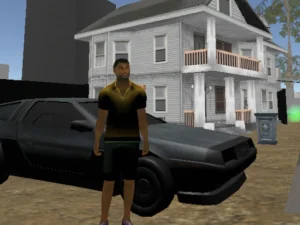
Grand City Missions has seven cars and separates Career from Racing. Single-player Career includes sixteen missions and earns GP for garage choices. Two-player Career instead becomes free driving. Racing offers four circuit events and one sprint. These distinctions are useful when deciding whether you want structured progression or a session beside a friend.
The first player uses WASD, with F for NOS, T to look behind and R to reset. The second uses arrows, K for NOS, L to look behind and O to reset. Agree on the assignments before sharing the keyboard. A mission selection from solo play should not be assumed to produce the same activity when a second player joins.
Compare road events with deliberate contact
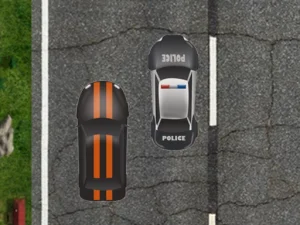
Demolition Derby makes car-smashing action the focus. The supplier specifies keyboard input; the loaded instructions should establish the particular key mapping. Watch the space around a target before approaching it. Contact that leaves your car without room to turn can create another problem immediately after the impact.
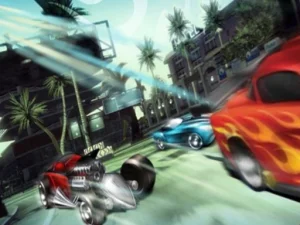
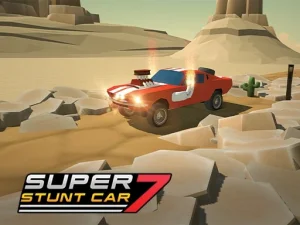
By contrast, Top Speed Racing 3D combines driving events, stunts and personalisation. Its WASD or arrow steering, Space brake and Shift nitro serve the current event's objective. Inspect an accessory's displayed information before assuming it changes handling. A shop choice, a stunt approach and a collision contest all involve cars, but they give your next movement a different purpose.
Review the approach as well as the result
After an awkward turn or collision, identify where the route first became difficult. Perhaps you entered without enough space to slow down, aimed at a target without an exit, or changed direction several times before watching the car respond. Revise that earlier decision rather than focusing only on the final crash or missed destination.
For a short session, choose one skill to inspect: a controlled turn, an event start or understanding the mode menu. Read the selected game's camera and pause options when available. Do not assume every car game uses the same keys, touch controls or progress storage. Comparing those details makes choosing another card more useful than expecting a different vehicle to solve an unexplained difficulty.
If the camera offers several views, test how each shows the vehicle's position near a bend or obstacle. Choose the view that makes the current task readable. A dramatic angle may look appealing while giving you less information about the clearance needed for a precise manoeuvre.