Decide which kind of pressure you want
First-person combat asks you to watch sightlines and aim. A vehicle game adds lane choice, obstacles and landing decisions. Defense can require preparation before an attack as well as reactions during it. Identify the immediate task in the opening scene instead of treating every zombie game as a reason to move forward and fire continuously.
Look for the information the current mode provides. Health, ammunition, stage goals and a route layout answer different questions. Read the indicator connected to the decision you are making: a nearly empty magazine matters before another engagement, while an approaching obstacle matters before choosing a lane. The useful response depends on the specific game rather than the shared theme.
Oxy Arena separates practice from zombie survival
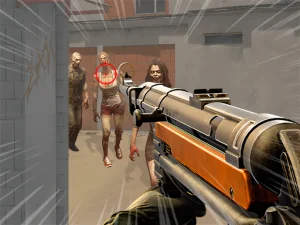
Oxy Arena includes a solo Backrooms: Zombies option alongside public play, Rooms & Friends and Practice. Choose the intended activity from the main menu. The practice interface provides Deathmatch, Team Deathmatch and Target Range setups with bot difficulty choices, so practising aim is a different session from selecting the zombie option.
On a computer, WASD moves the character, the mouse controls the view and left click fires. The displayed controls also include aiming, reloading, crouching and weapon switching. Learn those actions in a manageable setting before entering a busier encounter. Solid cover can limit the directions you need to watch, but inspect the next route before moving out of it.
Nitrovenant 2 puts the problem on three lanes
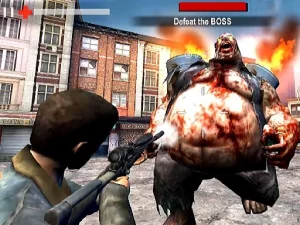
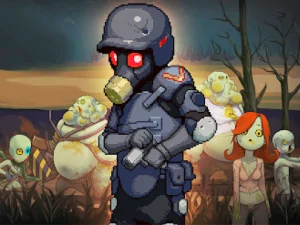
Nitrovenant 2 combines an armored vehicle with zombie combat. The vehicle advances and fires automatically while you change lanes, jump hazards and use additional attacks. Start by learning lane selection. Trying to combine a last-second jump, nitro and an extra attack before understanding the route can make the cause of a failed run unclear.
Keyboard lane changes use A and D or the Left and Right arrows; Space or W jumps. The game also offers touch gestures for lane changes and jumping. Stages include bosses, while the results show information such as the remaining boss health, zombies defeated and best combo. Those details help you choose a specific improvement for the next run rather than treating every loss as identical.
Choose an upgrade for the problem you observed
When a game offers equipment or garage choices, read their actual effects before spending its resources. In Nitrovenant 2, weapon, armor and traction upgrades address different parts of the run. More health does not solve the same issue as greater damage, and traction concerns difficult surfaces. Compare the stated effect with the section that caused trouble.
In other zombie games, check the available preparation tools and combat rules from the beginning. Do not assume a weapon behaves the same way across titles, or that an apparent doorway provides cover. Use an early attempt to learn the space and the controls, then adjust one decision at a time so the next result tells you what changed.
Check the selected version and device
A collection page can contain several kinds of gameplay and different levels of intensity. Check the game's own description, input prompts and opening scene before choosing it for a particular player or device. For another theme or a slower activity between survival attempts, return to the BestCrazyGames homepage and compare the objectives of the next collection you open.