Choose a shared activity in Grand City Missions
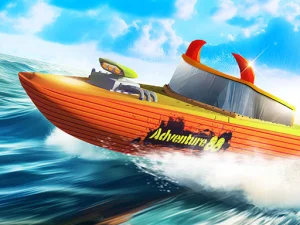
Grand City Missions offers Career and Racing in a driveable city. Its garage contains seven cars, with paint and wheel customisation. The established page address has a different legacy name, but the game and its verified instructions are Grand City Missions. Use the visible title and objective when deciding what to play.
Career has sixteen missions in single-player mode, including transportation, races and other driving tasks. Some activities use a stunt arena. With two players, Career changes to free driving instead of a mission campaign. That distinction matters if you were expecting both people to complete the same sequence of objectives together.
Race for a direct comparison
The Racing selection has five events: four circuits and one sprint. Single-player racing can earn GP, while two-player racing provides a contest against a friend for fun. Choose the format before starting, so that each person understands whether the session is about exploring or comparing a race result.
Trying the same event with a familiar car gives both players a clearer point of comparison. A circuit and a sprint ask you to read the route differently, so do not assume that an approach suited to repeated laps is automatically the best preparation for every event. Follow the course shown by the selected race.
Make room for two sets of controls
Player one drives with WASD, uses F for NOS, T to look behind and R to reset the car. Player two drives with the arrow keys, uses K for NOS, L to look behind and O to reset. These distinct key groups support the shared-device setup described by the game.
Before competing, let each player try moving, looking behind and resetting. Check that both people can reach their controls comfortably. An unfamiliar reset key or an awkward hand position can interrupt a session without teaching you much about driving. Learning the small input set first makes the comparison more enjoyable.
Understand which progress the mode provides
Single-player Career challenges earn GP that can unlock cars and wheel designs. The two-player free-drive version of Career has a different purpose, so do not treat its presence as evidence that the mission progression remains available. If garage unlocks are the goal, read the single-player event information before choosing a shared session.
Likewise, distinguish a friendly two-player race from a claim of online matchmaking. The documented controls establish two people sharing the device. They do not establish a room code, remote account connection or cross-device service. Use the mode the game actually offers instead of transferring expectations from another title with a similar tag.
Agree on a useful session goal
For exploration, decide whether you want to try handling, practise a route or simply drive around the city. For racing, agree on the selected event and give both players time to understand it. A clear shared goal prevents one person from expecting a mission while the other is treating the session as free driving.
After a race, compare a particular corner or route choice rather than only the finishing order. That gives another attempt a practical change to test. The two-player collection is most useful when you check the exact participation format, learn each person's controls and choose an activity that suits both players.