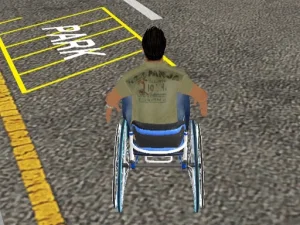
Choose a mode in Grand City Missions
Grand City Missions combines a city-driving setting with Career and Racing modes. Its garage contains seven cars. Trying their handling can help you choose a vehicle for the next activity, rather than selecting purely from the way the car looks.
Single-player Career contains sixteen missions, including transportation, races and driving tasks, with some events in a stunt arena. Completing missions earns GP used for cars and wheel designs. Read the current mission prompt before moving away, because transporting something and completing a race call for different plans.
With two players, Career becomes free driving instead of a mission campaign. That distinction matters when planning a shared session. Choose it to explore and experiment together; choose the single-player mission route when you want that mode's tasks and progression.
Know whose keys control which car
Player 1 uses WASD to drive, F for NOS, T to look behind and R to reset. Player 2 uses the arrow keys, K for NOS, L to look behind and O to reset. Keep those assignments separate when sharing a keyboard so an unfamiliar action does not interrupt the other player's driving.
Start with ordinary steering before introducing NOS. Look at the approaching bend and the room available after it, then use a speed option where it serves a route you understand. An input that increases pace is less helpful while you are still trying to recover from a large turn.
Looking behind is another purposeful action. Use it when you need information about what follows, and then return attention to the road ahead. The reset option is useful to know, but learning an approach is still worthwhile when you want to improve the next attempt.
Racing gives a different measure of progress
The Racing mode in this example has five events: four circuits and one sprint. Single-player races can earn GP, while two-player races provide competition with a friend. Check the selected event before setting a practice goal, especially when changing from repeated laps to a route with a different format.
Learn the line through a corner at a manageable pace. Identify the point where you need to begin turning and where the car should finish the bend. If you run wide, review the approach before assuming that another vehicle is the only solution. Handling knowledge helps make later car choices more informed.
Paint and wheel customisation are available from the garage. Inspect what each option actually changes before expecting every visual choice to improve performance. Personalising a vehicle and selecting its handling are related interests, but they are not automatically the same decision.
Find a driving task worth repeating
Use this collection to choose an activity that suits the visit. You may want a defined mission, a competitive event or time to understand a car without pursuing a task. Read each new game's own controls when switching, since the keys above belong to Grand City Missions.
A useful retry has a clear question. Can you approach the destination more smoothly, take a bend with fewer corrections or understand another car's steering? Keep the rest of the setup steady while testing the adjustment. That makes progress visible and turns browsing into a series of driving decisions you can learn from, rather than a search for speed alone.