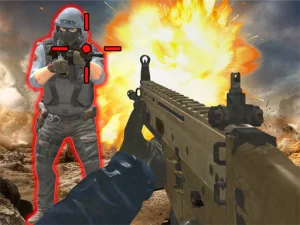
Know which weapon and action are selected
Find the current equipment and ammunition information before advancing into a busy area. Learn how the game changes weapons and what its reload input does. A weapon switch, a pickup and an interaction can use different controls. Practise them separately until you can recognise the result, then combine them with movement during a more demanding encounter.
Make the next shot part of a position you understand. Check the space in front of the target and the surroundings of your own character. If an encounter becomes difficult, consider whether changing position would give you a clearer view before assuming the only solution is firing more quickly.
Equip for the round in FPS Block Strike Dust2
FPS Block Strike Dust2 uses a block-style arena with Terrorist and Counter-Terrorist sides. B opens the market, and E is the documented bomb-plant command. The mouse handles aiming and shooting, with WASD or arrows for movement. Understand the selected side's task before treating every weapon purchase as preparation for the same kind of round.
At a corner, consider where a teammate is going as well as the direction you want to aim. Entering a shared passage without looking can leave several people approaching the same space without a clear continuation. Use the game's actual objective prompts to decide when to advance, hold a view or perform an interaction.
Compare a robot encounter with a squad fight
Robot Strike: FPS Shooter sets a first-person weapon against enemy robots. WASD moves, mouse movement aims, left-click fires and R reloads. Space jumps, while Esc releases the cursor. The published overview describes battles and missions, so follow the current on-screen task rather than assuming a mission total or a particular unlock schedule.
Use a deliberate aim adjustment toward one visible robot. Watch the resulting position of the weapon before making another large turn. The jump input gives you a movement option; its presence does not prove that jumping prevents damage. Connect each action with what the encounter actually shows.
Frontline Conquest is another associated choice, adding flags, classes, vehicles and squad interactions. Its wider equipment selection changes the questions to ask before moving. Identify what your selected class currently provides and which objective needs help, then choose an approach that suits that situation.
Judge equipment by the task you face
When a shop or loadout menu is available, read the description and requirement before choosing. Do not assume a familiar-looking gun shares the same effects across different games. A purchase can address a different limitation from improving aim or learning a route. Establish which problem you are trying to solve before spending a resource.
For an early practice attempt, select one manageable goal: recognise the reload moment, learn a weapon switch or inspect an objective before approaching. Keep the opening sufficiently familiar to compare results. If you change every setting and item between attempts, it becomes harder to identify what improved.
Before switching to another card, review its own inputs and viewpoint. A keyboard-and-mouse interface and a touch layout need their own checks. Treat the Gun tag as a route to weapon-based challenges, while the selected game's instructions remain the reference for every particular action and rule.
Check the highlighted equipment after a menu choice. Selecting a purchase and entering the encounter with the intended weapon are separate things to verify through the game's visible interface.