































Blockpost free to play unblocked FPS
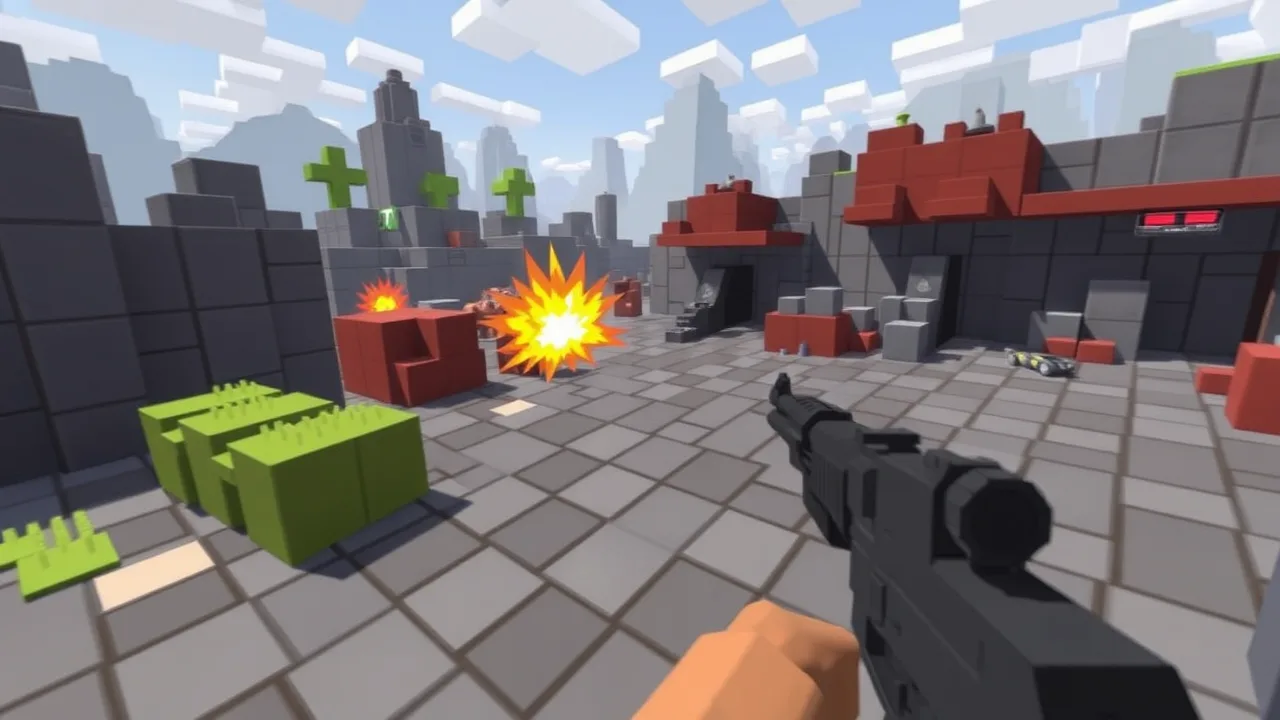
Blockpost is one of those voxel shooters that looks simple at first glance, then completely eats your free time. It is a fast paced online first person shooter where blocky maps, tons of weapons, and sweaty lobbies all collide in one place. If you want to jump straight into the action in your browser, you can play it instantly on blockpost without any download or install. Under the hood it follows the same core ideas as classic first person shooter games, but mixes it with Minecraft style cubes and chaotic destruction. Whether you are grinding headshots, trying weird guns, or just trolling with friends, this title gives you that arcade hit of action in a few seconds.
🎮 Play blockpost Online Free Unblocked
If you are hunting for a way to play blockpost at school, work, or on a low end laptop, this browser version is exactly what you want. You load the page, pick a server, choose a gun and you are already fighting. No launcher, no huge download, just instant online FPS. The maps are made from blocks, which means clear sightlines, sharp angles for peeking, and plenty of sneaky off angles to learn. Since it is unblocked friendly, you can usually jump in from different networks where normal big shooters get filtered out. That makes it a perfect “quick match between classes” kind of game. It keeps the feel of tactical shooters but in a lighter, more arcade style that runs well even on weaker machines.
⭐ Top Features of blockpost
blockpost hits that sweet spot between casual fun and hardcore sweat. You get a huge arsenal with rifles, SMGs, shotguns, snipers, pistols and explosives, so every player can lock in a playstyle that feels right. Matches take place on many different voxel maps, from tight corridors to open outdoor arenas, and each layout forces you to rethink your routes and angles. Multiple game modes keep things fresh, including classic team fights, solo free for all, elimination style rounds, gun progression modes and zombie or infection variations similar to other arena shooters. Underneath all that there is progression, skins, cases and customization that let you flex your grind and style. Combined with responsive shooting and quick respawns, the game always pushes you to go “one more round” even when you said you were done ten matches ago.
🎯 blockpost Gameplay Overview
The core gameplay loop in blockpost is simple but addictive. You connect to a server, pick your loadout, then jump into fast rounds where every peek and every shot matters. Movement is smooth, with sprinting, jumping and quick strafes that let you jiggle peek corners and dodge enemy fire. Gunplay rewards aim and recoil control, so learning how each weapon kicks is a big part of leveling up. Since maps are built from cubes, cover is very readable, which makes it easier to learn strong positions but also exposes you if you get lazy with your movement. Spawns, choke points and power spots are usually obvious after a few rounds, so the real skill is rotating at the right time, not staring down the same lane. It feels like a blend of tactical FPS and arena shooter, fast enough to be fun but still punishing if you ego peek the wrong angle.
📚 About the blockpost Game
blockpost is a free to play voxel based shooter created for people who love online FPS action without needing a high end PC. The blocky look is not just a style choice, it also helps performance, which is a big win if you are playing on school or office hardware. Under the cute cubes you still get serious mechanics like headshot damage, recoil patterns and weapon roles that matter in every duel. The community is full of players grinding different modes, so you will constantly face new tactics and weird loadouts. Over time, versions like Blockpost Legacy and mobile releases have expanded the universe, but the browser experience stays focused on one thing. Quick, accessible multiplayer matches where you can warm up your aim, test strategies or just mess around with friends in a low pressure environment.
🕹️ Beginner Guide to blockpost
If you are brand new to blockpost, do not overcomplicate it. Start with a stable assault rifle or SMG, join a popular server and focus on learning one map at a time. Get used to how long it takes to kill someone, how fast you die, and which corners people like to hold. Stick near teammates at first, watch how they move and where they pre aim, and copy what works. Sensitivity is important, so tweak your mouse settings until you can comfortably track enemies without overshooting. Try different game modes, but team deathmatch or similar modes are usually best for learning because you respawn often and can experiment without pressure. Most of your early progress will simply come from playing more rounds, learning the angles and getting comfortable with the recoil patterns of a few favorite weapons.
⌨️ Keyboard and Mouse
Playing blockpost with keyboard and mouse is the way to go if you want the best control. Standard FPS controls apply. W, A, S, D handle movement, space jumps, mouse movement aims, and left click fires your weapon. Right click is often used for aiming down sights on guns that support it, which tightens your spread and helps at longer ranges. Reload is usually on R, crouch or slide on Ctrl or C, and number keys or scroll wheel switch weapons. The game really rewards clean aim, so spend time finding a DPI and in game sensitivity that let you snap to targets without feeling twitchy. Try practicing by tracking teammates or walls between fights, then carry that into real duels. Once your movement and aim are automatic, you can focus on bigger picture things like rotations, crossfire setups and playing off your team.
🧠 Best Tips and Tricks For Fast Wins
To start stacking wins in blockpost, you need more than raw aim. First, learn the hot spots on each map, the classic peek angles and the main choke points where fights always break out. Holding those with cover advantage already gives you a big edge. Stop full sprinting around every corner. Swing wide with your crosshair at head height and be ready to shoot the moment an enemy appears. Pre firing common angles can also turn fights in your favor. Use weapons that match your position. Hold long angles with rifles or snipers and switch to SMGs or shotguns for close range flanks. Pay attention to the kill feed. It tells you which side is winning trades and hints at where pressure is building. Most importantly, do not ego peek the same angle right after dying there. Change height, timing or route so you are unpredictable.
❓ Gameplay Questions FAQ
Is blockpost good for low spec devices
Yes. The block based graphics look simple but clean, which helps the game run on weaker machines and older laptops, as long as the browser is decent and your connection is stable.
Is blockpost friendly for beginners
It is beginner friendly in the sense that controls are simple and you can jump into casual servers, but you will still run into cracked players. Expect to get farmed a bit at the start, then improve fast as you learn maps and recoil.
Can I just play casually with friends
Definitely. You can join the same server, queue up similar modes and treat it as a relaxed warmup game. It is perfect for short sessions where you want FPS vibes without launching a huge client or sweating ranked for hours.
🆕 New Features in blockpost
blockpost has evolved over time with new maps, weapon tweaks and extra modes that keep the game from going stale. New voxel arenas shift the meta by adding different sightlines, tighter hallways or more vertical spots to climb. Extra guns or balance updates shake up the usual picks, so you are not stuck facing the exact same loadouts every season. Variants like Blockpost Legacy focus on polishing visuals, improving progression and adding more refined matchmaking, while still keeping the core idea of quick online FPS matches in a blocky world. On the browser side you mainly feel the updates in smoother performance, better stability and fresh content showing up in the rotation. The result is a game that still feels familiar if you played it years ago but has enough small changes to keep long time fans engaged.
🛠️ Troubleshooting Quick Fixes
If blockpost is not running how it should, there are a few simple fixes you can try before raging at your PC. First, refresh the page and close extra tabs that are eating RAM and bandwidth. If the game stutters, lower the in game graphics options if available and make sure your browser is up to date. Input delay or weird lag is often a network problem, so switch Wi Fi networks if you can or use a cable connection for more stable ping. When the game does not load at all, clear browser cache and cookies, then reopen the site. Ad blockers and aggressive privacy extensions can sometimes break embedded games, so test in a clean browser profile. If everything else fails, try another browser. Since blockpost is a web based FPS, a lot of issues are just browser quirks that disappear when you swap.