


Counter Craft 5 Unblocked: Play Free In Your Browser
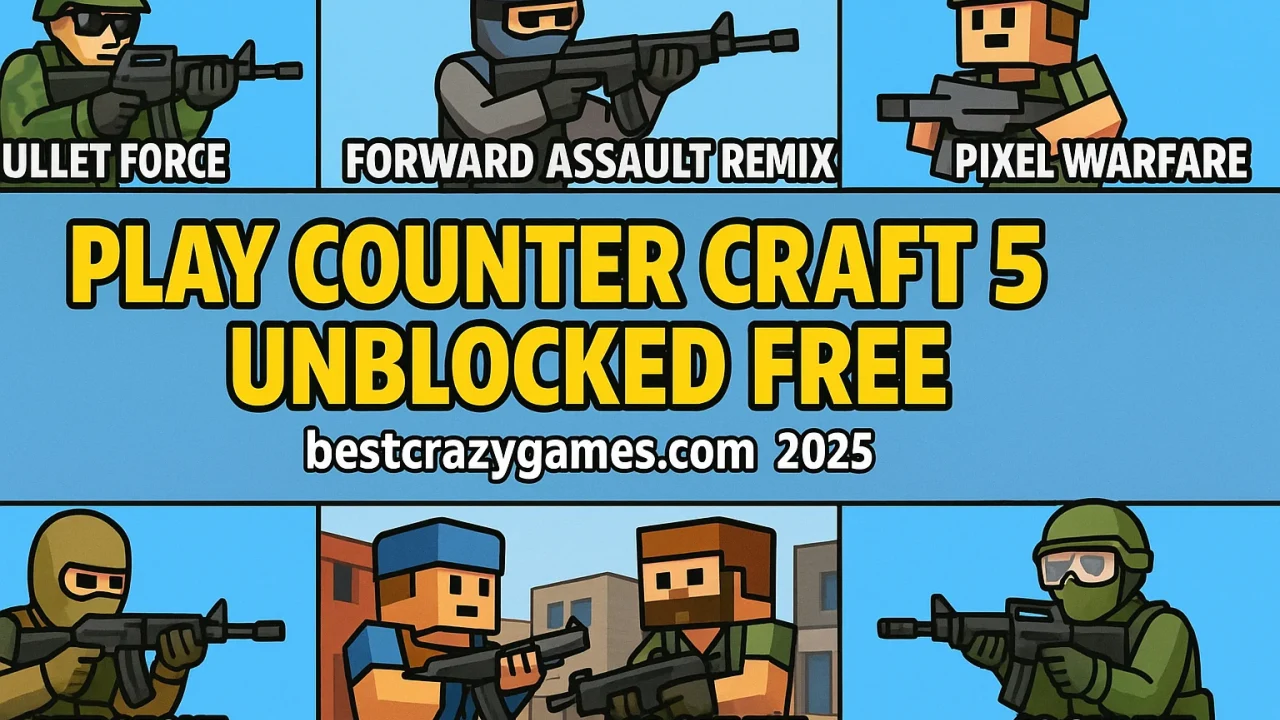
Counter Craft 5 is a punchy, blocky FPS that scratches the Counter-Strike-style itch without the setup headache. You load in, you click heads, you vibe. If you just want to jump straight in, here’s the live page: Play Counter Craft 5. The game channels tactical shooter DNA in a lightweight, browser-friendly package. If you’re curious about where that tactical flavor comes from, the whole “slow is smooth, smooth is fast” ethos is explained well in the genre overview for a tactical shooter. Expect quick time to kill, positioning that actually matters, and weapons that reward control over spray. TL;DR: it’s free, instant, and surprisingly deep for something that runs in a tab. Let’s break it down.
Play Counter Craft 5 Online Free Unblocked 🎮
School Wi-Fi grumpy? Work firewall a hater? Counter Craft 5 still loads in a normal browser with zero installs, which means you can go from bored to blasting in seconds. Queue time is basically none, the file footprint is tiny, and you won’t need admin rights. Sessions are snackable too, so you can squeeze in a quick round between classes or on a break. If the network blocks common gaming domains, try using a modern Chromium-based browser with privacy mode and clear cached redirects after each session. Keep your audio low, use windowed mode, and bind pause to a reachable key so you can dip out fast. Bottom line: if you want a bite-size FPS fix without the launcher drama, this is a clean, low-friction way to play.
Top Features of Counter Craft 5 ✨
You’re getting a compact FPS with real staying power. First, movement has momentum and readable strafing, so out-positioning opponents actually works. Second, the gunplay rewards burst control and crosshair placement rather than pure spray, which keeps firefights skillful. Third, maps are lean, with clear lanes and flank routes that create simple but meaningful choices each round. There’s also a satisfying headshot multiplier and crisp hit feedback, so you instantly learn whether your tracking is on point. Performance is friendly to low-end machines, letting you chase high FPS on school or office hardware. Finally, the UI is minimal, the time to action is tiny, and you can bounce in and out without grinding menus. It’s the good part of classic tactical shooters, bottled for the browser.
Counter Craft 5 Gameplay Overview 🕹️
Every round is a quick loop of buy, move, clear angles, and secure picks. You’ll spawn, check econ if modes require it, then hit a lane where early aim duels happen. Win that opening fight and you unlock map control, letting you pinch spawns or collapse on the remaining enemies. Lose it and you’re on damage control, playing crossfires and off-angles to even the numbers. The pacing is brisk, but your decisions matter because a single clean headshot can flip the round. Ammo discipline counts, reloads are punishable, and careless peeks get you deleted. You’ll feel the difference between wide swinging and shoulder peeking, between holding a pixel and jiggle baiting utility. It’s simple on the surface, but the moment-to-moment micro elevates it.
About Counter Craft 5 Overview 📚
Think of Counter Craft 5 as a lightweight tactical FPS with a voxel aesthetic. It borrows the best bits of classic round-based shooters and trims the friction that usually blocks casual play. The visuals are blocky for performance, not a gimmick, which means consistent frames on older laptops. Audio is clean enough to localize footsteps and shots without drowning in effects. The core fantasy is pure: angle discipline, pre-aim, and smart rotations win more than flashy spraying. If you’ve touched any team-based tactical shooter, you’ll feel at home in under a minute. New players get readable feedback, while veterans can immediately start ego-challenging tight lines. It’s approachable, but it won’t play itself for you.
How to Play Counter Craft 5 Guide ✅
Start by setting your mouse DPI and in-game sensitivity to something you can control. Warm up with a couple of rounds focusing only on crosshair placement at head height. Off the spawn, choose a lane that fits your role: entry goes first and clears corners, anchors hold power positions and trade. Learn two or three reliable off-angles per map so you’re never dry peeking the same spot twice. Pre-aim common heads, slice the pie around corners, and reset after every duel. If there’s an economy, prioritize a stable rifle and armor before utility. If there’s no buy phase, treat opening seconds like gold and fight for early info. Most importantly, move with intent. Rotations win rounds, panic sprints lose them.
Sensitivity and FOV 🎯
For most mid-range mice, 800 DPI with 0.7 to 1.2 in-game sens is a controllable starting point. You want to track smoothly without micro-tremors. If your shots jitter past heads, lower sens. If you can’t turn quickly to trade, raise it slightly. Keep your FOV wide enough to maintain peripheral awareness, but not so wide that targets shrink into toothpicks. Disable mouse acceleration in the OS and in-game to keep muscle memory consistent. Stick to one sens for at least a week to actually improve. Map a hold-walk key to stabilize your spray during tight peeks, and use crouch sparingly to throw off enemy timing instead of spamming it. Small, disciplined adjustments beat constant tinkering.
Best Tips and Tricks For Fast Wins ⚡
Learn three timing beats per map: the first contact angle, the fast flank window, and the late round collapse. Pre-fire notorious rat corners once per round so you don’t donate opening picks. Use sound decoys to bait rotates, then walk into site with crosshair glued to the next headbox. Fight for space, not kills. Taking a power position often wins you two later duels for free. If you whiff, fall off and re-peek at a different elevation. Crosshair discipline is the cheat code: aim where enemies will be, not where they were. Play the numbers. If it’s 3v1, trade with spacing instead of ego-swinging. And when in doubt, hold the off-angle and let impatience feed you.
Gameplay Questions FAQ ❓
Does it run on school or office PCs? Yes. It’s optimized for browsers and low-spec hardware.
Is there pay to win? No. Skill and positioning matter more than cosmetics or unlocks.
How long is a round? Short. Expect quick engagements and decisive outcomes.
Do I need to download anything? Nope. It runs in the tab.
Can I play with a controller? You can map inputs, but mouse and keyboard dominate for precision.
Is aim assist a thing? Not typically in browser FPS. Build mouse fundamentals instead.
What if my FPS dips? Drop resolution scale and close extra tabs. See the performance tips below.
Latest Updates for Counter Craft 5 🔧
Expect small, iterative tweaks over time rather than giant overhauls. The devs focus on keeping performance stable on a wide range of devices while nudging balance so rifles remain the consistent, skill-expressing choice. Minor map pass changes usually clean up awkward head glitches and tighten up sightlines so opening duels feel fair. Audio cues get the occasional polish to make footsteps more intelligible without turning every hallway into a drumline. If you’re returning after a while, skim the in-menu notes to catch any recoil curve or time-to-kill adjustments. The vibe stays the same: fast to load, easy to play, hard to master.
Troubleshooting Quick Fixes 🛠️
Black screen or stuck loading? Hard refresh, then clear site data for the game domain. Stutters mid-round? Close other tabs, disable background downloads, and cap your browser’s FPS with your GPU panel if available. Mouse feels floaty? Turn off OS mouse accel and check your browser’s hardware acceleration both on and off to see which is smoother for your rig. Audio desynced? Toggle the tab’s mute state and re-focus the window. Keybinds not saving? Allow site storage and avoid private windows for persistent settings. If nothing helps, switch to a different Chromium-based browser and retest. Most issues are cache, extensions, or system power settings. Keep it lean and mean.