































Eye Color DIY: The Ultimate Guide to Virtual Eye Color & Makeup Play
What Is “Eye Color DIY”? (And Where to Play)
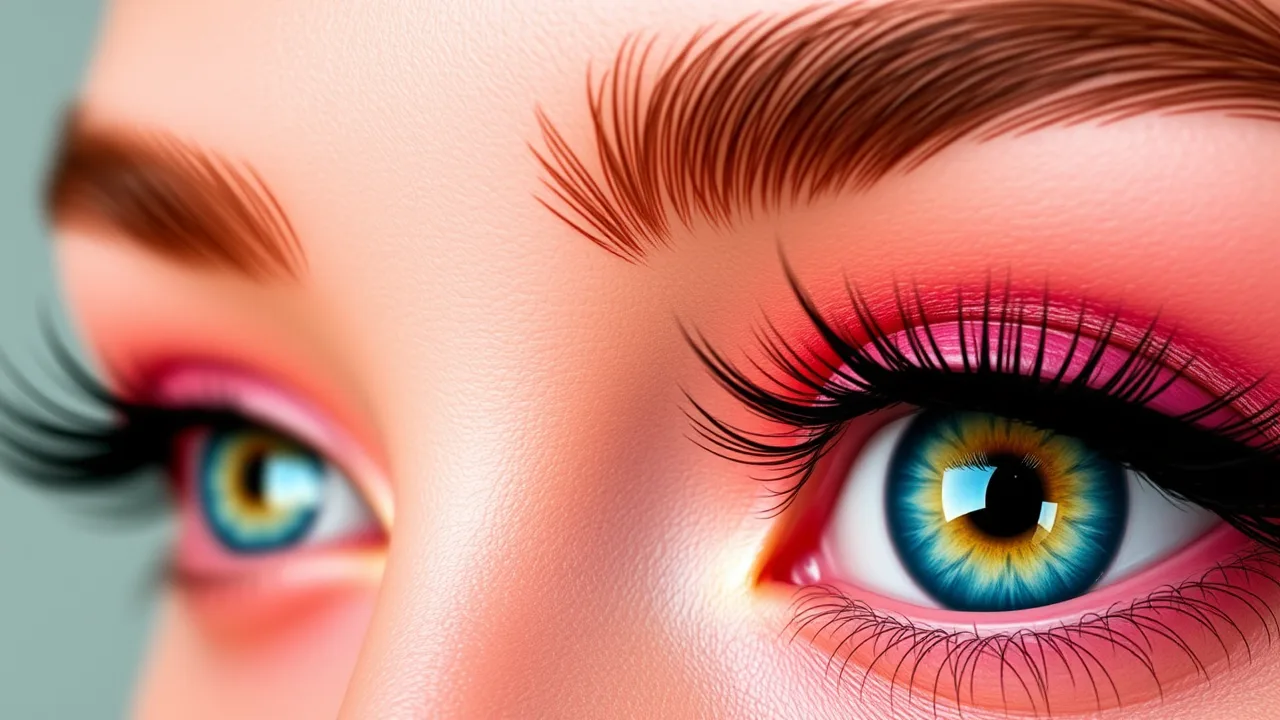
Eye Color DIY is a quick, creative beauty game that lets you test different iris shades, contact-lens tints, and eye-makeup looks in seconds—no mess, no risk, just pure style experimentation. You can play it free here: Eye Color DIY.
Why “Eye Color DIY” Is Trending for Beauty + Casual Gamers
-
Instant creativity: Mix iris hues, gradients, and overlays without learning a complex editor.
-
Zero risk: Try bold looks virtually before attempting them in real life.
-
Shareable results: Snackable content for socials (before/after, aesthetic themes).
-
Relax-and-create gameplay: Short sessions fit busy schedules.
How to Start Playing: A 60-Second Setup
-
Open Eye Color DIY.
-
Choose a base eye (or character) to edit.
-
Pick an iris color (solid, gradient, or pattern).
-
Layer makeup (liner, mascara, shimmer, glitter).
-
Fine-tune brightness/contrast/saturation.
-
Save or screenshot your favorite looks.
Eye Color Basics: The Iris, Pigments, and Perception
Understanding the iris helps you design realistic edits. For a quick primer on iris structure and how eye color works, see this Wikipedia overview.
Color Theory 101 for Realistic Eyes
-
Hue: The actual color (blue, hazel, amber).
-
Value: Light vs. dark; lighter values read “brighter.”
-
Saturation: Intensity; high saturation feels bold or stylized.
-
Complementary play: Warm copper makeup can make blue eyes pop; cool plums flatter green eyes.
The “Rule of Three” for Natural Looks
Keep three layers max for a believable result:
-
base iris, 2) subtle gradient ring, 3) micro-flecks near the pupil. Anything more starts to look stylized (which is fine—just intentional!).
Pro Layering Techniques (Step-by-Step)
-
Soft gradient ring: Add a faint outer ring 10–20% darker than your base hue.
-
Pupil halo: A very subtle lighter halo close to the pupil adds depth.
-
Micro-flecks: Tiny low-opacity flecks in a neighboring hue (e.g., gold in green) mimic real heterochromia specks.
Makeup Pairings by Eye Color
-
Brown eyes: Jewel tones (emerald, sapphire), bronze, and copper shimmers.
-
Blue eyes: Warm coppers, peaches, rose-gold glitters.
-
Green/hazel eyes: Plums, burgundy, mauve; a touch of gold for sparkle.
-
Gray eyes: Charcoal smokes, silver shimmer, cool taupes.
Popular Aesthetic Themes to Try
-
Soft glam: Neutral gradient iris + thin wing + champagne shimmer.
-
E-girl: High-saturation iris, sharp liner, micro-heart stamp near the outer corner.
-
Anime: Oversized highlight flecks, vivid gradient, glossy lower lash line.
-
Cyber neon: Electric iris ring + holographic glitter + cool blue underliner.
-
K-beauty fresh: Low saturation iris + tightline + dewy inner-corner highlight.
Quick Wins: 5 Presets That Always Photograph Well
-
Bronze Pop: Brown iris + copper fleck + warm liner.
-
Ocean Glow: Blue gradient + champagne inner corner + soft brown mascara.
-
Emerald Veil: Green iris + gold micro-flecks + plum liner.
-
Ice Queen: Gray iris + silver shimmer + cool charcoal smoke.
-
Fairycore: Pastel lavender iris + pearly inner corner + soft pink gloss effect.
Natural vs. Fantasy: Choosing Your Editing Style
-
Natural: Lower saturation, minimal rings, realistic speckling.
-
Fantasy: High saturation, bold rings, visible patterns (stars, petals).
Decide your vibe first, then keep your choices consistent throughout the build.
For Social Media: Formats That Perform
-
Before/after splits (clean, no clutter).
-
Carousel of 3 looks (natural → glam → fantasy).
-
Short reels showing stepwise iris changes.
-
Theme posts (e.g., “5 eye looks for green eyes”).
Accessibility & Inclusivity Tips
-
Offer high-contrast options for visibility.
-
Balance light/dark modes for different screens.
-
Include non-gendered style labels (“bold,” “soft,” “editorial”).
-
Provide color-blind-friendly palettes for UI accents (even if the iris is full-spectrum).
Advanced Tricks for Photo-Real Results
-
Edge softness: Slight blur on the limbal ring prevents a “sticker” look.
-
Catchlights: Add a tiny highlight at 1–2 o’clock; it brings the eye to life.
-
Asymmetry: Make the two eyes ~2–5% different; perfect symmetry can look fake.
-
Noise grain: A very light texture layer breaks up flat color.
Matching Eye Color to Skin Undertones
-
Cool undertones: Cooler iris tints (ice blue, slate, emerald) + silver highlight.
-
Warm undertones: Honey brown, hazel with gold, warm olive + bronze highlight.
-
Neutral undertones: Most palettes fit; decide by outfit and scene lighting.
Outfit & Hair Pairings That Elevate the Look
-
Dark hair + blue eyes: Navy, charcoal, jewel-tone clothing.
-
Light hair + green eyes: Cream, sand, terracotta, olive.
-
Vibrant hair colors: Mirror the hair in the iris flecks for cohesion.
Mobile Performance Tips (If You’re Playing on Phone)
-
Close background apps to avoid frame drops.
-
Reduce motion/UI animations if your device stutters.
-
Screenshot in native resolution to keep details crisp.
Eye Health & Safety (Real Life)
Virtual play is fun, but treat real eyes kindly: avoid unverified “DIY eye color” hacks or unsafe lenses. Consult professionals for real-world lenses and hygiene. Keep the artistry inside and other safe virtual spaces.
Mini-Challenges to Spark Creativity
-
Monochrome Day: Match iris tint, liner, and outfit to one hue.
-
Complementary Clash: Opposite colors for high contrast (blue vs. copper).
-
Seasonal Set: Spring pastel, summer neon, fall bronze, winter silver.
-
Story Mode: Build a character backstory and design eyes to match.
Keyword-Rich Ideas for Blog Sections
-
Best eye color changer online free tools
-
How to pick contact lens simulator presets that look real
-
Virtual makeover eye color tutorial for beginners
-
Eye makeup looks for brown/blue/green eyes with screenshots
-
Anime eye editor vs. realistic iris editor: which to choose?
Common Mistakes (And Easy Fixes)
-
Too harsh limbal ring: Lower opacity by 10–20%.
-
Over-saturated iris: Drop saturation; raise contrast slightly.
-
No catchlight: Add a tiny highlight for depth.
-
Flat color: Introduce micro-flecks or a subtle gradient halo.
Lightweight Workflow for Consistent Results
-
Choose your style (natural or fantasy).
-
Set base iris (value + saturation).
-
Add ring + flecks (keep it subtle).
-
Apply makeup accents (liner, shimmer).
-
Test on dark and bright backgrounds.
-
Export and archive with tags (e.g., “emerald-plum-softglam”).
Monetization & Content Ideas
-
Preset packs: Offer downloadable look presets with step notes.
-
Before/after bundles: Sell themed sets (e.g., “Festival Eyes”).
-
Tutorial PDFs: Keyword-optimized guides (eye color game online, virtual makeover).
-
Affiliate: Pair with beauty tools and educational color resources.
FAQs (Quick Answers)
Is “Eye Color DIY” safe for kids?
Yes—this is a virtual, cosmetic-style game. It’s about visual experimentation, not real-world contacts or chemicals.
Can I make my edits look realistic?
Absolutely. Use low-saturation bases, add a soft gradient ring, sprinkle micro-flecks, and don’t forget a tiny catchlight.
What’s the best palette for brown eyes?
Bronze, copper, emerald, and deep plums are reliable winners. Try a hint of gold flecks in the iris for depth.
Does the game work on mobile?
Yes—play in your mobile browser. For older phones, close background apps and keep screenshots at native resolution.
Can I try fantasy or anime styles?
Totally. Crank saturation, exaggerate highlights, and add stylized patterns. Label your post “fantasy/anime” for clarity.
Where do I play again?
Right here: .
10 Blog Post Angles You Can Spin Off
-
“Best eye color changer online tools for beginners”
-
“Natural vs. fantasy: which virtual makeover eye color style fits your feed?”
-
“Top eye makeup looks for green eyes (with preset codes)”
-
“How to build an anime eye editor look step-by-step”
-
“The science of iris color (simple guide) + design tips”
-
“Seasonal eye makeup game presets you can copy”
-
“Contact lens look-alikes: ethical contact lens simulator aesthetics”
-
“Five kawaii eye editor presets that never miss”
-
“Creating cohesive looks: iris, liner, outfit, background”
-
“DIY brand kit: eye styles that match your channel colors”
Final Tips for Share-Worthy Results
-
Stick to a two-color story per look.
-
Use consistent lighting in screenshots.
-
Add tiny imperfections (asymmetry, light texture) for realism.
-
Name your presets (e.g., “Emerald Veil,” “Ocean Glow”) to build a recognizable series.
Ready to Try? Jump In and Create!
Experiment freely, build a library of looks, and share your favorites. Start now with —and don’t forget to drop a credit line in your captions. Happy styling!