































Free to Play Unblocked run run duck Online
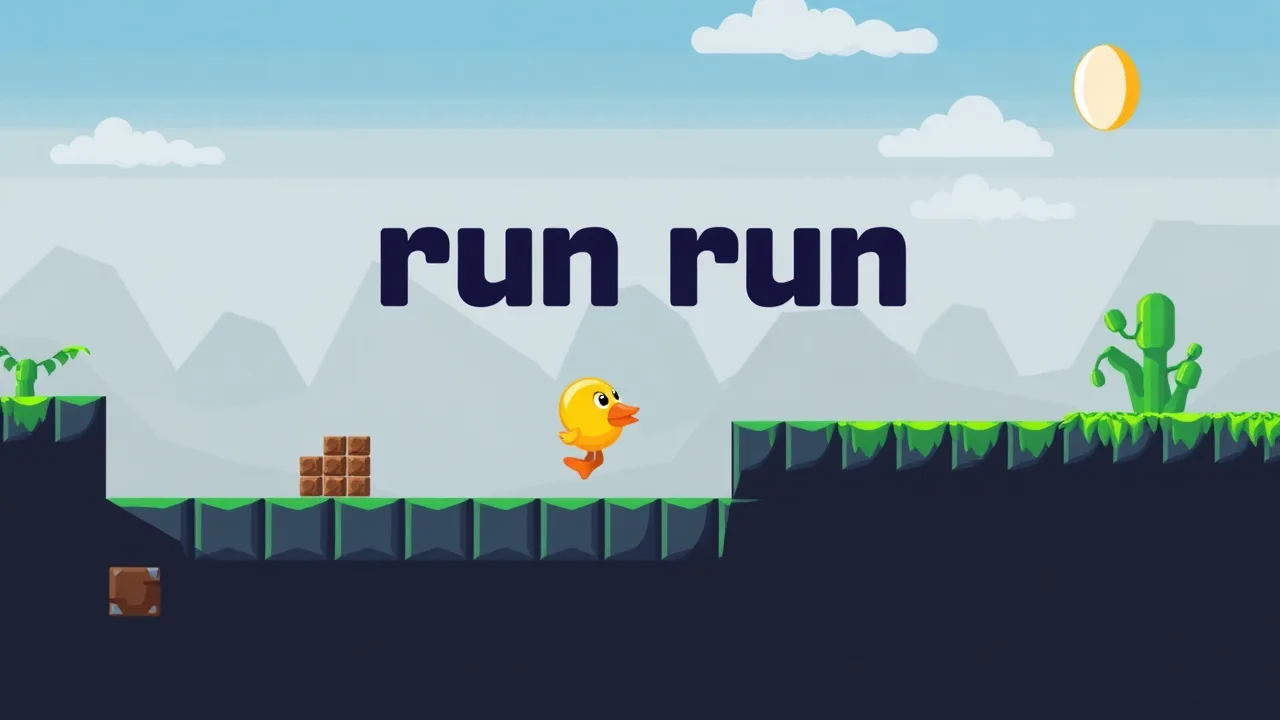
run run duck is that kind of retro platform game that feels like an old cartridge you somehow found in the back of the drawer, but it runs straight in your browser. You guide a tiny yellow duck through pixel worlds, smashing bricks, dodging enemies, collecting coins and racing for the golden egg before the timer hits zero. You can jump into the action instantly on Run Run Duck at BestCrazyGames, with no install, no account and no paywall drama. Because it is a lightweight HTML5 title, it runs smoothly on most school or work devices as long as you have a modern browser. If you are hunting for something fast, simple and addictive that still demands timing and focus, this little duck is going to keep you busy for way longer than you expect.
🐤 Free to Play Unblocked run run duck
run run duck is built to be a plug and play browser platformer that anyone can boot in seconds. The whole thing runs directly in your web browser, which turns it into an easy option when you want a quick break between tasks or classes without going through app stores or installs. The game also fits nicely into the idea of modern arcade platformers and even borrows from endless runner style design, with simple controls and constant forward momentum that keep you locked in. Because it is unblocked on many networks, you usually only need a tab and a keyboard. Combined with its short levels and tight timer, every run feels like a mini challenge to beat your own pace and clear the stage a little cleaner than last time.
⭐ Top Features of run run duck
The strongest feature in run run duck is how clean the level design feels. You get eight compact stages that steadily ramp difficulty without turning into pure frustration. Each level mixes coins, enemies, hidden bricks and jumps that push you to think ahead instead of just holding right and spamming jump. Powerups give the duck extra mobility and survivability, which turns each pickup into a mini win that changes how aggressive you can play. The golden egg at the end of every stage works like a classic finish flag, so you always have a clear target to chase before the timer expires. On top of that, the game is optimized for both desktop and mobile, which means you can grind runs on a laptop, school Chromebook or home PC without any weird control lag or performance drops.
🎮 run run duck Gameplay Overview
In run run duck you start at the left side of each pixel stage and push forward toward the golden egg while the clock slowly eats away at you. The flow is simple. Move, jump, break bricks from below, land on enemies to stomp them and pick up every coin you safely can before you rush to the exit. There is no deep story here, which honestly helps. The game gets straight to tight platforming, short levels and instant retries. Enemies patrol fixed paths so you can learn patterns, then use that knowledge to move more confidently on later attempts. Because the timer is strict, you cannot just farm every coin forever. You need to balance greed and survival, deciding when to push for risky jumps and when to ignore a shiny collectible and sprint for the egg instead.
🐥 About the run run duck Game
run run duck leans hard into retro platform vibes. The main character is a small yellow duck that feels like a cousin of old school mascot heroes. Visuals are deliberately simple, with bright pixel tiles, brick blocks and clean backgrounds that keep the focus on platforms and enemies. It is heavily inspired by classic side scrolling adventures where exploration, timing and a bit of memory are all mixed together. The game is also built in HTML5, which makes it lighter and more accessible than old plugin based web games. You are not dealing with massive downloads or complicated login systems. Just load the page and you are sliding into level one in a couple of seconds. That simplicity is what makes it such an easy recommendation when somebody asks for a quick, no nonsense platform game online.
🕹️ How to Play run run duck Guide
To get started with run run duck, load the game then pick your first level from the simple stage select screen. Once the timer begins, your job is to move the duck across the map, break bricks, dodge enemies and hunt for the golden egg. Use early runs to scout each stage. Learn where the enemies stand, where the big jumps are and which bricks hide coins or powerups. On repeat attempts, plan a cleaner route that lets you grab the safest coins without backtracking. Do not panic if you miss something. Prioritize survival and reaching the egg before the clock hits zero, then refine your route on the next try. As you clear levels, they slowly increase the amount of enemies, longer gaps and trickier brick layouts, so stay ready to adjust your jump timing and movement rhythm.
🎯 Control Basics
Controls in run run duck are intentionally minimal so your brain can focus on timing and decisions instead of remembering a full keyboard piano. On desktop, you move with the arrow keys or WASD, using left and right to walk and a single button for jump. That jump is everything. A light tap gives you a short hop while a longer hold stretches distance and height, which matters a lot when clearing wide gaps or stomping enemies from above without sliding into them. The game also reads inputs quickly, so spamming jump near the edge of a platform will often save you in tight moments. If you are playing on a device with touch support, on screen buttons mirror the same layout, letting you keep the same habits when switching between keyboard and mobile sessions.
💡 Essential Tips and Tricks For Beginners
If you are just starting run run duck, treat your first attempts on each level as scouting runs. Do not worry about perfect coin routes. Focus on reading enemy patterns and discovering which bricks are breakable or hiding goodies. Stay patient near gaps and enemies. Rushing usually means you clip a hitbox and lose the run to something that looked harmless. Use your jump height smartly. Small taps are safer in tight corridors where a full jump might bonk your head on blocks and drop you into an enemy. When you see powerups, grab them even if it slows you down for a moment. The extra safety often pays back later in the level when the timer is tight and enemies are stacked. Most important, do not tilt. Quick restarts are part of the loop, not a failure.
❓ Gameplay Questions FAQ
Is run run duck really free and unblocked
Yes, the game is a free browser title with no upfront cost. On many school or work networks, it loads like any normal site, which is why people see it as an unblocked time killer.
Do I need a powerful PC
No, it is an HTML5 platformer with lightweight pixel art, so even low spec laptops and Chromebooks usually handle it without problems.
Can kids play it safely
There is no gore or heavy content. It is mostly jumping on cartoon enemies and collecting coins, so it is very kid friendly.
How long does the game last
There are eight levels, but the timer and routing potential give you plenty of reason to replay stages for faster, cleaner clears.
🆕 New Features in run run duck
run run duck is a fairly compact game, so updates are usually about polishing the experience rather than dropping huge new systems. The core package already includes eight levels, responsive controls and support for both desktop and mobile. When the game receives tweaks, they tend to improve performance across browsers, smooth out difficulty spikes or adjust timers on certain levels so they feel fair but still tense. Sometimes the developer also fine tunes coin placement and enemy positions to make routes more interesting without forcing pixel perfect jumps. Because the base concept is tight and old school, you are not chasing seasonal battle passes or random balance patches that completely change how you play. Instead, any new adjustments are there to keep the experience stable, accessible and clean no matter what device you decide to play on.
🛠️ Troubleshooting Quick Fixes
If run run duck is not loading, first refresh the page and make sure your browser is not blocking scripts. Switching to another modern browser like Chrome, Edge or Firefox often solves weird issues instantly. If the game feels laggy, close extra tabs, pause streams and disable heavy extensions. On school or office networks, if the page itself will not open, the domain might be filtered, and in that case there is not much you can do from your side apart from trying a different connection. When controls feel delayed, double check that you are not using a wireless keyboard with low battery or a touchscreen with poor response. Finally, if sound cuts out or glitches, muting and unmuting the tab or reconnecting headphones usually snaps audio back into place without needing a full reboot.