































Master the Art of Gravity in Backflip 3D Online
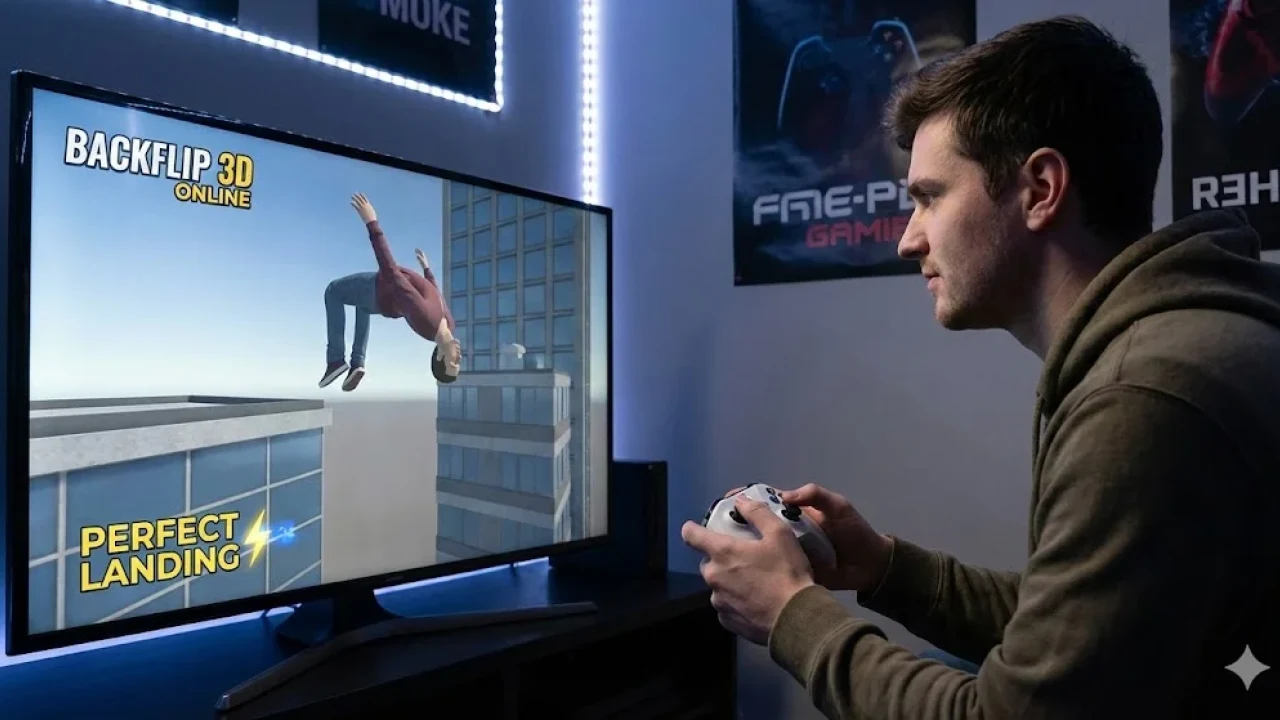
There is something undeniably satisfying about nailing a perfect landing after flipping through the air. In the digital world of backflip 3d, you get to experience that rush without the risk of actually breaking a bone. This game takes the simple concept of acrobatic jumping and turns it into an addictive test of timing and spatial awareness. You start with simple jumps in a gym setting, but soon enough, you are launching yourself off skyscrapers, cliffs, and moving platforms. It captures the essence of urban acrobatics, where the city becomes your playground and gravity is just a suggestion. The physics engine is the real star here, providing a ragdoll effect that makes failures hilarious and successes feel earned.
For those interested in the real world inspiration behind these digital stunts, the Parkour Wikipedia page offers great insight into the discipline of moving rapidly through an environment. While the game focuses specifically on the vertical rotation of a flip, the spirit aligns perfectly with the philosophy of efficient movement and overcoming obstacles. In backflip 3d, you are not just pressing a button; you are calculating the tuck, the rotation speed, and the angle of descent. It requires a surprising amount of focus. One moment you are soaring gracefully, and the next you might faceplant because you held the tuck a millisecond too long. This balance of tension and release is what keeps players coming back for "just one more jump."
🏫 Backflip 3D Unblocked For Work And School
Finding a game that slips past the strict firewalls of school or office networks can be a hassle, but backflip 3d is often available as an unblocked version that runs smoothly in your browser. This accessibility is a huge draw for students and employees looking for a quick mental break. Since the game relies on HTML5 technology rather than old Flash plugins, it loads almost instantly and does not require you to download suspicious files or install heavy software. You can simply open a new tab, play a few levels to reset your brain, and then close it without leaving a trace on the computer.
The unblocked nature of the game means it is optimized for lower end hardware. You do not need a gaming rig to enjoy the fluid animations or the vibrant, albeit simple, graphics. It runs well on Chromebooks, standard office laptops, and even older desktops. This universal compatibility ensures that your experience remains lag free, which is crucial for a game that depends entirely on precise timing. When you are trying to land a double backflip onto a tiny target, frame drops are the enemy. Fortunately, the lightweight design of backflip 3d keeps the action crisp and responsive, allowing you to focus entirely on your technique rather than fighting with technical issues. It is the perfect pocket of entertainment for those dull moments between classes or meetings.
✨ Top Features of Backflip 3D
The appeal of backflip 3d lies in its focused feature set that prioritizes fun physics over complicated mechanics. One of the main highlights is the "Ragdoll Physics" system. Unlike games with rigid animations, your character here reacts dynamically to the environment. If you clip your foot on the edge of a building, you will stumble and tumble in a realistic, often comedic, way. This adds a layer of unpredictability to every jump. No two fails look exactly the same, and sometimes a messy landing can still count if you manage to stay within the target zone.
Another key feature is the progression system. The game is divided into various levels and environments, each introducing new challenges. You are not just jumping off static boxes; you will encounter elevators, swaying platforms, and dizzying heights that change how you approach the jump. As you complete levels, you earn coins which can be used to unlock new skins and characters. You might start as a generic athlete, but soon you could be flipping as a ninja, a businessman, or even a penguin. These cosmetic upgrades do not change the core gameplay, but they add a fun visual flair that gives you something to work toward. The combination of physics based chaos and a steady stream of unlockables makes the game surprisingly deep for a browser title.
🤸 Backflip 3D Gameplay Overview
The core loop of backflip 3d is deceptively simple but difficult to master. Your primary objective in every level is to jump from a starting position and land safely within a marked square target. It sounds easy, but the complexity comes from the control you have over your body's rotation. When you jump, you have to tuck your knees in to spin. Holding the tuck increases your rotation speed, and releasing it extends your legs for the landing. The game requires you to judge the distance and height perfectly. If you under rotate, you land on your back; over rotate, and you faceplant.
Points are awarded based on the quality of your landing. A perfect landing, where you stick your feet right in the center of the target, grants the most points and often gold medals. As you advance, the game throws curveballs at you. You might need to clear an obstacle before landing, or the target area might be incredibly small. Some levels even require you to perform multiple flips in a single jump to score high enough to pass. The tension builds as you are mid air, watching the ground rush up, trying to decide the exact millisecond to untuck. It is a game of rhythm and intuition. You eventually develop a "feel" for the physics, knowing exactly how long to hold the click for a single backflip versus a double or triple.
📜 About Backflip 3D Basics
At its heart, backflip 3d is a physics simulation puzzle disguised as a sports game. It strips away the running and climbing usually associated with parkour games and focuses entirely on the ballistic trajectory of the jump. The game is designed with a minimalist aesthetic. The colors are bright and flat, the environments are clean, and the UI is unobtrusive. This visual clarity helps you focus on the movement. You don't have to worry about visual clutter hiding the landing zone; everything is stark and readable.
The game also employs a trial and error philosophy. Levels are short, usually taking only a few seconds to complete or fail. This rapid reset time is essential. You will fail often, sometimes hilariously, but because you can restart instantly, the frustration rarely sets in. Instead, it becomes a challenge to self correct. You realize, "Okay, I held the mouse too long that time," and you try again immediately. This iterative gameplay loop is what makes it so sticky. It fits perfectly into the genre of "hyper casual" games, where the barrier to entry is low, but the skill ceiling allows for continuous improvement. Whether you are playing for five minutes or an hour, the goal remains the same: defy gravity and stick the landing.
🎮 How to Play Backflip 3D Guide
Learning to play backflip 3d takes seconds, but mastering it can take hours. When the level starts, you will see your character standing at the edge of a platform. Your first action is to click and hold the left mouse button (or tap and hold on a touchscreen). This initiates the crouch and prepares the jump. When you release the button, your character leaps into the air. This is just the beginning. Once airborne, you must click and hold again to tuck your knees. This is the most critical part. While tucked, you rotate backward.
The longer you hold the button while in the air, the more you spin. If you are jumping from a low height, a quick tap might be enough for a single backflip. If you are jumping from a skyscraper, you might need to hold it longer for multiple rotations. The key is to release the hold just before you hit the ground so your character extends their legs to land. If you release too early, you might stop spinning and land on your head. If you release too late, you will still be tucked when you hit the floor, resulting in a crash. You need to land feet first inside the marked box. Even a slight stumble can disqualify the jump if you fall out of the zone. Watch the angle of your character carefully; you want your feet to be parallel to the ground right as you make contact.
⌨️ Control Basics
The controls in backflip 3d are a prime example of "one button" design, making it accessible to anyone.
-
Mouse Interaction: On a PC, your primary tool is the Left Mouse Button. You use it for everything. Click to start the sequence, release to jump, click and hold to tuck/spin, and release to land.
-
Touch Controls: On mobile devices or tablets with touchscreens, the mechanic translates perfectly. You simply tap and hold anywhere on the screen.
-
Timing: The controls are responsive, meaning the game reads your input the moment you press. There is no input lag, so your success depends entirely on your reaction time.
-
Visual Cues: Watch your character's posture. The controls are linked directly to the animation. When you see the knees pull in, you know the spin is accelerating.
There are no complex key combinations or camera controls to worry about. The camera automatically tracks your descent, keeping the action in frame. This simplicity allows players to focus purely on the timing of the press and release mechanism.
💡 Essential Tips and Tricks For Beginners
To start winning in backflip 3d, stop trying to do triple backflips on every level. While they look cool, they are risky. In the early stages, focus on landing a clean, single backflip. Consistency yields more progress than flashy fails. Pay attention to the height of the jump. The higher the platform, the slower your character seems to fall relative to the rotation. Use this time to adjust. If you are jumping from a massive height, you can actually pause your rotation mid air by releasing the click, then click again to rotate more if you misjudged the distance. This "feathering" technique allows for micro adjustments during long falls.
Another pro tip is to aim for the center of the target square. Landing on the edge is dangerous because the physics engine might cause your character to slip off, resulting in a fail even if you landed on your feet. Always look at the landing surface. Is it flat? Is it slanted? If you are landing on a slope, you need to adjust your rotation so your feet match the angle of the slope, not the horizon. Also, manage your coins wisely. While skins are fun, they do not offer gameplay advantages, so do not stress if you cannot unlock the coolest robot immediately. Focus on clearing the red target levels, as these are harder but often teach you better control for the standard levels.
❓ Frequently Asked Questions FAQ
1. Is Backflip 3D free to play? Yes, the game is completely free to play in your web browser. You do not need to pay for any levels or features to progress through the game.
2. Can I play Backflip 3D on my phone? Yes, the game is mobile friendly. You can play it on both Android and iOS devices directly through a web browser without needing to install an app.
3. How do I unlock new characters? You earn coins by successfully completing levels and landing in the target zones. You can spend these coins in the main menu shop to unlock different character skins.
4. What happens if I land outside the square? If you land outside the target area, the jump counts as a fail, and you will have to restart the level. You must stick the landing inside the marked zone.
5. Why is my character spinning too fast? The spin speed is determined by how long you hold the action button. If you are spinning too fast, try releasing the button sooner to extend your legs and slow down the rotation.
🆕 Whats New in Backflip 3D
The developers support backflip 3d with updates that keep the physics tight and the content fresh. Recent updates have focused on expanding the map variety. Players can now find levels that take place in gymnasiums, mountain peaks, and city centers. The diversity in environments helps keep the visual experience interesting. There have also been tweaks to the collision detection system. In earlier versions, players might have experienced glitches where they would pass through the floor, but these bugs have largely been squashed, resulting in a more consistent experience.
New skins are frequently added to the roster, allowing for more personalization. The game has also seen optimization improvements, ensuring it runs smoother on older devices. The lighting engine has received subtle upgrades, giving the 3D models a bit more depth and making the shadows more realistic as you flip through the air. These incremental changes ensure that the game remains one of the premier physics based time killers available online. The level difficulty curve has also been adjusted based on player feedback, smoothing out some of the sudden difficulty spikes that existed in previous versions.
🛠️ Troubleshooting Guide
If you are experiencing issues while trying to play backflip 3d, the first thing to check is your internet connection. Since it is a browser game, an unstable connection can cause the game to freeze or fail to load assets. If the game feels laggy or the frame rate is low, try closing other tabs in your browser. Video streams or heavy websites running in the background can eat up the resources your browser needs to render the 3D physics smoothly.
Sometimes, the game might get stuck on the loading bar. If this happens, a hard refresh of the page (Ctrl + F5 on Windows) usually solves the problem by clearing the immediate cache. If your character controls feel unresponsive, ensure that "Sticky Keys" or other accessibility overlays are not interfering with your mouse clicks or keyboard inputs. Also, check that your browser's hardware acceleration is turned on in the settings menu; this allows the browser to use your computer's graphics capabilities to render the game more efficiently. If you are playing on a school network and the game is blocked, trying a different unblocked game site or using a mobile hotspot are common workarounds.
If you are ready to test your nerves and gravity defying skills, you can play Backflip 3D here and see if you can stick the perfect landing.
Discover more exciting TouchScreen browser games to play right now on BestCrazyGames BestCrazyGames.