































Play Kong Climb Online – Tips, Tricks , Strategy
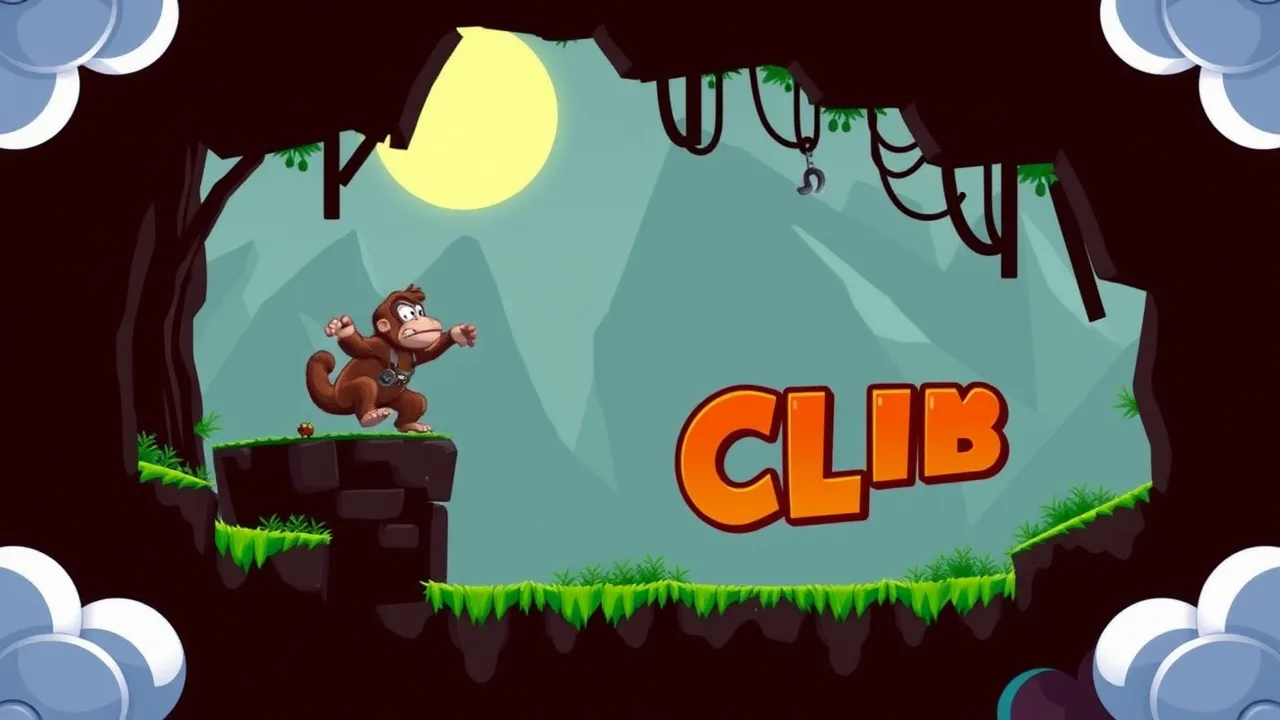
If “go up, don’t fall, clutch the W” sounds like your vibe, Kong Climb is exactly your lane. It’s a vertical rush where timing, patience, and a pinch of chaos control the day. You’ll scale platforms, dodge nasty surprises, and get that sweet dopamine hit every time you stick a perfect jump. Whether you’re sneaking in a level between classes or grinding personal bests at night, this is one of those “one more run… okay, ten more” games.
Want the full deep-dive right now? Start Kong Climb instantly and keep this guide open in a tab for quick reference. Old-school platformer instincts meet modern browser smoothness—no downloads, no drama, just clean climbs and tight inputs. Let’s get your runs from “oops” to “elite.”
What is Kong Climb?
At its core, Kong Climb is a vertical platformer—you’re constantly moving up, reading the level, and threading that needle between “confident” and “too cocky.” It rewards precision inputs, rhythm in your movement, and calm reactions when the level decides to be spicy. Unlike side-scrollers that spread action horizontally, vertical climbers shove pressure into a single direction and compress mistakes: a tiny miss can be a massive drop, which is exactly why it’s so addictive.
Mechanically, you’ll juggle:
-
Jump arcs (when to full-send vs. feather the key),
-
Momentum control (short hops, micro-adjustments),
-
Hazard awareness (moving platforms, crumble blocks, pop-up traps),
-
Route planning (fast risky lines vs. safe slow lines).
If you’re new to the genre, it sits comfortably under the umbrella of the platform game tradition, which emphasizes jumping, timing, and environment-driven challenge as defined by platform game. Vertical climbers like Kong Climb just dial the tension by putting gravity in your face every second. Translation: your fundamentals matter, and your improvement is visible.
How to Play (Controls, Objectives, Modes)
Controls (typical browser defaults):
-
Move:
A/Dor←/→ -
Jump:
W/↑/Space -
Short hop: Tap jump quickly
-
Precision land: Feather movement as you touch down
-
Pause/Reset:
Escor on-screen buttons
On Mobile: Left/right thumb zones for movement, a big jump button, and sometimes a tiny “retry” in the corner. Keep your thumbs relaxed; tense thumbs = sloppy inputs.
Objective
-
Climb as high as possible with minimum falls and maximum consistency.
-
Hit checkpoints when available (some modes do, some don’t).
-
Improve your best height, clear time, or fall count—whatever the mode tracks.
-
Learn small sections until they’re free PRs.
Common Modes
-
Classic Climb: Linear ascent, escalating hazards.
-
Time Attack: You versus the clock. Shave movement, no wasted frames.
-
Endurance / No Checkpoint: Brutal. Mastery run.
-
Challenge Segments: Tight mini-sections to drill specific skills.
Interface Tips
-
Toggle sound for timing cues; some hazards telegraph by audio.
-
Keep effects on medium; eye candy is fun, but clarity is king.
-
Learn the camera drift; some games nudge the view in ways that affect jump feel.
Tips: From Beginner to Advanced
Alright, straight talk. If you’re whiffing the same spots, it’s not RNG—it’s fundamentals. Fix those and your climb skyrockets.
Beginner (Day 1–3)
-
Own your jump heights. Practice three tiers: tap (short), half, full. Build muscle memory by repeating the same ledge sequence 10–15 times.
-
Plant your landings. Move only after your feet are on solid ground. Drifting while landing = slides and tilt.
-
Zoom your eyes out. Don’t tunnel on your character; scan 1–2 platforms ahead so you’re never surprised.
-
Slow is smooth. Early PBs come from clean inputs, not YOLO plays.
-
Reset pride-free. If your line is scuffed, restart. Time spent on a doomed run teaches bad habits.
Intermediate (Week 1–2)
-
Route like a speedrunner. Identify safe lines versus fast lines. Practice both; pick based on your goals.
-
Buffer jumps. On moving platforms, press jump slightly early. Your brain should predict platform arrival, not react late.
-
Abuse edges. Many platforms let you jump on the last pixel. Edge-jumps give freer, higher arcs.
-
Micro-correct midair. Short left-right tics stabilize arcs. Don’t hold directions too long—nudge.
-
Chunk the map. Mentally split tough sections into A/B/C. Master A alone, then A→B, then A→B→C.
Advanced (Week 3+)
-
Risk budgeting. Decide which sections you’ll “send” and which you’ll “play grandma.” Spend risk only where it saves time and you’re consistent.
-
Platform cycles. Count beats for moving hazards. If a blade cycles every ~2s, jump on the “two.” Turn the level into a metronome.
-
Momentum carries. Chain a landing directly into a jump without a full stop for smoother arcs and faster clears.
-
Tilt control. After a big drop, pause. Two deep breaths. Emotions sabotage accuracy; pro players reset their heart rate before re-pulling.
-
VOD your fails. Record short clips of stubborn sections and review in 0.75× speed. You’ll spot late inputs instantly.
Gear & Setup (Yes, it matters)
-
Stable 60 FPS trumps everything. Close extra tabs.
-
Keyboard with crisp switches improves feel; on mobile, screen sensitivity and no greasy thumbs are clutch.
-
Windowed vs. fullscreen: pick whichever gives you steadier frame pacing and less input lag.
Why It’s So Addictive (and Why You’ll Keep Coming Back)
-
Instant feedback loop. Miss, learn, retry in seconds. It’s the purest form of skill growth.
-
Visible improvement. Yesterday’s “impossible” becomes today’s warm-up. That’s catnip for the brain.
-
Micro-goals. “Reach that ledge.” “Nail that triple hop.” Little wins stack and keep you hooked.
-
Skill expression. Clean lines look and feel awesome. You become the human TAS of your own run.
-
Shareable highs. Screenshots of your PB, short clips of a nasty save—your friends will both hype you up and roast your drops. Balanced breakfast.
Similar Games You’ll Love (Hand-Picked)
Below are five games from the same ecosystem that scratch the climb/precision/platform itch from different angles. Each blurb explains who it’s for and what it trains. Pick your poison.
Donkey Kong Run
If you’re nostalgic for arcade-era chaos but want it crisper and faster, this is the move. Donkey Kong Run plays like a love letter to classic ladder-and-barrel problem-solving: short sections, readable hazards, and a tempo that rewards planning over panic. The real sauce is pattern recognition—obstacles spawn and move in ways that feel fair once you’ve seen them, which turns failures into film sessions in your head. That’s great for developing the calm, repeatable rhythm Kong Climb demands later.
You’ll practice quick climbs, low-commitment jumps, and “wait-bait” timing (letting a hazard pass instead of forcing it). Newer players get accessible wins; grinders get speed lines. If you like platformers that respect your inputs and punish only your impatience, this one belongs in your rotation. Play Donkey Kong Run online.
Only Up
Only Up is vertical platforming turned into a pressure cooker: long climbs, long falls, big emotions. Where Kong Climb gives tight micro-tests, Only Up bombs you with macro-focus—minutes of flawless movement punctuated by one questionable leap. That’s why it’s the perfect discipline trainer. You learn to settle your brain, reset after a stumble, and not spiral into panic.
The physics favor intentionality: set up your feet, take clean arcs, and respect momentum. You’ll end up building “route muscles” so strong that your hands move before you think. Swap back to Kong Climb after a week with Only Up and watch how calm your platforming feels. It’s brutal but incredibly fair once you accept that perfection is a process. Discover Only Up in your browser.
Climbing Over It
You, a cauldron, a hammer, and a mountain with trust issues. Climbing Over It is less about jumping and more about tool control—swing, catch, lever, fling. It trains patience and precision like nothing else. Your movement is physics-first: you’ll overshoot when you yank too hard and slide when you panic. Learn the hammer’s pivot points and suddenly impossible ledges feel within reach.
The game is meme-tier frustrating at first, but that’s the assignment. Once you click with the mechanics, your consistency skyrockets. Kong Climb benefits directly because your micro-adjustment discipline will be higher than most players. It’s the ultimate ego check and the cleanest “I improved as a human” experience in the genre. Try Climbing Over It for free.
Ladder Climber.io
This one’s deceptively simple: grab ladder, dodge hazard, pick timing windows, repeat. Ladder Climber.io is a clinic in cycle reading—you learn to spot patterns in moving threats and commit at the right beat. The loop is fast enough to prevent tilt, and the difficulty ramps in tight increments so you’re always learning.
If your Kong Climb failures come from panicky jumps into bad cycles, Ladder Climber.io is your antidote. Drill it for 20 minutes and your internal metronome gets crisp. Also, it’s a great palette cleanser between heavy sessions of Only Up or Climbing Over It because it keeps the hands warm without exhausting your brain. Enjoy Ladder Climber.io unblocked.
Tomb of the Mark 2
A vertical labyrinth with puzzle spice, Tomb of the Mark 2 makes you think while you climb. Instead of raw execution, you’ll be balancing route planning with hazard avoidance. It’s perfect for players who love platformers but want a touch of maze brain. The satisfaction comes from solving the level’s logic and then executing a clean ascent—all muscles, no luck.
It also trains camera management and foresight. You’ll start moving with intent, not vibes, and that transfers cleanly to Kong Climb when the platforms get petty. If you’ve ever felt “I can do the jumps but I pick dumb lines,” this will fix that. Check out Tomb of the Mark 2 here.
Why Play Here?
Look, if a game jitters, lags, or throws pop-ups like confetti, you won’t improve—you’ll rage-quit. That’s why playing on a stable, curated platform matters. You get:
-
Fast loads with lightweight pages that respect your time.
-
Clean controls with consistent input feel across desktop and mobile.
-
Smart curation so you’re not wasting grind hours on janky clones.
-
Quick restarts & checkpoints where appropriate, ideal for drilling sections.
-
Mobile support for practice on the go; five minutes in a queue becomes legit training.
Bottom line: the climb should fight you, not the website.
Conclusion
Kong Climb is pure signal: your hands, your reads, your patience. No paid power-ups, no excuses—just you versus gravity and a stack of platforms that would love to embarrass you. That’s why it’s special: the improvement is real and visible, and the highs are earned. Learning the arcs, mastering routes, and surviving tilt makes your brain stronger everywhere else you game.
Mix training modes, keep a short rotation of similar titles for targeted practice, and track your PBs. You’ll go from “accidental hero” to “calculated menace” faster than you think. And when the drop happens (it will), breathe, reset, and send it again. That’s the way.
FAQ
1) Is Kong Climb good for beginners, or do I need platformer experience?
It’s beginner-friendly if you treat it like a skill ladder: start slow, drill basic jumps, and build consistency before chasing speed. The game isn’t complicated—what’s hard is staying calm. If you’ve never played platformers, expect a learning curve for the first hour or two, then a steep improvement spike once your jump heights are consistent.
2) Keyboard or controller (or mobile)?
Keyboard is the most precise for tiny adjustments, but controller works if you’re used to analog movement. Mobile is solid for casual play; it forces cleaner intent because you can’t mash as fast. Pick the one you’ll practice on most. Consistency beats theoretical “best.”
3) How do I stop tilting after a huge fall?
Pause for 10–15 seconds. Stand up, sip water, unclench your jaw. Then replay the section slower once to rebuild control. Most tilt comes from trying to instantly reclaim lost progress—ironically causing more losses. Reset your tempo first; speed comes back automatically.
4) What’s the fastest way to improve?
Deliberate drilling. Pick one stubborn section and run it ten times, focusing on a single flaw (late jump, over-steer, panic hop). Record a 20-second clip and watch it once in slow-mo. Fix one thing per session, not five. Small wins stack faster than Hail Mary runs.
5) My runs plateau. What now?
Change one variable: new route, different camera zoom, alternate input device, or a 20-minute session on a similar game to reset your hands. Plateaus usually mean your brain needs a new stimulus. Come back to Kong Climb and you’ll notice fresh lines and cleaner timing.
Discover even more exciting platformer adventures and browser games by visiting BestCrazyGames BestCrazyGames today.