































rhoda game Reloaded: Precision Jumps, Quick Restarts, Big Satisfaction
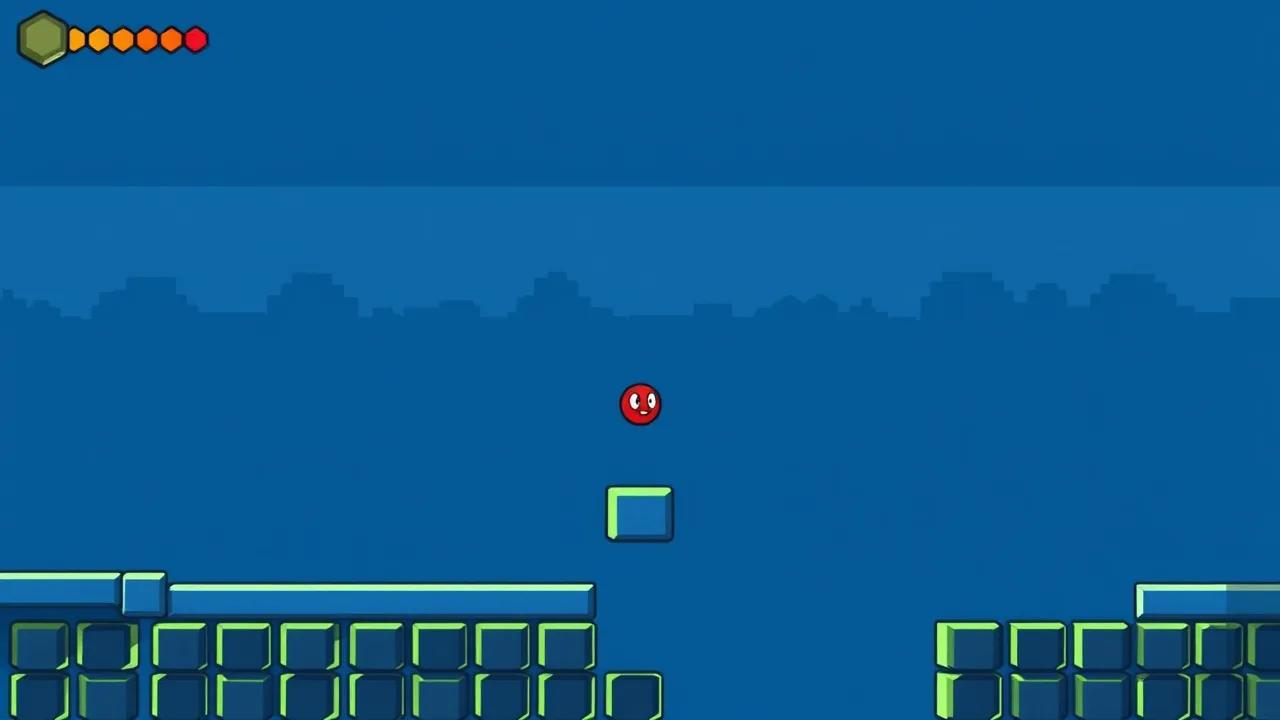
At first glance, rhoda game looks almost too simple, a tiny ball, clean levels, and two main inputs. Then the traps start syncing up, the gaps get meaner, and you realize the real opponent is your own timing. The charm is how readable everything is. When you fail, you usually know why, maybe you jumped early, double tapped late, or tried to brute force a pattern you should have studied for two seconds. If you want to jump straight in, you can play rhoda game in your browser and feel that loop instantly.
In genre terms, it sits comfortably in the platformer family, where progress comes from moving between platforms with careful jumps and quick corrections. Here, the movement is stripped down to pure rhythm. Most stages are short, but they ask for clean execution: dodge spinning hazards, slip past cannons, land on narrow ledges, and use checkpoints to keep momentum. After a few levels you start building muscle memory, and the game turns into a satisfying series of small wins.
🎮 Play rhoda game Online Free Unblocked
Unblocked play is mostly about keeping things lightweight and predictable. Start with a modern browser, then close the extra tabs that eat memory, especially video players and heavy social feeds. rhoda game relies on quick input, so even small lag can turn an easy hop into a faceplant. If you are on a school or office device, fullscreen can help, not for graphics, but because it prevents accidental clicks outside the game frame. If the game loads but feels delayed, refresh once after it finishes loading, then give it a second to settle before your first jump.
For Chromebooks and older laptops, keep your expectations practical. Lower your screen resolution one step if your system is struggling, and disable battery saver so the CPU is not throttled. Trackpads work, but a basic mouse usually makes left right jumps cleaner, especially when you need fast double jumps. If sound is allowed, keep it on low, because many players use audio rhythm to time repeated obstacle cycles.
If you share a computer, use a private window so extensions do not interfere, then log out when you are done. Also, skip shady download prompts. The browser version should not require installers. Finally, treat each session like a mini practice block. Aim to clear a set of five to ten levels, take a short break, then continue. That pacing keeps your hands relaxed and your timing sharp. If a network filter blocks the page, it often helps to use the official site search function inside the portal rather than a copied link, since some filters target URL strings. Save your best run by repeating it twice.
✨ Best Features in rhoda game
The first standout feature is how the controls stay honest. Most of the time you are making a left jump or a right jump, and that simple rule makes every failure easy to understand. The game then layers variety through level design: rotating saws, cannons, narrow ledges, and sequences where you need a double jump at the exact moment the safe space opens. Many versions of Rodha highlight a large set of levels, often described as 60 stages, which makes it feel like a complete snackable campaign rather than something you finish in two minutes.
Checkpoints are another quietly great feature. They let the game be challenging without being exhausting. You can attempt a risky section, learn the pattern, and retry without replaying the entire level. Collectables add a second layer. Coins or stars encourage replay, and the reward is usually cosmetic skins or visual themes.
Visually, the style stays clean, which matters in a precision platform game. You can read danger quickly. It is also friendly on low spec devices because it does not demand high detail to communicate what matters. Many listings mention multiple color themes, which is a small touch, but it helps with comfort during long sessions.
Finally, the difficulty curve is a feature in itself. Early levels teach timing, mid levels teach patience, and later levels teach consistency. It does not ask you to memorize long combos. It asks you to build a rhythm, then keep it under pressure. It feels fair because every hazard teaches you its rules before it punishes you. Speed comes later, precision comes first.
🕹️ rhoda game Gameplay Guide
Think of each level as a short puzzle made of movement. Your goal is not speed at first, it is information. On a fresh level, pause for half a second and watch. Cannons fire in patterns, saws rotate at predictable rates, and moving platforms usually loop on a fixed timer. The moment you see the cycle, you can plan a safe hop instead of guessing.
The basic inputs are commonly listed as A or left arrow to jump left and D or right arrow to jump right, with a double jump triggered by pressing the same direction twice.
That double jump is your main tool. Use it as a delay button, not just as extra height. For example, if a saw passes every second, you can jump, then double jump slightly later to hover over a hazard window.
When you reach a checkpoint, switch mindset. Before the checkpoint, you play safe. After it, you can experiment. Try a different timing, or test whether a ledge is safe. If you die, you only lose a few seconds. This is how you learn quickly without frustration.
As levels get tighter, focus on clean landings. Aim to land centered, not on the edge, because edge landings tempt you into panic jumps. If you are stuck, do a no pressure run where you only watch hazards and reset. It sounds slow, but it often saves time because you stop feeding the same mistake.
Lastly, keep a simple rule: one death equals one lesson. Name the mistake in your head, then run again. Over time, that turns the game from scary to satisfying. Speed comes later, precision comes first.
📘 About the rhoda game Game
rhoda game is built around a deceptively small moveset, and that is why it works. By limiting your options, it makes every jump feel meaningful. It also keeps your attention on the environment: spacing, rhythm, and the timing of hazards. In other words, it is a classic action platform challenge, just condensed into bite sized rooms that you can clear in under a minute once you learn them.
Many public game listings describe it as a 2D platformer where you hop through levels to reach a destination, with traps like cannons and moving saws, and a checkpoint system that returns you to the last safe point when you fail.
That design choice matters. It encourages repeated attempts, and repeated attempts are where skill games become fun instead of stressful.
Progress also tends to be layered. First you clear the level. Then you replay to collect coins or stars and unlock skins or themes.
This gives you a reason to return to earlier levels, which is helpful because those earlier levels become a warm up track before you tackle the late game.
What players often remember most is the feel. There is a point where you stop thinking in words and start thinking in beats: jump, land, wait, jump, double, settle. That rhythm is the real story. If you enjoy games that reward calm hands, careful eyes, and a little stubbornness, it is an easy recommendation. It is also a good example of how minimal design can still feel expressive, because improvement is obvious and measurable.
🧭 Beginner Guide to rhoda game
Start by treating the first ten levels as a tutorial you are writing yourself. Your main goal is to learn how far the ball travels with a single tap and how the double jump changes your arc. Do not rush. A slow clear that teaches you timing is worth more than a fast clear that you cannot repeat.
Next, build a simple scanning habit. When a level begins, look for three things: the first safe landing, the main moving hazard, and the checkpoint. If you know where the checkpoint is, you know how much risk you can afford. If you do not see it yet, play safer until you do. Once you hit a checkpoint, allow yourself to test bigger jumps and tighter gaps.
Use the double jump as control, not rescue. Many players press twice in panic. Instead, press once, then decide whether you need the second press. That tiny pause gives you better alignment and avoids overshooting narrow ledges. If you are on keyboard, keep your fingers resting on A and D so you do not hunt for keys mid air.
Coins or stars are best collected on a second pass. Clear the level first, then replay with a plan for the collectable route.
This keeps your brain from juggling too many goals at once.
Finally, track your mistakes. If you die three times to the same saw, stop trying to out speed it. Watch the rotation, count the beat, then move on the beat. Skill games reward patience more than bravery. As a last beginner tip, keep your eyes slightly ahead of your ball. Look at the next landing spot, not the current one.
🎛️ Touch Controls Guide
If you are playing on a phone or tablet, touch controls can feel surprisingly good, but only if you set them up intentionally. First, hold your device so your thumbs can tap without stretching. Fatigue causes mis taps, and mis taps cause early jumps. If the game offers on screen buttons, keep your thumbs hovering rather than resting, because resting can trigger accidental presses when you tense up.
Use a light tap for single jumps and a clean two tap rhythm for double jumps. Try not to mash. A double jump is usually two separate inputs, and the spacing between them affects your timing more than people expect. Practice on easy levels: jump left, land, then jump right, then double jump right with a steady cadence. Once that cadence feels automatic, you will handle tighter hazards without thinking.
If your screen has a high refresh rate mode, enable it, because smoother input feedback helps. Also disable notifications and focus mode popups so nothing steals your touch. If the game feels like it ignores taps, it is often the browser trying to scroll. Lock orientation, go fullscreen if available, and keep your fingers away from the edges where gesture navigation lives.
Audio is extra useful on mobile because you may not have perfect visual focus in sunlight. Keep effects audible, and lower background music if it masks hazard cues.
Last tip: do not chase perfection on touch immediately. Clear the level first. Then return for coins or stars. You will naturally tighten your timings as your thumbs learn the distance. Tiny, consistent taps beat big frantic ones.
🧠 Beginner Tips and Tricks To Start Strong
One small habit changes everything: pause before you jump. In rhoda game, the level is not rushing you. Your impatience is. Spend half a second reading the hazard cycle, then commit. This prevents the classic mistake where you jump into a saw that was about to move away.
Another useful trick is checkpoint discipline. The moment you touch a checkpoint, take one safe attempt to learn what comes next. Do not immediately sprint into the unknown. If you die, fine, you lost seconds. If you survive, you gained information you can reuse.
Use micro goals. Instead of I must beat this level, try I must land on that ledge cleanly three times. Once you can repeat one section, the level becomes a chain of repeatable sections. This also keeps frustration low because you are improving even on failed runs.
On keyboard, keep your taps crisp. Many players hold keys too long, which makes repeated inputs sloppy. Tap, release, tap. On trackpad, avoid flicking. Make slower, deliberate movements and focus on consistent finger travel rather than speed.
If you are chasing coins or stars, plan a route. Identify the collectable you can safely grab, then the one that is risky. Grab the safe ones first, then attempt the risky one after a checkpoint.
When you get to a tricky sequence, count beats out loud, one two three, jump. It sounds silly, but it trains consistent timing. Another trick is to intentionally fail once to confirm the hazard hitbox, then adjust. A controlled fail teaches more than five rushed fails. Treat practice like reps, not like a test.
❓ Frequently Asked Questions FAQ
Here are quick answers that match what new players usually ask when they first try rhoda game.
-
Is rhoda game hard or beginner friendly?
It starts gentle and ramps up. Early levels teach timing and double jump control, and later levels add tighter gaps and faster hazard cycles. -
How do I double jump?
Many browser versions list double jump as pressing the same direction button twice, like A twice for left or D twice for right. -
How many levels are there?
Several major listings describe a full set of 60 levels, which is enough to feel like a real campaign, not just a demo. -
What are coins or stars for?
They are usually tied to unlocks, like character skins or visual themes. Some sites mention using coins in a shop for skins, while others mention stars unlocking cosmetics. -
Can I play on mobile?
Yes. Many listings indicate it runs in browsers on desktop and mobile, and some versions are also available via app platforms depending on the host.
A bonus question players ask is whether the game saves progress. Some portals remember your last level automatically, while others treat each play as a fresh session. If you care about progress, use the same browser and avoid clearing site data mid run. Also, if the game looks zoomed in on mobile, rotate the device to landscape, then reload the page so the UI scales correctly. Once you learn the timing, the levels start to feel like puzzles you can solve on demand.
🆕 Latest Updates for rhoda game
Because rhoda game appears on multiple game portals, what feels like an update is often a host side change: a new build, a performance tweak, or a slightly different feature list. One widely referenced listing shows a release date around June 2022 and notes that the browser version has been updated as recently as May 2025.
That matters if you compare notes with a friend and your levels or menus do not match perfectly.
If you notice the game suddenly running smoother, that can be a technology upgrade. Many hosts describe it as an HTML5 build using Unity WebGL.
These builds can change performance dramatically depending on browser updates, GPU drivers, and how the portal embeds the game. So a so called update can be as simple as a better embed or improved caching.
What should you look for after changes? First, input feel. If jumps feel slightly delayed, refresh and check whether your browser switched into a power saving mode. Second, cosmetics. Some portals mention a shop and a set of skins, others highlight different unlock counts.
Third, level pacing. If a late level feels different, it might be that the host updated the build and hazard timing shifted by a fraction.
If you want to check whether you are on the newest build, compare the control text and feature notes on the host page. Small differences, like whether coins unlock skins in a shop or whether stars do, can signal a different version. Either way, the core skill transfers. Your timing practice carries over, even if the menus change. Different portals can feel different, stay flexible.
🛠️ Troubleshooting Quick Fixes
If the game will not load, start simple. Refresh once, then try a private window so extensions do not interfere. If that works, your blocker or script filter was probably the culprit. If it is still stuck, switch browsers. Some Unity WebGL builds behave better in Chrome than in older or heavily customized browsers.
If it loads but lags, close background apps, especially anything using video acceleration. Turn off battery saver, plug in if possible, and reduce the number of open tabs. Fullscreen can help because it reduces redraw overhead and prevents accidental clicks outside the game frame.
If controls feel wrong, confirm your browser zoom is 100%. Strange zoom levels can shift button hitboxes and make you think the game missed your input. On keyboard, remember that double jump is usually two taps in the same direction, not a held key.
If audio is missing, check three spots: the tab mute icon, your site permission settings, and your system mixer. Many browsers block sound until the first click, so click once in game, then adjust volume.
If the screen is black after pressing play, it can be a blocked third party script. Temporarily disable strict tracking protection for that site only, then reload. If the game runs but feels blurry, turn off browser zoom and disable forced font scaling. Finally, if your inputs stick, unplug and replug your keyboard or switch USB ports, because flaky peripherals can mimic lag.
If you keep dying to the same obstacle, it is not a bug, it is usually a timing habit. Relax your hands, watch one full cycle, then move on the safe beat.
Discover more challenging browser games to master on BestCrazyGames by visiting BestCrazyGames today.