































Rhodian Adventures: Experience the Best of Rodha game
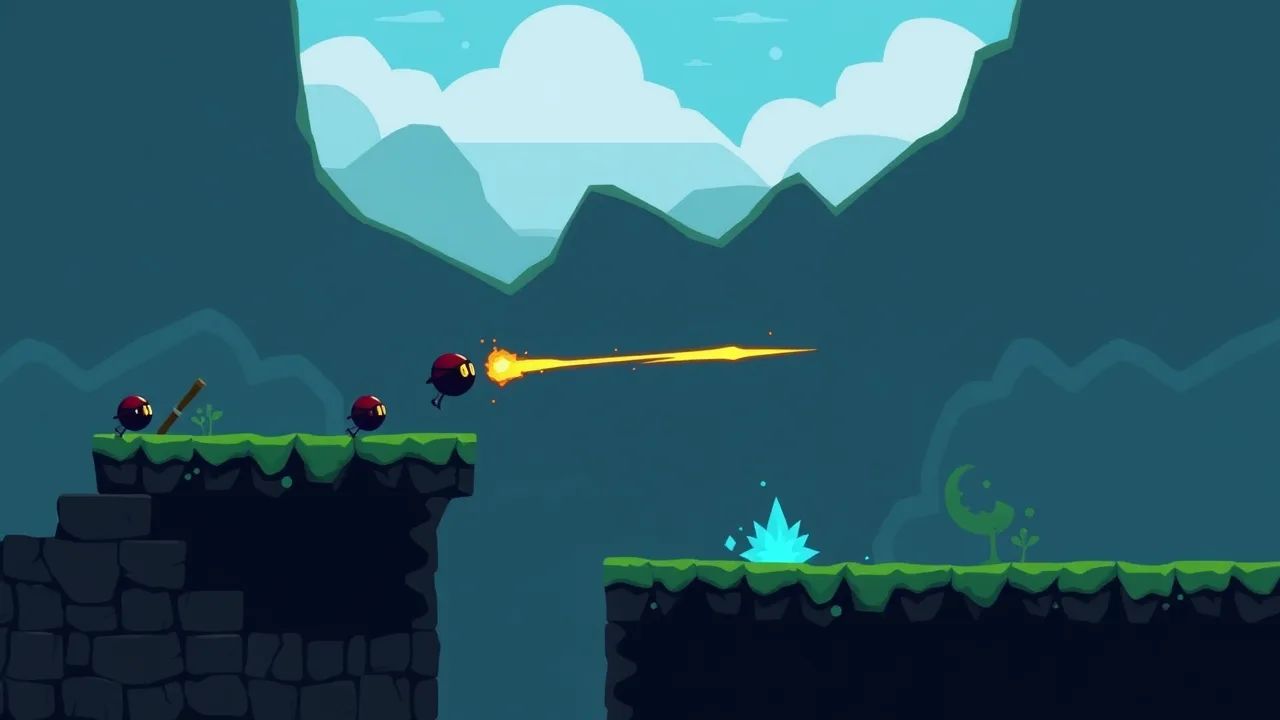
If you are looking for a minimalist yet punishingly fun platforming experience, the Rodha game delivers exactly that. It is a 2D action title where you control a small ball navigating through a series of hand-crafted, lethal levels. The core loop is simple: jump, dodge, and reach the portal. However, the execution is anything but easy. You will find yourself weaving through spinning saws, dodging turret fire, and timing leaps across crumbling platforms that vanish the moment you touch them. It feels like a bite-sized tribute to the high-stakes precision found in classic platform games on Wikipedia, where a single pixel of error leads to a quick reset at the last checkpoint.
What makes this title stand out is its aesthetic and rhythmic flow. There are 60 levels to conquer, and while the early stages introduce you to the physics, the difficulty ramps up significantly as more contraptions are added. You can collect coins and stars along the way, which serve as the currency for the in-game shop. Here, you can unlock 12 unique skins to personalize your character, or switch between 11 different color themes to give the game a fresh look. Whether you are playing on a break or trying to speedrun the entire set, the fluid movement and instant restarts keep the adrenaline high without the frustration of long loading screens.
🕹️ Free To Play Unblocked Rodha game
Finding a reliable way to enjoy your favorite titles during a break can be tricky, but this version of the Rodha game is designed for maximum accessibility. Since it runs directly in your browser using WebGL, you do not need to worry about heavy downloads or complex installations that might be restricted on certain networks. It is a lightweight, instant-play solution that fits perfectly into a 15-minute window or a long evening session. Many players prefer this "unblocked" style because it bypasses the common hurdles found in managed environments like schools or offices, allowing for a seamless transition into the minimalist world of jumping and dodging.
The gameplay remains identical to the premium versions: you still get the full 60 levels of tight platforming. The physics engine is remarkably consistent, which is crucial for a game where "double jumping" is often the only thing between you and a giant moving saw. Because it is optimized for web performance, even older hardware can handle the vibrant color shifts and fast-paced animations without lag. If you find yourself stuck on a particularly difficult stage, the checkpoint system ensures you never lose too much progress, making it a "just one more try" experience that is hard to put down.
🌟 Top Features of Rodha game
There is a deceptive amount of depth packed into this minimalist package. The standout features of the Rodha game start with its customization options. While many platformers stick to a single look, this title offers 11 distinct color palettes. If a bright red background makes the spikes too hard to see, you can easily swap to a soothing pastel or a high-contrast dark mode. This isn't just for flair; it’s a genuine accessibility feature that helps with visual clarity during high-speed segments.
Beyond aesthetics, the character shop adds a layer of progression. By hunting for stars hidden in the more dangerous corners of the map, you can unlock a dozen different skins. These don't change the hitboxes, but they provide a sense of achievement as you move from a basic ball to more intricate designs. Furthermore, the level design itself is a highlight. Each of the 60 stages is hand-crafted, moving away from procedural generation to ensure that every jump feels intentional. You’ll encounter portals that teleport you across the screen, cannons that require precise timing to bypass, and moving platforms that test your patience as much as your reflexes.
🎮 How to Play Rodha game Guide
Getting started is straightforward, but mastering the movement takes a bit of finesse. In the Rodha game, your character moves automatically after your first input, so your main focus is on the direction and timing of your jumps. You can move left or right using the keyboard, and tapping the jump key while in the air will trigger a double jump. This secondary leap is your most valuable tool, allowing you to course-correct or reach higher ledges that seem just out of reach.
Your primary objective is the portal at the end of each level. Along the way, you must run past white flags; these are your checkpoints. If you hit a hazard, you’ll respawn at the last flag you touched. A pro tip for beginners: don't rush. While the game feels fast, the hazards like saws and turrets follow predictable patterns. Watch the rhythm of the machinery for a few seconds before making your move. Also, keep an eye out for thin platforms—they disappear shortly after you land on them, so these sections require a "leap of faith" approach where you keep moving forward without hesitation to reach the exit safely.
⌨️ Control Basics
The controls are minimalist to match the art style, ensuring you can focus entirely on the obstacles.
-
A / Left Arrow: Jump to the left.
-
D / Right Arrow: Jump to the right.
-
Double Tap: Perform a double jump in the chosen direction.
-
R: Quick restart if you get stuck or want to retry a star run.
❓ Player FAQ
How many levels are in the game? There are currently 60 hand-crafted levels that increase in complexity as you progress.
Do I lose my coins if I die? No, coins and stars collected are saved even if you hit an obstacle, provided you eventually finish the level or reach a checkpoint.
How do I unlock new skins? Skins can be purchased in the shop using the stars you collect within the levels. Some skins are more expensive than others, reflecting their rarity.
Can I change the game's colors? Yes, there are 11 different color themes available in the settings/shop menu to help with visibility or personal preference.
Is there a way to skip a level? There is no "skip" button, but the checkpoint system makes it easier to tackle difficult sections one piece at a time until you succeed.
🛠️ Troubleshooting Fixes
If you experience issues while playing the Rodha game online, the most common culprit is a browser cache conflict. Try refreshing the page or opening the game in an incognito/private window to see if that resolves the lag. Since the game uses WebGL, ensure your graphics drivers are up to date and that "Hardware Acceleration" is enabled in your browser settings. If the game doesn't load at all, check if a script-blocker or aggressive ad-blocker is preventing the game assets from downloading. Lastly, if the controls feel "sticky" or unresponsive, close other background tabs to free up CPU resources, as high-precision platformers require a stable frame rate to register double jumps correctly.