































slowroads.io — The No-Nonsense Cruise That Actually Feels Good
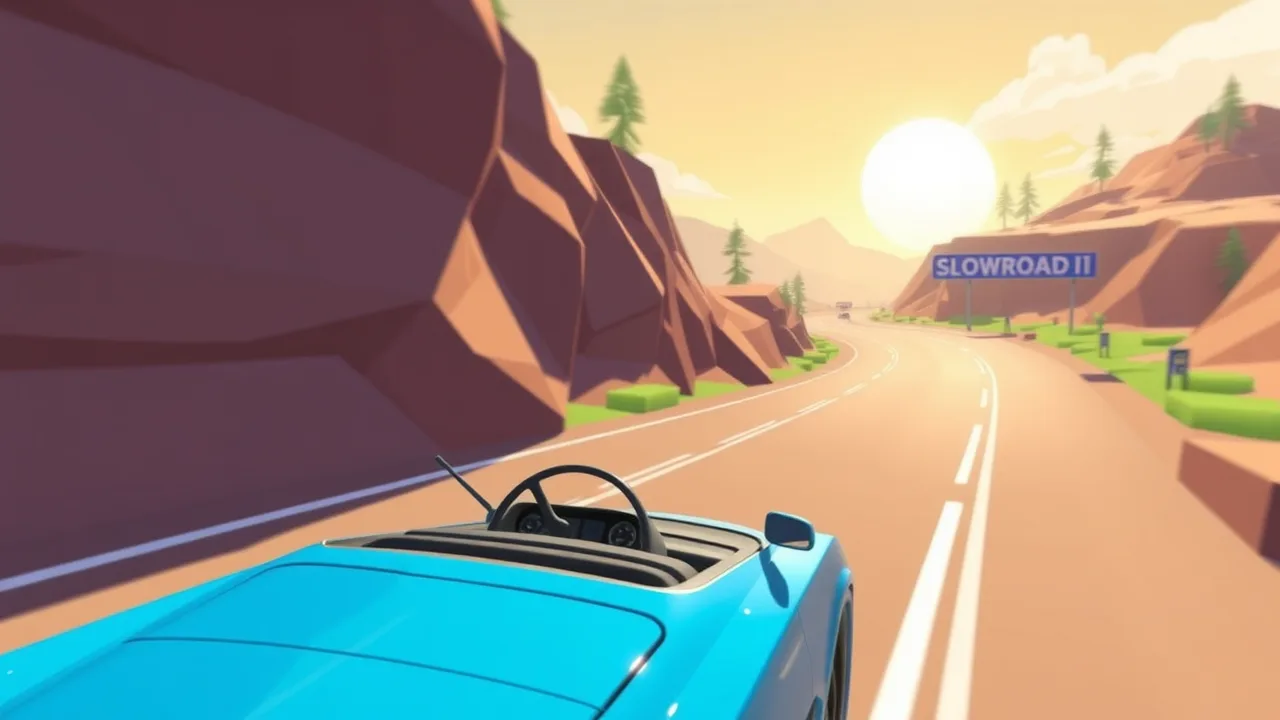
If you vibe with meditative driving and clean lines, slowroads.io is that minimalist, low-poly road trip you boot when your brain needs airflow. It’s not about lap times or rubber-band AI; it’s about momentum, flow, and micro-corrections across endless terrain. Think of it like a lightweight driving simulator stripped to essentials: readable curves, forgiving suspension, and camera framing that sells speed without nausea. Sessions are snackable dip in for five minutes, or zone out for half an hour letting the landscape do its lo-fi therapy. Keyboard works; controller’s smoother thanks to analog steering. The loop is simple: spawn, settle into cruise pace, and manage corner entry so you’re not sawing at the wheel. There’s no loot treadmill or cash shop noise just that sweet feedback of a correctly held apex and a clean correction out of a bad line. TL;DR: slowroads.io is a calm, tactile antidote to sweaty racers pure driving feel, zero drama.
🔍 Core gameplay loop of slowroads.io
Boot in, center your sightline far down the road, and set a sustainable speed target. The loop is three beats: read the horizon, choose a line, commit with tiny inputs. Corners reward early positioning; late panic turns cause over-correction oscillation. The “win” condition is continuity how long you sustain flow without ugly snap fixes. Pace is self-governed: cruise for zen or ratchet speed until you’re flirting with roadway camber and slight lift. Micro-objectives keep you honest: hit five perfect corners, nail a downhill without braking, hold a two-minute no-correction stanza. Rinse, escalate. Because restarts are instant, failure’s cheap; you learn from the last wobble and re-enter smoother. Performance matters: maintain stable FPS to preserve steering granularity, and avoid browser tabs that inject stutter. That’s the loop anticipation, commitment, reflection over and over, transforming simple ribbon asphalt into a personal skill meter that climbs one corner at a time.
🎮 What is slowroads.io? A gamer’s definition
slowroads.io is a browser-based, free, endless driving experience focused on “feel over friction.” No licenses, no garage spreadsheets just procedural (or long-set) stretches of asphalt and terrain that emphasize line-choice and throttle discipline. Unlike arcade racers pushing boost pads or combat toys, the difference here is restraint: you’re judged by smoothness, not spectacle. Modes are essentially self-directed cruise, time yourself, or chase personal constraints (no brakes, fixed speed, etc.). For beginners: map your steering curve, practice horizon scanning, and learn to brake before the bend, not inside it. Advanced players move from reactive to predictive driving setting the car early, feathering inputs, and letting weight transfer do the work. Controller vs KBM? Controller wins for analog nuance; keyboard can be viable with lower top speed. Why players love it: it’s instantly accessible, technically expressive, and it scratches the “just drive” itch without tutorials yelling in your ear.
⚙️ Signature mechanics that define slowroads.io
The magic is in the physics and camera. Steering gain ramps gently so you can hold a line with fingertip adjustments; suspension damping flattens road chatter while still communicating grip. The camera sits at a distance that sells speed but leaves peripheral read vital for setting up blind crests. There’s no weapon sandbox, no meta loadouts your “build” is sensitivity, FOV, and frame stability. HUD is intentionally low-noise; fewer overlays mean more horizon read. Audio is functional: wind, tire hiss, and the low rumble that warns of impending slip. Accessibility is legit: remappable inputs, reduced motion options (if available), and forgiving visual contrast help long sessions. Netcode/tick rate are moot because it’s solo, which is a W for consistency. Replay/ghost isn’t required; the terrain itself is the coach. Events or LTMs can rotate lighting/weather to freshen the loop without bloating assets. It’s elegant design by subtraction everything present earns its keep.
🧠 Sensitivity, DPI & FOV sweet spots in slowroads.io
Start conservative. Mouse: 800–1200 DPI with low in-game sensitivity gives micro-steering without jitter. Controller: trim deadzones just above drift, then add a touch of response curve so small nudges register smoothly. Keyboard: cap speed slightly lower and pre-steer earlier to avoid zig-zagging. FOV? Medium too wide exaggerates bend severity, too tight hides corner exit. For visibility, nuke heavy motion blur and bloom; clarity > vibes. FPS stability is everything in a driving feel game: close background tabs, lock refresh to your monitor rate, and keep hardware acceleration on. Warm-up drill: run one minute at “safe pace” focusing on horizon read, then escalate speed in 5–10% steps until your corrections start exceeding one input per second back off one step and live there. During sessions, fix one habit at a time (e.g., brake earlier vs. steering more). Post-run, note two wins and one adjustment. Iterate. That’s how smooth becomes second nature.
🌐 Play slowroads.io online free (unblocked & platform notes)
Because it’s pure HTML5/WebGL, slowroads.io boots in modern browsers with zero installs. On restricted networks, use the primary route first; if blocked, request whitelisting instead of sketchy proxies. Low-spec mode: drop resolution scale a notch, disable post-FX, and prefer windowed if full-screen stutters on alt-tab. Desktop > mobile for analog steering, but mobile’s fine for cruise-pace sightseeing. Controllers pair via USB/Bluetooth map triggers for throttle/brake and keep steering on stick. Saves typically live in local storage, so don’t purge cookies if you care about settings. Troubleshooting: if WebGL errors pop, update the browser, toggle hardware acceleration, and refresh GPU drivers. Cloud streaming isn’t needed; local runs are lighter and more responsive. TL;DR: one click, no downloads, and smooth on modest hardware exactly the point of an unblocked, anywhere-play drive.
💎 Top reasons to play slowroads.io today
Fast on-ramp, deep mastery. You’ll feel better lines within 10 minutes, yet spend weeks shaving micro-errors you didn’t know you had. It’s also screen-time efficient: a couple of focused runs deliver genuine flow state. No grind tax improvement is your progression. It plays nice with school/work machines, and it’s a legit “controller on the couch” chill. Streamer-friendly, too: clean visuals and satisfying near-misses produce easy clips. Best of all, it respects your attention no paywalls, no bloat. It’s just you, the road, and the ever-improving hands on the wheel. If you’ve bounced off sweaty racers or chaotic kart combat, slowroads.io is the antidote: calm, precise, endlessly replayable.
🧭 How to play slowroads.io (step-by-step)
Open the game, set input (controller recommended), and dial a medium FOV. Do a reconnaissance run at relaxed speed to learn camber behavior and braking distance. Next runs: pick two goals “no mid-corner brake” and “gentle exits.” Aim basics: keep the sightline where you want to be in two seconds, not where you are. If you drift wide, don’t saw; lift slightly, re-center, and re-apply. Build a toolkit: early brake points, inside-apex kisses, and throttle feathers on exit. Mid-session, record a short clip; you’ll spot late turns you didn’t feel in the moment. When to push? After two clean minutes at current pace. When to reset? After three consecutive correction spirals save your focus. End of session: note one consistent mistake and one corner you nailed. Next time, fix the mistake first, then celebrate with a faster pass. That feedback loop is the whole game.
🚗 Similar Games to slowroads.io
1) Traffic Speed Racing
Crave lane-split tension and higher speed ceilings? Traffic Speed Racing dials up density and decision frequency while keeping browser-clean handling. You’ll juggle situational awareness, braking discipline, and commitment to gaps without panic weaving. Mid-session, hop into Traffic Speed Racing to train quick risk evaluation at speed, then return to slowroads.io with sharper horizon reads. Tips: ride center-left for better escape options, and pre-filter gaps two cars ahead. Stable FPS matters stutter makes closing gaps feel random and eats confidence.
2) Crazy Mafia Drift Car
Want lateral grip games and throttle steering? Crazy Mafia Drift Car is your lab for rotation control initiate, hold angle, and catch the slide without pendulum chaos. Practice early flicks into longer turns, then modulate throttle for angle instead of spam corrections. Slice a focused set on Crazy Mafia Drift Car mid-practice and you’ll return to slowroads.io with superior exit discipline. Keep deadzones tight; wide deadzones kill counter-steer timing. Disable excessive bloom so you can read rear-end breakaway before it’s unrecoverable.
3) Hill Climb Truck Transform Adventure
For torque management and momentum economics, Hill Climb Truck Transform Adventure punishes sloppy throttle and rewards weight-aware driving. Uphill efficiency, downhill restraint, and suspension sympathy all translate back to smoother cruises. Drill pacing on Hill Climb Truck Transform Adventure until you can crest without wheelspin and descend without panic taps. Lower your max speed cap to focus on torque flow. Learn to “pre-load” your line over humps; it’s free stability you’ll reuse on fast slowroads.io crests.
4) Car Rush Super
This one’s a clarity clinic Car Rush Super leans on readable curves, bright telegraphing, and tempo that punishes last-second inputs. Run a few heats at Car Rush Super and commit to early brake points. The reward is that buttery “set once, let it run” feeling you want in slowroads.io. Kill motion blur, keep FOV moderate, and chase three perfect corners rather than a reckless PB. One clean lap > three scuffed ones; consistency scales your pace safely.
5) GTA Car Rush
If you need more overt speed cues and tighter traffic funnels, GTA Car Rush compresses margins and forces confident picks. Use it as a “decision-making sprint”: identify your line two moves in advance, then stay married to it unless conditions change dramatically. Punch a session in GTA Car Rush, then jump back to slowroads.io you’ll notice calmer hands and faster, earlier commitments to good lines. Performance note: lock your frame rate to your display to avoid micro-stutter during rapid lane changes.
For more browser games like slowroads.io, explore the full library at BestCrazyGames BestCrazyGames.