































Stickman Hook Pro: Fast Swinging Action You Can Play in Your Browser
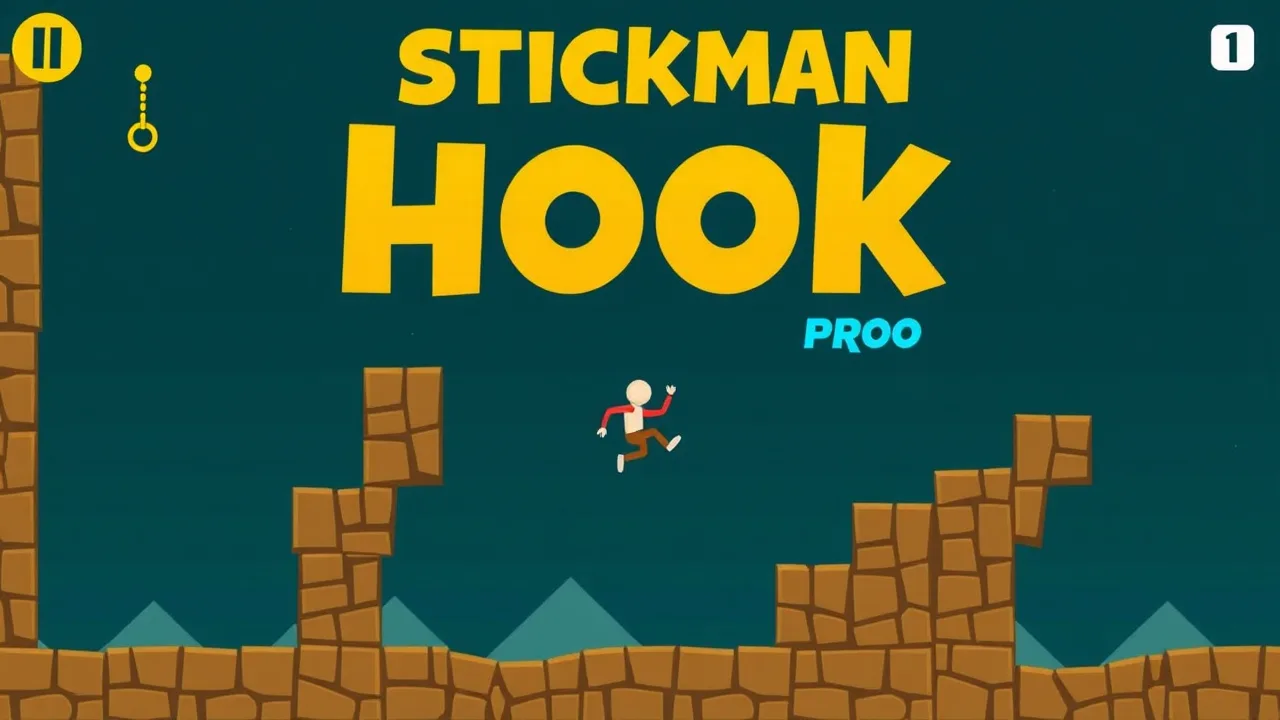
stickman hook pro is the perfect “one more run” game: you tap to latch, release to fly, and try to carry momentum through each level without losing your flow. If you want a quick session with zero setup, open Stickman Hook Pro on BestCrazyGames and jump straight into swinging, timing, and clean landings.
⚡ stickman hook pro Unblocked Instant Play
stickman hook pro feels great when you can launch it fast, especially on shared devices. The main trick is keeping your rhythm simple: hook, swing, release, and aim for the next latch point without panic tapping. For “unblocked” style play, treat your browser like a clean console. Close extra tabs, mute heavy notifications, and keep the game in one focused window so inputs stay responsive. If you are playing at school or work breaks, your best advantage is consistency, not speed. Do a few safe swings first, then start pushing longer arcs once you feel the timing. When a level goes wrong, restart quickly and try the same line again. Repeating one route builds muscle memory fast. The game rewards smooth momentum more than wild corrections, so your goal is to move like a pendulum, not a pinball.
✨ Standout Features of stickman hook pro
What makes stickman hook pro addictive is how much skill hides inside one simple control. You are not learning a long combo list, you are learning timing, spacing, and momentum management. Levels are designed to reward clean arcs, where you release at the peak and glide into the next hook without losing speed. The game also delivers instant feedback. If you release too early, you feel it. If you hold too long, you crash low. That fast learning loop is a feature by itself. Another standout is replay value: even if you clear a stage, you can replay it for a smoother run, fewer mistakes, and better flow. Many versions of Stickman Hook also focus on quick restarts, which keeps frustration low and practice high. In short, the best feature is that every failure becomes a lesson in timing, not a punishment.
🎯 stickman hook pro Gameplay Walkthrough
A basic walkthrough mindset is: plan your next hook before you release the current one. Start each level by taking one safe swing to see spacing. Then aim for a longer arc on the second swing once you understand the distance. When you latch, let the swing develop for a moment, then release when your character is moving in the direction you want to travel. If you release while moving downward, you lose height and control. If you release near the top of the arc, you carry clean forward speed. Watch for “chain points” where the best play is quick: hook, tiny swing, release, then immediately hook again. That keeps momentum alive. When you miss, do not spam clicks. One calm reset beats five frantic saves. The goal is a smooth line across the level, like drawing one continuous curve from start to finish.
🌟 About stickman hook pro Highlights
At its core, stickman hook pro is a swinging platformer built around the same idea as a real grappling hook: attach a line to something and use it to move or climb. A grappling hook is literally a hook device attached to a rope or cable, used to catch and hold onto objects. The game turns that practical idea into pure arcade movement, where each hook point is a chance to convert speed into distance. The highlight is how “light” it feels. You can learn the rules in seconds, but the difference between an okay run and a great run is huge. Another highlight is how the levels teach you without tutorials. The layout nudges you toward better arcs, smarter releases, and cleaner landings. Once you start thinking in swing shapes, you stop reacting and start controlling. That is when the game feels satisfying, because you are no longer surviving a level, you are styling through it.
✅ How to Play stickman hook pro Tips
If you want to play better fast, focus on three habits. First, release at the top of your swing more often than you think. That is where your forward travel feels smooth and you keep height. Second, keep your eyes ahead of your character. You should be looking at the next hook point, not the current one. Third, accept a small loss instead of forcing a hero save. If a swing is bad, reset your rhythm on the next hook rather than clicking wildly. Another strong tip is to practice “short swings.” Sometimes the best move is a quick latch and release that changes your angle, not a full arc. Also, use levels as training drills. Replay one stage until you can clear it in a single flowing motion. When your timing becomes automatic, harder stages feel easier because you are not thinking about the click, you are thinking about the line.
🎮 Touch Controls Guide
On touch, your biggest enemy is rushing. Tap and hold to hook, then release cleanly. Try not to “feather” your finger with tiny half taps, because that makes your swing unpredictable. Keep your phone steady and play with your thumb resting comfortably, so you can hold longer without slipping. If your device allows it, use full screen mode so the hook points are easier to read. A helpful touch habit is to count the swing beat in your head: one, two, release. That keeps your timing consistent even when the level looks chaotic. If you keep undershooting, hold a fraction longer. If you keep slamming into obstacles, release earlier so you arc above them. Also, wipe your screen if it is greasy. It sounds obvious, but a slippery screen makes your taps inconsistent. Smooth touch inputs create smooth swings, and smooth swings win levels.
🚀 Beginner Tips and Tricks To Start Strong
Beginners often lose because they try to fix a mistake mid air with rapid clicking. Instead, aim for calm control. Start by making your first two swings safe, even if they are not fast. Once you are stable, push for longer arcs. Learn what a “good release” feels like: you let go near the top, your character glides forward, and you have time to see the next hook. Another beginner trick is to avoid over-rotating. If you swing too long, you end up low and have to scramble. Release earlier and stay high. Practice chaining: hook, short swing, release, hook again. That rhythm turns tricky sections into a steady beat. Finally, do not treat restarts as failure. Restarts are reps. The fastest way to improve is replaying one level until you can clear it smoothly three times in a row. That is real progress.
❓ Gameplay Questions FAQ
Is stickman hook pro hard to learn? No, the control is simple, but mastery takes timing practice. Do I need a keyboard? Not usually, tap or click is enough. Why do I keep hitting obstacles? You are likely releasing too late and swinging low. Release earlier to stay high. How do I go faster? Reduce hesitation between hooks and aim for clean top-arc releases. What if I miss a hook? Do not spam. Try to grab the next safe hook and rebuild rhythm. Can I play in short sessions? Yes, levels are quick and restarts are instant. Is it good for stress relief? Many players find the swing rhythm relaxing, but it can get intense if you chase perfect runs. How do I stop choking near the finish? Slow down mentally, keep the same timing, and do not change your style at the last second. Consistency beats panic.
🆕 New Content in stickman hook pro
In games like stickman hook pro, “new content” usually means more levels, fresh obstacle patterns, or small tuning changes that make swings feel smoother. When a new set of stages arrives, you often notice it in the pacing: tighter hook spacing, more chain sections, or new routes that reward riskier releases. Even if the mechanics stay the same, new layouts change how you think, because you have to read angles again instead of relying on memory. If you return after a break, test a few early levels first to re-sync your timing, then jump into the newer stages. A smart way to “feel” new content is to chase flow, not completion. Try to clear a level with fewer stops, fewer corrections, and one continuous motion. Content feels best when it pushes you to refine your swing line rather than forcing random difficulty spikes.
🛠️ Troubleshooting Quick Fixes
If the game does not load, refresh once, then try a hard reload to clear cached files. If it still fails, open it in a private window to rule out extension conflicts. If inputs feel delayed, close heavy tabs and restart the browser so the game gets clean resources. For stutter, disable battery saver and plug in if you can, since power limits can cause lag spikes. If the screen is black, try another browser or toggle hardware acceleration, then restart. Audio missing? Check tab mute and system volume, and confirm your output device. If clicks do not register, click the game area once to focus it, then try again. On school devices, performance is often tight, so keep only one browser window open. Most issues disappear after a simple restart, and the game is quick to relaunch, so treat troubleshooting like part of the reset loop.
Explore more exciting browser games like Stickman Hook Pro on BestCrazyGames. Click BestCrazyGames to discover your next favorite adventure today!