































The Growing Popularity of Character-Themed Online Games
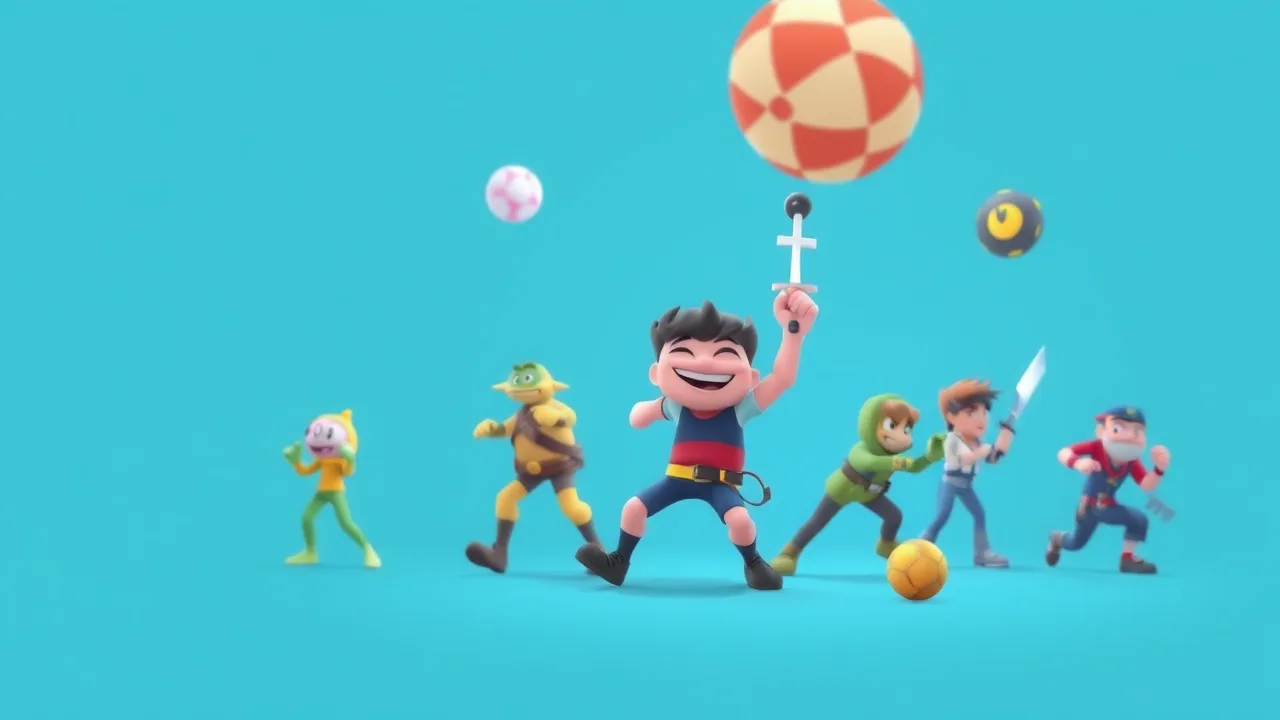
A small cat slips into a box while a guard passes. A crewmate-shaped impostor waits for an opening aboard a spaceship. A baby dinosaur is one jump away from an egg. Character-themed browser games make a first objective easy to picture. They give you someone to move, dress or discover, then ask you to see what happens. On BestCrazyGames, the same idea can lead to a fast arcade level, a slower collection game or an evening of experimenting with a character's wardrobe.
If you are browsing for something to play, start with what you want to do. You can learn a character from the way it moves, from the choices the game gives it or from the look you create for it. The games below illustrate all three approaches. Each offers a specific first task so you can see how the character affects play.
Escape as a cat or take a dinosaur across a gap
In Cat Escape 2026, the cat has to slip past guards and reach safety. Boxes give it places to hide, while coins give you a reason to take another look at a route once you feel comfortable with it. On the first attempt, find a box and watch what the nearest guard does. Notice the moment the guard moves away from the line you want to use. You can make progress one short crossing at a time, getting a feel for the controls before taking on a longer stretch.
The costume unlocks tie the coins back to the cat. After you find a route you can repeat, try picking up a coin you left behind. Look at what that changes about the timing between the nearest hiding place and the next opening. In a short session, you might simply clear one level. A return visit gives you a reason to revisit the same room with a different goal.
Baby Dino Planet uses a character in motion for a different kind of challenge. Guide a baby dinosaur over obstacles, through hazards and toward collectible eggs. On a new stretch, pay attention to the landing before jumping for an egg. You can use the first attempt to learn how far the dinosaur travels and where you have room to take off. The next attempt is a chance to use that knowledge for a cleaner route or an extra egg.
These two games put the player in charge of a small animal. The cat's hiding places give you moments to pause and look ahead. The dinosaur's jumps ask you to judge distance and speed as you move. If you want a first game that leaves room for observation, try the cat. If you have been looking for a straightforward platforming run, start with the dinosaur and see how far one careful sequence of jumps takes you.
Try a familiar character in a specific role
Among Us Online v3 opens with a name field and a waiting area. Once the hosted round starts, your character is the impostor on a ship with a moving crew. The task-progress bar gives you one way to follow the pace of the scenario. Spend the opening moments looking at the rooms and the ways they connect. A section of the ship becomes easier to read when you can recognize which direction a character takes after leaving it.
The familiar design helps you recognize the setting, but the role gives the round its shape. This hosted version starts you in an impostor scenario, so read the opening controls and objectives before making any assumptions based on another release or a game with a similar name. Once you can follow the flow of one round, you can decide whether you enjoy the spaceship setting enough to revisit it. The Social Games collection is another place to browse when the idea of watching characters interact appeals to you.
One useful way to judge a character game is to ask what you remember after playing. You might remember a distinctive costume, but you might also remember a moment when the setting and the role came together. On the ship, that could be the moment the crew moves into another room and you recognize where they are headed. In Cat Escape 2026, it could be when you spot the next box just as a path opens. Those details show what the character helps you pay attention to.
Collect creatures one reveal at a time
The creatures in Mysterious Familiars Enchanted Bestiary become part of a collection. Tap to fill the potion bowl and see a familiar or one of its evolutions when the vessel is ready. The bowl lets you track the current action. The encyclopedia gives you somewhere to look afterward and see what your work revealed. Start by filling one bowl and taking a moment with the resulting entry before beginning another.
A short visit can be as simple as opening the game and working toward one reveal. On a longer visit, check the entries you already have and decide whether you want to discover another creature or see a familiar change. The game also offers improvements to tap power, which gives you something to consider when you are ready for a longer collection session. There is time to notice the illustration and the creature's appearance because the next goal waits for you to start tapping again.
Character progression can take different forms across browser games. For the dinosaur, it may mean getting farther across a level and seeing another part of the stage. The bestiary gives the progress a place you can inspect. If you like finishing a single defined task, both approaches can work. Decide whether you want the task to involve movement through a changing scene or a repeated input with a reveal at the end.
Make the character's look part of play
In K Pop Halloween Dress Up, you make choices about costumes, accessories and face paint. Select a character and look for one piece that gives the outfit a clear Halloween idea. That might be a garment with a strong silhouette or the face paint you most want to try. Put it on first, then see how the other pieces look next to it. You can keep the rest of the outfit simple while exploring which details are worth adding.
For a second version, keep the same costume and change only the face paint. Look back at the whole character and see where your attention goes. The garment might become the first thing you notice in one version and part of the background in another. That is a useful way to spend a few minutes in a dress-up game. You can finish a look, compare it with a variation and decide which one best expresses the theme before switching characters.
If you enjoy making a scene respond to an individual choice, the Interactive Games collection offers more starting points. Read the game page to find out what the interaction involves. Some games put you in control of a character moving through a stage. Others let you change how a character or a scene looks. Choose the kind of feedback you want to see, whether it is a door opening after a puzzle or a new outfit taking shape piece by piece.
Read the controls before choosing a game for your device
The game page can tell you whether the main action is a tap, a click or a key press. On a phone, check the opening screen for visible controls and see whether you can reach them while keeping the goal in view. A tapping game may feel comfortable with the phone held upright, while a scene with on-screen movement buttons may need more space around the action. Look for the layout the player actually shows before starting a level.
On a computer, do one action before moving into a busy part of the game. Move the dinosaur on a flat stretch or tap the potion bowl and watch how it fills. That first input gives you a point of comparison for anything more complicated that follows. When browsing on a different device later, check the control prompts again. You may find that the wardrobe is easier to browse with a pointer, or that the bowl is easier to use with taps.
Choose a character game for the time you have
For a quick break, pick a single endpoint. Reach safety in one cat level, cross one set of platforms with the dinosaur or reveal a familiar. If you have more time, let yourself replay the part you enjoyed. Try a route you passed over, return to the ship with a better sense of its rooms or assemble a second costume with a different detail as its starting point. Each gives you a reason to return that comes from playing the game itself.
You can also start with the Online Games collection if you want to look beyond these examples. Open a game that catches your eye and check its opening goal and controls. Give it enough time to see a complete action, such as a clean landing, a finished outfit or a creature reveal. That first result will help you decide whether the character and the activity make a game you want to keep playing.