































The Ultimate 2025 Guide to Tennis Masters Unblocked
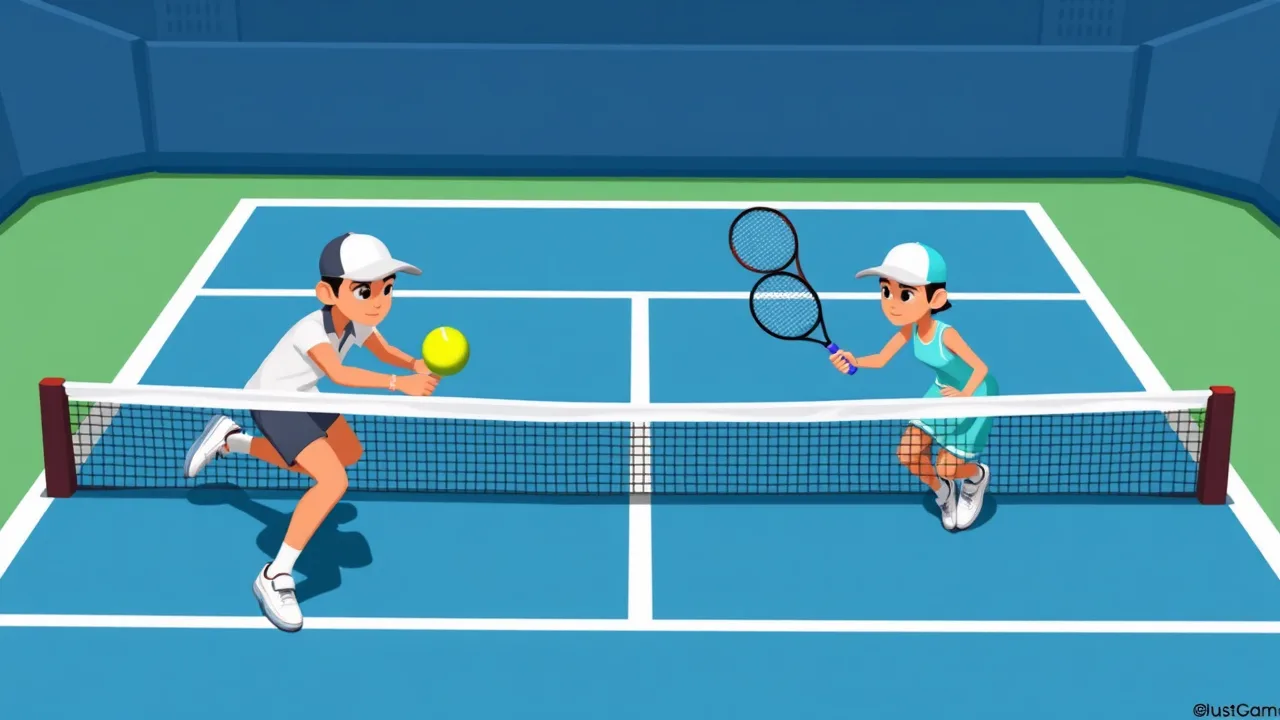
If you’re itching for fast, arcade-style rallies without the paywalls or downloads, tennis masters unblocked is your perfect browser escape. It blends the fundamentals of real tennis angles, timing, and shot selection with pick-up-and-play controls, flashy power-ups, and slap-stick character animations that keep every point unpredictable and fun. Whether you’re sneaking in a quick set during a break or grinding through tournaments to sharpen your reactions, this guide shows you how to go from casual hitter to court-dominating champion.
Want to start playing right now? Jump in here: Play Tennis Master on BestCrazyGames. This version runs in your browser, works on most modern devices, and lets you spar against the CPU or challenge a friend locally.
Over the next sections, you’ll learn what “unblocked” means, how the gameplay loop works, the best step-by-step progression for new players, and the strategic tricks that win points at every level from scrappy baseline duels to power-up chaos near the net. We’ll also cover performance tips for low-end laptops, school/work environments, and mobile play so you can serve aces anywhere.
About Tennis Masters Unblocked
Tennis masters unblocked refers to a browser-based tennis game (often known as Tennis Master / Tennis Masters) that’s accessible without installers, account creation, or restrictive firewalls ideal for places where traditional game sites might be limited. Unblocked versions load through standard web protocols and require only a keyboard and a modern browser.
If you’re curious about the real-world sport that inspires these mechanics serves, volleys, tie-breaks, and scoring see the basics on Wikipedia’s page for Tennis. Understanding how real tennis counts points (love, 15, 30, 40, deuce) and the tactical value of depth, spin, and angle can actually make you a better player in the arcade version, even when power-ups are flying.
Core arcade features you’ll typically find in Tennis Masters:
-
Simple controls (move, jump, hit) with optional special/super shot.
-
Solo mode vs CPU with adjustable difficulty and tournament brackets.
-
2-Player local mode on one keyboard for couch competition.
-
Power-ups that temporarily alter physics or player stats (speed boosts, freeze, giant ball, rocket shot, etc.).
-
Short matches designed for quick sessions (e.g., first to a certain number of points or best-of-X sets).
A big plus of the unblocked/browser format is instant access. If your daily routine involves switching between tasks, you can open the tab, rally for five minutes, and close it without any setup overhead. Try it here: https://www.bestcrazygames.com/game/tennis-master.
How to Play Tennis Masters Unblocked (Step-by-Step)
Quick link to play: Tennis Master on BestCrazyGames
Below is a beginner-friendly path that gets you comfortable fast while building the right habits for tougher brackets.
1) Launch & Configure
-
Open the game page and let assets load fully before clicking Play. (Partial loads can cause input lag the first rally.)
-
Check the Controls panel on the main menu or pause screen. Most versions use:
-
Movement: Arrow keys or WASD
-
Hit/Strike: A dedicated key (often
L,X, orZ) -
Special/Super shot: A second action key (commonly
K,C, orX) once your meter is charged
If you’re playing 2-Player, each player gets a separate key set listed on the control screen.
-
-
Set difficulty: Start on Easy/Normal to learn timing windows, then step up. If there’s a Practice/Free Play option, warm up with 2–3 minutes of straight rallying.
2) Learn the Rally Rhythm
-
Meet the ball early. Keyboard tennis is about simple geometry; standing a step closer to the bounce lets you redirect more accurately and hit earlier angles.
-
Find your strike timing. Tap the hit key slightly before the ball reaches your strike zone too late and you’ll pop it short or miss.
-
Aim with positioning. Most versions let you “aim” primarily by where you stand and when you swing. Meeting the ball out in front = cross-court angle; later = inside-out or down the line.
3) Master the Serve
-
Toss & tap. When serving, watch the toss arc and swing as the ball peaks. Too early = net. Too late = short lob that invites a crush.
-
Vary locations. Alternate wide and body serves. Even without fine analog aim, position tweaks change the returner’s reach.
4) Use Power-Ups & Supers Wisely
-
Collect orbs (if present) by running through them don’t overcommit if it opens the court completely.
-
Time your Super for momentum points break points, set points, or right after a deep serve when the opponent is off-balance.
-
Counter power-ups. If a freeze or giant-ball effect triggers, reset to center and play high-percentage shots until it wears off.
5) Learn Court Coverage
-
Recover to center after each strike. In arcade tennis, neutral positioning after every hit wins more points than hero shots.
-
Approach behind depth. Only charge the net after you’ve forced a weak return (high, short, or off-balance).
-
Lob when pinned. If the other player camps at the net, a timely lob (or an extra-deep drive) resets the rally.
6) Climb Modes & Brackets
-
Win quick exhibitions to lock in your mechanics.
-
Enter tournaments. Expect more consistent CPU opponents and smarter shot selection.
-
2-Player battles. For local co-op, agree on a best-of format and rotate servers to mimic real sets.
Tips & Tricks for Winning
The difference between a good and great tennis masters unblocked player isn’t “who hits harder” it’s who manages angles, meter, and movement under pressure. Use these expert habits.
Tactical Shotmaking
-
Open the court in two steps:
-
Hit deep cross-court to pull them wide.
-
Redirect down the line or into the open court.
Two-shot patterns are more reliable than single haymakers.
-
-
High-percentage depth: Aim to land shots past the service box. Even in an arcade engine, depth shortens your opponent’s reaction window.
-
Use height to buy time: A higher, slower ball buys meter, recenters your position, and tempts opponents into mistiming.
Serve & Return Patterns
-
Serve wide on big points. In many versions, the returner’s first step is slow wide serves create early chaos.
-
Body serves when they cheat. If opponents over-anticipate the angle, jam their body.
-
Return deep middle. On returns, target center and deep to neutralize angles and stabilize the rally.
Footwork & Positioning
-
Split-step (a tiny tap of the movement key) as they hit. Micro-hops keep your inputs primed and reduce reaction time.
-
Cover the heavy side. If your opponent loves cross-court, shade that side a half-step to cut off the angle earlier.
-
Don’t chase lost balls. If a rocket flies past and you’re 100% beaten, let it go and preserve focus for the next point.
Power-Ups & Meter
-
Don’t hoard supers forever. Using a super to break serve or save break point is worth more than waiting for “the perfect rally” that never comes.
-
Bait the power-up. Feint toward a pickup to pull your opponent off position, then hit behind them.
-
Stack advantages. Pop your speed boost after a deep shot that pushes them to the corner: speed + bad position = free winner.
Mindset & Match Flow
-
Play mini-sets in your head. Think in groups of four points. Reset mentally after every mini-set this helps you stop tilt.
-
Momentum is real. After a lucky win, serve quickly; after a bad miss, breathe, delay a heartbeat, then reset.
-
Scout tendencies. Do they always run to backhand after serving wide? Bank that and punish later.
Why Tennis Masters Unblocked Is a Perfect Browser Game
-
Instant access: No installs, no accounts open and https://www.bestcrazygames.com/game/tennis-masterames.com/game/tennis-master.
-
Short, satisfying matches: You can wrap a best-of-3 in minutes, which is ideal for study breaks or quick cooldowns.
-
Skill growth you can feel: Timing windows, serve placement, and footwork make you visibly better within a single session.
-
Local multiplayer: 2-Player mode on one keyboard turns any laptop into a party.
-
Runs on modest hardware: Simple visuals with responsive physics = smooth rallies on school or office computers.
-
Replay value: Power-ups, supers, and goofy character skins keep the tone light and re-playable.
-
Unblocked convenience: Because it’s browser-native, it’s often accessible in places where downloadable clients are not.
Performance & Accessibility Tips
-
Close heavy tabs (video editors, 20-tab research sessions) to avoid frame drops.
-
Use fullscreen for better input focus and to reduce accidental browser shortcuts.
-
Lower resolution if your laptop is struggling; most browsers or OSes allow a quick display scale change that can smooth inputs.
-
Wired keyboard preferred for 2-Player some Bluetooth keyboards add latency under multi-key press.
-
Mobile play: If touch controls are offered, choose on-screen buttons and reduce browser UI clutter. Playing in landscape mode improves reach.
Troubleshooting Common Issues
-
Lag or stutter: Switch to a Chromium-based browser, disable extensions temporarily, or try an incognito window.
-
Key conflicts in 2-Player: Rebind if possible or ensure both players aren’t using overlapping system shortcuts.
-
No audio: Check site permissions; some browsers block autoplay sound until you interact with the page once.
Sample 15-Minute Training Plan
-
Minutes 0–3: Rally practice focus only on meeting the ball early and returning to center after each swing.
-
Minutes 3–6: Serve reps alternate wide and body locations. Track which side you miss more.
-
Minutes 6–9: Play CPU on Normal limit yourself to two-shot patterns (deep cross-court → open court).
-
Minutes 9–12: Power-up lab trigger one, then practice resetting to center immediately after to avoid free counters.
-
Minutes 12–15: Short match apply everything, especially split-step timing and serve variation under pressure.
Frequently Asked Questions (FAQ)
1) What does “unblocked” mean in tennis masters unblocked?
It means the game runs directly in your browser without installers and is typically accessible even where some game portals are restricted. You open the page and play no downloads needed.
2) Where can I play a clean, fahttps://www.bestcrazygames.com/game/tennis-masterazygames.com/game/tennis-master. It’s a quick load with solo and local multiplayer options.
3) What are the default controls?
Most versions use arrow keys/WASD for movement, plus one key to hit and one for special/super once your meter fills. Check the in-game Controls panel; it lists both 1-Player and 2-Player bindings.
4) Is there online multiplayer?
Unblocked/browser editions usually focus on single-player vs CPU and 2-Player local on one keyboard. If a build includes online lobbies, it’ll be mentioned on the start screen.
5) How do power-ups work?
Power-ups appear as pickups or icons and last for a short time speed bursts, ball effects (giant/rocket), freezes, etc. Grab them when you’re not exposing the court; then hit behind your opponent while they reposition.
6) What’s the fastest way to win points?
Use two-shot patterns: deep cross-court to pull them wide, then strike into the open court. Add a serve wide and body serve mix to earn free errors on returns.
7) I keep losing at higher difficulty. What should I change first?
Two things:
-
Meet the ball earlier (stand closer to the bounce).
-
Reset to center after every hit. These two habits alone raise your win rate across all brackets.
8) Can I play on school or office devices?
If your environment allows browser games, yes that’s the point of tennis masters unblocked. It runs in-tab, fast. If the page won’t load, local network rules may block it.
9) Does it work on mobile?
Many builds are playable on mobile with on-screen buttons. Rotate to landscape for more precise input. For best results and 2-Player mode, use a laptop/desktop.
10) Is there a place to bookmark for quick acceshttps://www.bestcrazygames.com/game/tennis-masterazygames.com/game/tennis-master to your favorites so you can jump back in for short matches or 2-Player sessions anytime.
Final Rally
Tennis masters unblocked delivers what great browser games should: instant action, real skill growth, and replayable chaos thanks to power-ups and two-player showdowns. Start with clean mechanics early contact, center recovery, serve variety then layer on supers and baited angles. Before long, you’ll be dictating rallies, stealing service games, and closing sets like a pro.
When you’re ready to put this blueprint into practice, step onto the court here anPlay Tennis Master nowennis-master">Play Tennis Master now
Game on!