Hold a defensive position in Frontline Strike
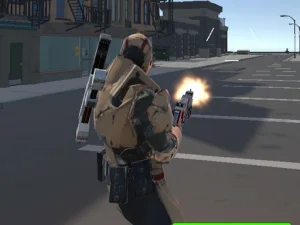
Frontline Strike begins at Desert Outpost, where enemy waves press your position. Riflemen, heavier troops and distant marksmen create different threats. The HUD separates wave number, kills, score, health and ammunition, giving you several pieces of information to consider instead of only the enemy nearest the centre of the screen.
The opening menu starts at Recruit and shows Harbor Night locked until Private rank. Its career spans ten ranks, and the Armory separates equipment choices and upgrades. Damage, magazine capacity and reload speed are different upgrade decisions. Read the current options before assuming that a new weapon is the only way to improve the next defensive attempt.
Work towards flags in Frontline Conquest
Frontline Conquest changes the military-themed task to controlling Port Valor with a squad. Capture flags, choose a class and use infantry movement alongside tanks or other vehicles. Cover can be destroyed, so the route to an objective may change as the fight develops.
The supplier describes online play and bot opponents. The game also includes reviving teammates and credits for weapon or cosmetic unlocks. Some items offer an optional video route, but that does not establish a video requirement for every unlock. Inspect the menu's actual choices and follow the current interaction prompts rather than transferring an unlock rule from another game.
Use information before moving into danger
For a wave defence, identify the approaches you need to watch. A nearly empty magazine and an enemy at long range call for a different decision from a group already close to your position. Make time to reload where the situation allows it. Avoid discovering the ammunition problem only after moving away from protection.
For a flag objective, first decide where your movement will help. Check the path, the cover along it and the position of the objective. A damaged barrier should prompt another look at the route. Entering a vehicle offers a different way to travel or fight, but it is still a decision to make in relation to the current task.
Learn the game-specific equipment controls
Both examples document keyboard movement and mouse aiming, but their additional inputs and systems belong to their own builds. Frontline Strike lists G for grenades, Shift for sprinting and several weapon-switch options. Frontline Conquest uses E for vehicles and interactions, with number keys for weapons and gadgets. Learn the actions you expect to need before entering a busy encounter.
Practise one unfamiliar action at a time. Check what reloading interrupts, how switching equipment affects your response and where a pause control is available. Do not assume a shared touch layout or an identical inventory because the games have related names. Frontline Conquest is specifically listed as not mobile-ready by its supplier.
Improve the decision behind the result
When a run ends, look for the first choice that reduced your options. Advancing without checking an approach, using the last ammunition without a reload plan or relying on damaged cover can make the final exchange harder. A useful retry changes that earlier choice rather than simply repeating the last few seconds.
Use the army tag as a route to compare these objectives, not as a promise of realistic simulation or one universal military ruleset. Select a game whose task interests you, read the equipment information it actually provides and set a manageable practice goal. Better awareness of position, ammunition and objective makes the next attempt easier to assess.