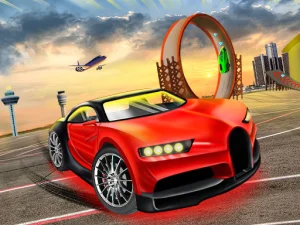
Events and vehicle choices in Top Speed Racing 3D
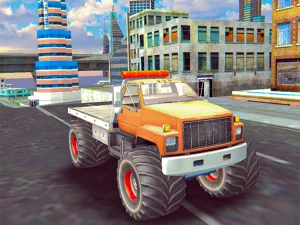
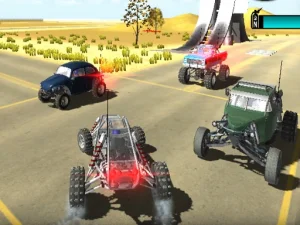
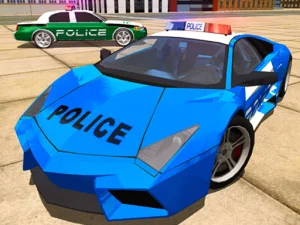
Top Speed Racing 3D combines driving with events, stunts and vehicle personalisation. Its publisher describes earning money through events and choosing accessories for a ride. Read the current activity's objective when beginning: an event and an open driving experiment need not be judged by the same result.
Use the arrow keys or WASD for driving and turning, following the loaded game's prompts. Space brakes, while either Left Shift or Right Shift activates nitro. Those functions give you a useful starting sequence: learn ordinary steering, add controlled braking and then introduce nitro where you understand the approach.
A speed increase is easier to assess after you know the normal response. If you apply it while still making a large steering correction, a poor result can be difficult to explain. Test the same kind of approach at a manageable pace before asking the car to cover it faster.
Think about the whole manoeuvre
Look at the setup, the action and the space available afterward. An obstacle or stunt feature can draw your attention toward one point, yet reaching that point is only useful when you can manage the exit. Decide where you want the car to be once the demanding part is over.
If an attempt goes wrong, separate those stages in your review. The car may have entered at an unsuitable angle, carried too much speed into the feature or left it facing an awkward continuation. Changing the relevant stage gives the next attempt a clearer purpose than using more nitro everywhere.
Use braking before the part you need to negotiate, rather than waiting until your line already feels uncertain. Small adjustments are easier to compare when the rest of the setup remains familiar. You can then judge whether the change improved the route you actually intended to follow.
Inspect customisation before assigning an effect
Vehicle personalisation is part of this example's appeal. Look at the information attached to an accessory or vehicle before expecting it to alter performance. A visual choice can make a ride feel more personal without necessarily explaining a change in grip, speed or handling.
Money earned through events gives purchases a place in the session, but the available description does not establish a required buying order. Identify what you want from the next choice and compare the options shown in the garage. Read any stated consequence before spending rather than assuming that the most expensive-looking item solves every driving difficulty.
When you switch to another card, learn the controls again. A handbrake, a regular brake and a nitro key can be assigned differently across driving games. The collection name does not create a shared keyboard layout or a universal model for upgrades.
Choose a useful goal for the next drive
One visit might focus on reading an event route, another on finishing a manoeuvre with a cleaner exit. A short practice loop can be useful when you know what you are changing. Keep the vehicle and approach familiar while testing a single braking or steering decision.
Browse onward when you want another objective, using the individual title to distinguish racing from other vehicle activities. Enjoying car games does not require treating every road as a time trial. Understanding the selected challenge gives ordinary steering, event earnings and vehicle choices a clearer role in the session.