Start with the actual game
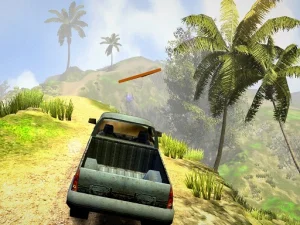
Slow Roads is a relaxed journey through an endless changing landscape. Its host describes vehicle and environment choices rather than a compulsory sequence of missions or races. You can use the road as a place for a gentle drive, experimenting with the view or finding a more consistent steering rhythm. Those are personal session goals, not claims about a competitive progression system.
When browsing other driving cards, look at their tasks individually. A game about transporting cargo requires different decisions from a stunt track or an open-ended road. Similar vehicle artwork does not establish identical controls, physics or objectives. Decide whether you want a clear mission to complete or a drive that can continue without a finish line.
Check focus before changing the controls
The embedded host documents WASD or arrow keys for driving. Click inside the playable frame before testing a key. If the surrounding page scrolls instead of the vehicle responding, keyboard focus may be outside the game. Establish that the input reaches the correct area before changing camera or graphics settings, since those changes cannot resolve a basic focus problem.
Try a brief movement at a modest pace and watch the effect. Releasing one direction before making a large opposite correction helps you understand the response. If the vehicle begins weaving, reduce speed and simplify the next section of driving. A readable input pattern is a better starting point than repeatedly increasing acceleration while trying to diagnose steering.
Useful shortcuts for a comfortable session
The host lists C for camera selection, R for returning to the road and P for pausing. It also documents Shift for a temporary acceleration input, B for the handbrake and F for automatic driving. Consult the current in-game help if your version or profile uses a different mapping. Do not assume a shortcut from another driving game will work here.
Camera choice changes how clearly you can see the road and vehicle position. Keep one view long enough to judge it. Pause when reading options, and compare settings with the same vehicle and driving mode. This avoids mistaking a change of camera or automatic driving for an improvement in the manual steering setup.
Understand the interface and environment
The host describes U as an interface toggle, H as a headlight control and Q or E for environmental changes involving weather and day conditions. Learn how to restore an interface before hiding it, especially when you still need its indicators. A cleaner screen can suit sightseeing but may remove information that helps explain the current driving mode.
Visual weather choices can alter the atmosphere and readability of the scene. Their appearance alone is not evidence that the simulation has changed its traction rules. Inspect the behaviour and option descriptions of the loaded build. Try one change at a time so that you know which adjustment made the session more comfortable.
A guide for control problems
The Slow Roads controls guide separates focus, movement, camera choices, recovery and loading questions. It is useful when a key seems unresponsive or the view changes unexpectedly. Begin with the simplest explanation that fits what you can observe, then test it with a small input rather than changing everything at once.
Finally, play on a network where games are allowed. A search label cannot override access restrictions, and the surrounding website may load even when an external game frame does not. Once the game is running, keep the display stable and choose a manageable pace. Clear controls and a comfortable view let the scenery supply the enjoyment without requiring an invented sequel, race lobby or mission structure.