































Experience the Endless Horizon in Slow Roads Game
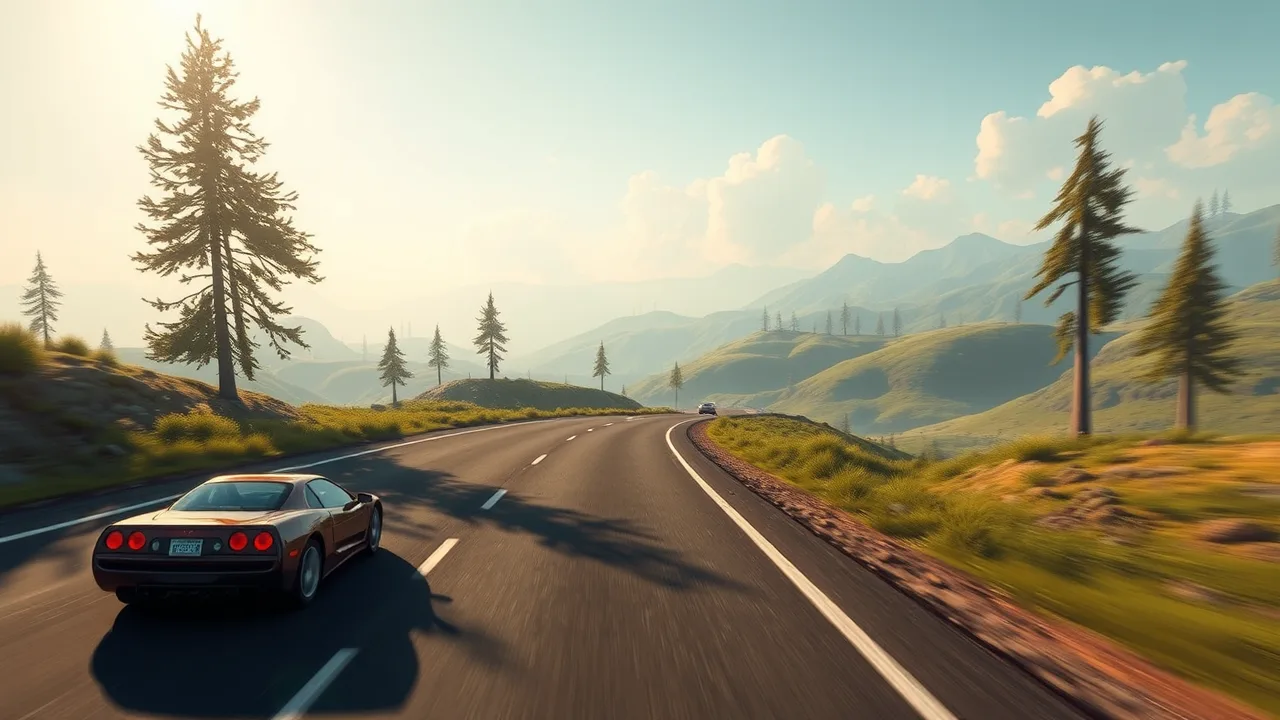
The Slow Roads game is a technical marvel of procedural generation that invites players to escape the typical high-stress environment of racing titles. Instead of worrying about lap times or aggressive AI opponents, you are given an infinite, undulating landscape to explore at your own pace. The engine creates hills, valleys, and winding asphalt on the fly, ensuring that no two sessions feel identical. It is less about the destination and more about the rhythmic flow of the drive, making it a favorite for those who use gaming as a form of digital meditation.
Whether you prefer the retro charm of a classic coach or the silent torque of a modern EV, the physics feel grounded yet accessible. You can adjust the time of day or the weather to completely shift the mood, from a bright summer afternoon to a foggy, atmospheric night drive. This title perfectly captures the essence of long-distance driving where the goal is simply to see what lies over the next ridge. It operates smoothly in-browser, proving that you don't need a heavy installation to enjoy high-quality lighting and expansive draw distances. If you’ve been looking for a way to decompress after a long day, this is the perfect virtual outlet.
🎮 Free to Play Unblocked Slow Roads Game
Finding a high-quality simulation that runs without a hitch in a browser can be a challenge, especially when you are looking for something that bypasses restrictive networks. The Slow Roads game stands out because it requires zero downloads or hefty plugins to function. It is built using modern web technologies that allow the procedural terrain to render quickly even on machines that aren't specifically built for gaming. This accessibility makes it a top choice for students or office workers who need a five-minute mental break.
Because it doesn't rely on complex launchers, you can simply load the page and start driving. The "unblocked" nature of the game stems from its streamlined web presence. While many 3D games struggle with lag or stuttering, this one is optimized to keep the frame rate steady as the world generates around you. You aren't tied to a specific save file or a heavy account setup. You just open your browser, hit the gas, and watch the scenery unfold. It’s a refreshing change of pace from the cluttered, ad-heavy experiences often found on casual gaming portals. The focus remains entirely on the horizon, giving you a sense of freedom that is rare in the browser-based market.
✨ Best Features in Slow Roads Game
The real magic of the Slow Roads game lies in its customization and the sheer scale of its world. One of the standout features is the procedural generation engine. Unlike traditional racing games that have a set number of tracks, this game builds the road as you drive. You can choose different planetary environments, including a standard Earth-like setting or even low-gravity lunar landscapes. This variety changes not just the visuals, but the way your vehicle handles the bumps and dips in the road.
Another core highlight is the environmental control panel. At any moment, you can toggle between seasons—watching the green hills turn to a snowy white—or adjust the time of peak sunlight to a moody sunset. The inclusion of different vehicle classes, such as motorcycles and heavy trucks, adds another layer of replayability. Each vehicle has its own suspension logic and weight, which interacts differently with the terrain. When you combine these physics with the ability to "off-road" anywhere you see, the game turns from a driving simulator into a true open-world sandbox. It’s this blend of technical sophistication and "chill" vibes that keeps players coming back.
🕹️ Master Slow Roads Game How to Play
Getting started is incredibly intuitive, but there are a few nuances to mastering the flow. When you first load in, you'll be placed on a stretch of highway. You can use the standard WASD keys or arrow keys to steer, accelerate, and brake. The goal isn't to reach a finish line; it's to maintain your momentum and enjoy the scenery. If you find yourself stuck or you've driven off a cliff into the void, a quick tap of the 'R' key will reset you back onto the nearest section of the road.
To truly enjoy the experience, you should dive into the settings menu located on the side of the screen. Here, you can engage the "Auto-Drive" feature if you just want to watch the world go by like a screensaver. You can also swap your vehicle mid-drive to see how a heavy bus handles a sharp mountain turn compared to a nimble roadster. For those who want a challenge, try turning off the driving assists in the menu to get a more raw feel for the physics engine. It’s all about finding the configuration that fits your current mood.
🛠️ Troubleshooting Common Issues
While the game is highly optimized, you might occasionally run into a few hiccups depending on your hardware. If you notice the frame rate dropping, the first step is to check your browser's hardware acceleration settings. Ensuring this is turned "on" allows the game to utilize your GPU rather than putting all the stress on your processor. Additionally, if the terrain looks blurry or is slow to load, try reducing the "Draw Distance" in the in-game settings. This will limit how much of the world is generated at once, which can significantly boost performance on older laptops.
If the game fails to load entirely, it might be due to a cached version of the site causing a conflict. A hard refresh (Ctrl + F5) usually clears this up. For those playing on restricted networks where certain assets might be blocked, using a mirror site like Slow Roads can often provide a cleaner connection. Lastly, if your controller isn't being recognized, make sure it is plugged in before you open the browser tab, as most web-based games scan for hardware inputs during the initial handshake.
❓ Frequently Asked Questions FAQ
Is there an end to the map? No, the map is infinite. The game uses a procedural algorithm to generate the road and terrain endlessly as you move forward.
Can I play this game with a steering wheel? Yes, if your browser supports the Gamepad API, you can map your steering wheel or controller to the game's inputs for a more immersive experience.
Does the game save my progress? Since there are no levels or unlocks, there isn't much to "save," but the game will often remember your last used vehicle and environment settings via local browser storage.
Are there other players on the road? Currently, it is a single-player experience focused on solitude and relaxation, so you won't encounter other drivers.
Can I change the gravity? Yes! By selecting different planet types in the menu, such as the Moon, the gravity will shift, allowing for much larger jumps and different handling.
Discover more exciting browser games like Slow Roads on BestCrazyGames by visiting BestCrazyGames.