































Experience the Endless Journey in slow roads.io
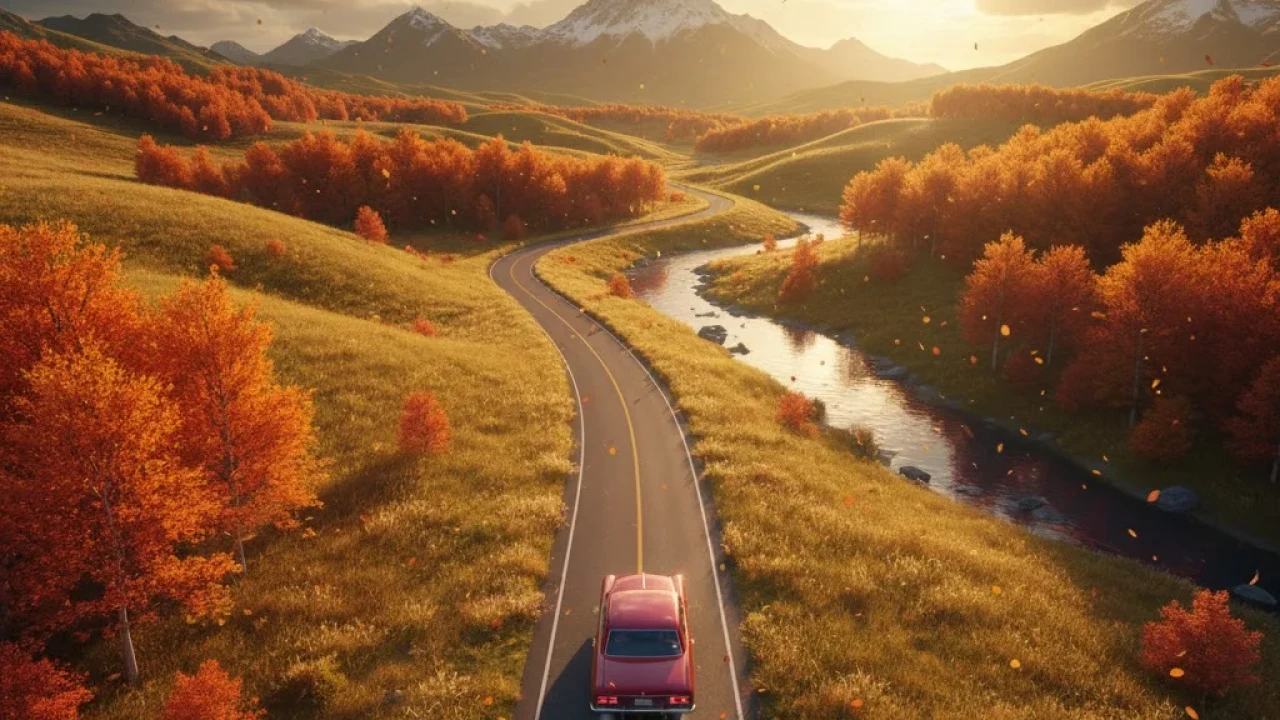
slow roads.io is a procedurally generated driving simulator that prioritizes the zen of the open road over the typical chaos of racing games. Built by developer Anslo, this browser-based experience invites players to navigate an infinite landscape that stretches toward a distant horizon, offering a meditative escape through varied environments. Much like the community-driven insights found on the Indie Games Wiki, this title showcases how minimalist design can lead to deep immersion.
The magic of slow roads.io lies in its lack of a finish line. You aren't competing against a clock or other drivers; instead, you are simply existing within a beautifully rendered world. The game utilizes clever procedural generation to ensure that no two drives feel exactly the same, creating hills, valleys, and winding turns that evolve as you move forward. It’s a perfect example of how modern web technologies can deliver high-quality 3D visuals without requiring a massive download or high-end hardware. Whether you want to cruise through a sun-drenched forest or navigate a snowy mountain pass at midnight, the atmosphere remains consistently captivating.
🎮 Play slow roads.io Online Free Unblocked
Finding a way to unwind during a break shouldn't be a hassle. You can access slow roads.io directly through your browser, making it a premier choice for those looking for unblocked entertainment. Because it runs on WebGL, it bypasses the need for heavy installations, allowing it to function smoothly on most school or work networks that permit standard web traffic.
The appeal of playing slow roads.io in an unblocked format is the instant accessibility. While many games demand intense focus and quick reflexes, this one allows you to dip in and out at your own pace. If you are stuck in a sterile office environment or a quiet library, the shifting seasons and day-night cycles within the game provide a much-needed window into a more peaceful world. It is quite common to find players using this as a "second monitor" game something to keep running in the background while listening to a podcast or music. The lack of aggressive sound effects or stressful "game over" screens makes it the ultimate low-stakes digital hobby.
🌟 slow roads.io Main Features
What truly sets slow roads.io apart from your standard driving fare is the depth of its customization settings. It isn't just about steering a car; it's about tailoring the entire environmental experience. Within the settings menu, you can adjust the frequency of hills, the curvature of the roads, and even the planetary physics. You can choose to drive on a simulated Earth, or take your vehicle to the Moon or Mars, where the gravity shifts significantly, affecting how your car handles every bump and jump.
Another standout feature is the weather and lighting engine. You can manually lock the time of day if you prefer the golden hour of sunset, or let the cycle run naturally. The "Slow" in the title is a suggestion, not a rule you can certainly floor the accelerator, but the game is optimized for a cruising speed that lets you appreciate the scenery. The UI is intentionally sparse to keep your eyes on the road, emphasizing the aesthetic over the technical.
🛣️ slow roads.io Gameplay Overview
At its core, the gameplay of slow roads.io is about the relationship between the driver and the terrain. When you start, you are placed in a basic vehicle on a road that stretches infinitely forward. As you drive, the world generates in real-time. If you venture off-road, the game doesn't punish you with a reset; rather, it allows you to explore the meadows and hills, though the road is where you will find the smoothest handling.
The procedural nature means you might encounter a steep mountain climb followed by a long, winding descent into a forest. There are no laps to complete and no high scores to chase. This fundamental shift in game design focuses on "flow state." If you do happen to crash or get stuck, a simple tap of the 'R' key resets you back on the asphalt, ensuring that the momentum of your journey is never interrupted for long.
📖 All About slow roads.io
Born from a desire to create something peaceful in a loud digital landscape, slow roads.io has garnered a cult following among fans of "lo-fi" gaming. It reflects a growing trend of software designed for relaxation rather than stimulation. The developer, Anslo, has frequently updated the engine to improve performance and add new biomes, ensuring that even long-term players have new vistas to discover.
The technical achievement here is notable. Generating infinite 3D terrain that looks this good in a browser tab is no small feat. It uses advanced algorithms to ensure the road stays interconnected and logical, avoiding the jarring glitches often seen in lesser procedural titles. It’s a digital road trip that requires no gas, no map, and no destination.
🕹️ How to Play slow roads.io Guide
Getting started is as simple as clicking a link. When the game loads, you are presented with a car and an open path. Your primary goal is to stay on the road, or don't the choice is yours. Beginners should start by exploring the settings menu (the gear icon) to find a camera angle that feels comfortable, whether that's a third-person chase cam or a more immersive dashboard view.
For a more tailored experience, try experimenting with the "Chaos" slider in the generation settings. Lowering it creates a flat, relaxing highway, while cranking it up results in a roller-coaster-like terrain that tests your control. Remember that the car has different gears; if you find yourself struggling with a steep hill, the physics engine will respond realistically to your speed and angle.
⌨️ Control Basics
The controls are intuitive, adhering to the standard layout used in most driving simulators. You can use the WASD keys or the Arrow keys to manage your vehicle. 'W' or 'Up' handles the acceleration, while 'S' or 'Down' applies the brakes and eventually engages reverse. Steering is handled by 'A' and 'D' (or the Left and Right arrows).
For those who want more precision, the game often supports mouse steering, where the car follows the horizontal position of your cursor. This can feel much smoother for long, sweeping turns. Spacebar acts as your handbrake, perfect for when you want to slide into a scenic overlook to take a screenshot.
💡 Expert Tips and Tricks For Pros
Even in a game this relaxed, there are ways to master the mechanics. If you’re looking for the smoothest ride, try to maintain a consistent speed rather than constantly toggling the gas. This keeps the suspension stable and makes the procedural transitions feel more fluid. When driving in low-gravity environments like the Moon, avoid sharp turns at high speeds, as your car will likely tumble due to the lack of downforce.
Another pro tip involves using the "Seed" system. If you find a particular stretch of road that is breathtakingly beautiful, take note of the seed number in the settings. You can share this with friends or re-enter it later to drive the exact same route again. Also, don't forget the 'Shift' key; in some configurations, this acts as a nitro boost for when you really want to feel the wind.
❓ Frequently Asked Questions FAQ
1. Is slow roads.io really infinite? Yes, the game uses procedural generation algorithms that create new terrain as you drive. You will never run out of road.
2. Can I change my vehicle? Absolutely. The settings menu allows you to switch between different vehicle types, including a classic sedan, a bus, and even a bike, each with unique handling.
3. Does the game save my progress? Since there are no levels or scores, there isn't "progress" in the traditional sense, but the game can remember your preferred settings and custom seeds.
4. Why is my game lagging? If you experience stuttering, try lowering the "Render Distance" or "Detail" settings in the options menu. WebGL performance can vary depending on your browser and hardware.
5. Can I play this on a mobile device? While optimized for desktop browsers, it can run on powerful mobile devices through a web browser, though the controls are best experienced with a keyboard.
🆕 What’s New in slow roads.io
Recent updates have introduced more complex biomes, including autumnal forests with falling leaves and desert plains with shimmering heat haze. The developer has also refined the "Autodrive" feature, allowing you to take your hands off the keys entirely and simply watch the scenery go by. Improvements to the water rendering and cloud systems have also made the horizon look more realistic than ever before.
🛠️ Troubleshooting Fixes
If the game fails to load, the most common fix is to ensure your browser is updated to the latest version and that hardware acceleration is enabled in your settings. If the car feels like it is floating or falling through the world, hitting 'R' to reset the position usually solves the collision error. For performance issues on older laptops, switching the season to "Winter" can sometimes help, as the simplified color palette and textures are less demanding on the GPU.