


Shrek Hotel 2 Online: Check the Version and Explore Browser Horror
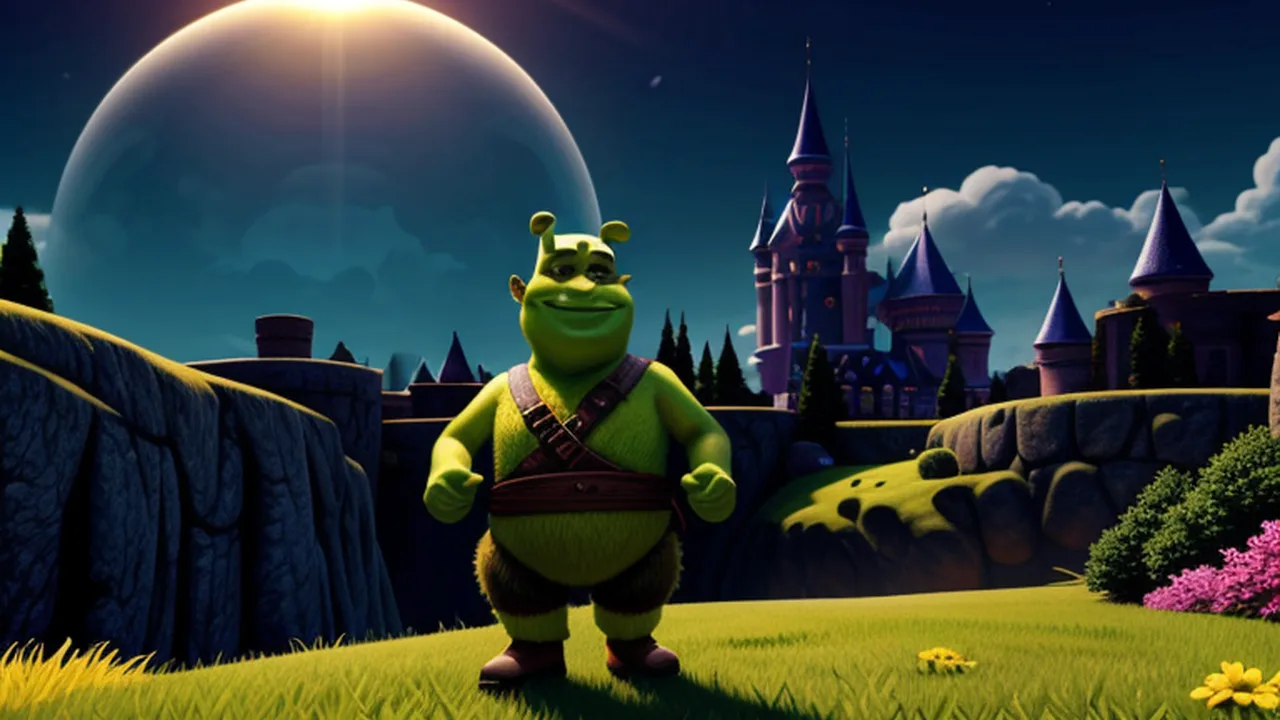
Searching for Shrek Hotel 2 online can lead to pages describing quite different games. Before starting, check the exact title and version that the player loads. The verified hotel game currently available on BestCrazyGames is Five Nights at Shreks Hotel. This guide explains that version and compares it with two other browser horror choices. It does not rename the existing game as Hotel 2 or claim that its story and controls belong to a separately released sequel.
That distinction also corrects a common misunderstanding about the theme. The available hotel game is a horror encounter about temporary accommodation and an unsettling manager. It is not a resort-management simulator in which you decorate guest rooms or run a reception business. Choose it because you want exploration and tension, with keyboard movement and deliberate interactions.
Begin with the available hotel story
In Five Nights at Shreks Hotel, the character has sold a house and moved to another city. While saving for a new home, a stay of five nights at Grek's hotel appears to solve the immediate accommodation problem. The manager seems reasonable at first, but something about him is wrong.
The familiar character theme is not a reason to assume a children's activity. The tension and unsettling premise are the point of this choice. Decide whether that is the experience you want before treating the colourful or comic appearance as a guide to tone.
Let the player load and read the opening information. A horror game can make you eager to move immediately, but the dialogue may explain what the current interaction is about. Advancing every line before reading it can leave you unsure why you entered a room or approached an object in the first place.
Separate walking, positioning and interaction
The documented movement inputs are WASD or the arrow keys. E interacts, and mouse clicks advance dialogue. The instructions specify being near an object before using the interaction key, so walking toward a target and successfully using it are two separate events.
Try a small movement and examine where the character ends up. Then approach a relevant object and use E once. Watch for a response before pressing it repeatedly. If the expected action does not occur, check your distance, the intended target and any current prompt. This is more informative than moving randomly while continuing to press the same key.
Keep dialogue and interaction distinct. Clicking through a conversation does not establish that an object has been collected or that a task has finished. Similarly, walking into a new place is not itself proof that you have reached the next story event. Look for the actual response the game provides.
The supplier marks this particular build as not mobile-ready. A keyboard and mouse fit the confirmed instructions. Do not rely on a claim about phone support copied from another horror game's listing, and do not substitute installation or controller instructions for a different release with a similar name.
Explore with one question in mind
When you move through an unfamiliar location, give the movement a purpose. You might be trying to reach an object mentioned in the latest exchange, return to a recognisable area or inspect a route you have not checked. A clear question helps you connect the scene with the information you have already received.
Remember a landmark that is easy to recognise. It could be a doorway or another distinctive part of the room you are currently viewing. You do not need a complete mental map immediately; a few reliable reference points can make returning to a previous place much less confusing.
If progress stalls, review the latest confirmed event. Consider what the dialogue actually said, where you went afterward and whether the next interaction produced feedback. Avoid filling the gap with assumptions about keys, hiding systems or enemy routines from an unrelated horror title. Follow what this build demonstrates.
There is no benefit in promising a guaranteed safe route without verified information for that route. The practical advice here concerns reading, positioning and checking responses. Those habits help you understand a scene while leaving the game's specific surprises to the version you are playing.
A key-and-door alternative: the hosted Poppy adventure
Poppy Playtime Chapter 3 is another hosted browser horror adventure with a different set of instructions. The supplier describes two selectable chapters, each with its own goals and map. The opening mansion scenario involves finding room keys and opening connections while working toward an escape.
In this browser build, WASD moves, the mouse controls the camera, F interacts and Escape opens the menu. Notice the change from the hotel's E interaction key. A habit from one game can make a correct target seem unresponsive in another if you continue pressing the wrong input.
Connect a key with the routes you inspect. When a locked connection is important, remember a nearby feature so that you can find it again after exploring elsewhere. If the interface confirms a relevant collection, return with that purpose in mind and examine the result of the interaction.
The appearance of a key does not establish which nearby door it opens. Use the scene's actual prompts and feedback rather than assuming proximity proves a match. Likewise, a supplied chapter title does not justify importing a walkthrough for a separately released commercial game. The relevant instructions are those of this hosted version.
This build is also listed as not mobile-ready. Choose it when the documented keyboard-and-mouse setup is available and when searching a mansion for connections sounds more appealing than following the hotel's accommodation story. Treat the different premise and interaction key as part of making a fresh start.
A collection objective: Tung Tung Sahur Midnight Terror
Tung Tung Sahur Midnight Terror offers horror-comedy survival in a haunted property. Its published objective is to gather ten packs of instant noodles before dawn to unlock an escape. That gives exploration a concrete collection target, rather than asking you to assume that every horror game progresses through identical conversations or locked rooms.
Use WASD to move, Shift to run and Space to grab an item. These controls differ from both hotel E interactions and the Poppy build's F input. Establish which action collects an available item before allowing the tense setting to turn every movement into a rushed sequence.
As you inspect the property, remember which areas you have checked. A new-looking view may simply be a familiar location approached from another direction. Linking places to recognisable features can help you spend the next movement on a useful search rather than circling without realising it.
The ten-pack objective does not supply a fixed item map or a guaranteed enemy schedule. Use what the current attempt reveals. Visual and audio information can guide a decision to continue or change direction, but this guide does not invent an invulnerable route, an unseen hiding mechanic or a required upgrade.
Choose by the task you want to solve
The hotel game centres on a stay that becomes unsettling and on understanding the dialogue and nearby interactions. The hosted Poppy adventure introduces a mansion, keys and connections. Midnight Terror puts a numbered collection objective before dawn at the centre of exploration. Those differences are more useful than simply choosing the most familiar name.
For a first session, select one title and learn its interaction input. Walk deliberately, carry out a clearly intended action and confirm the result before moving on. When switching games, read the instructions again; similar first-person movement does not make E, F and Space interchangeable.
If you need to stop, inspect the current game's own menu and progress information. Do not infer an automatic save, a chapter checkpoint or a safe pause from the fact that another title offers one. This keeps your expectations tied to the player you actually opened.
Keep conversation and exploration connected
After an exchange in the hotel, take a moment to recall the information you just received before walking away. Separate what was explicitly requested from what you merely expected to happen. If you later become unsure, return your attention to the last confirmed interaction and its response. This keeps the story understandable without relying on a memorised sequence for another version.
The same distinction helps when comparing the other two choices. A displayed collection target is explicit information; a presumed hiding spot or imagined key location is not. Build your next move from the former and check the latter in the actual scene.
Questions about the Shrek Hotel search
Is the game linked here confirmed as Shrek Hotel 2?
No. The verified available title is Five Nights at Shreks Hotel. Its established URL and identity remain unchanged. The guide names it explicitly so that a search for a sequel does not become a false claim about the version hosted here.
Does this guide describe running a hotel?
No. The verified hotel title uses a horror premise and character interactions. The earlier idea of managing a resort, arranging guest rooms and decorating a reception does not describe the documented game covered here.
What should I check when an action does nothing?
Confirm the current game's input, then your position and target. In the hotel, approach before pressing E. In the hosted Poppy adventure, use F. In Midnight Terror, Space grabs an item. After the input, look for feedback instead of treating the button press alone as successful progress.
Choose a game with a clear understanding of its version, tone and immediate task. Reading the scene carefully can make exploration more rewarding than following instructions borrowed from a different release. The next useful step is the one supported by the actual game in front of you.