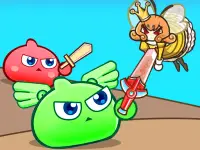
Mini Blocks
Mini Blocks is a fun Arcade game with simple pixelated graphics that focuses on control and building. It is easy to learn, and once you master the mechanics, navigating obstacles and making progress feels smooth and rewarding.
How To Play Mini Blocks
Use the keyboard controls to collect blocks and build structures. Grouping and toggling are key, then you must jump and navigate obstacles to advance through the level.
Controls and Features
Play with simple keyboard commands. Press 1 Player style controls: 'c' or 'space' to jump, and 'x' to toggle block types. Buttons for pausing and resuming give you full control over the action.
Tips
Practice balancing your jumps with block toggling. Get familiar with the controls to improve your speed and efficiency, and switch block types quickly when the situation demands.
FAQ
What are the main controls in Mini Blocks?
Use 'c' or 'space' to jump and 'x' to toggle between block types. These controls let you build and navigate obstacles effectively.
How do I progress through the game?
Navigate obstacles by building with blocks and jumping at the right time. Mastering the toggle and jump mechanics helps you move forward smoothly.
What makes this a good puzzle game?
The puzzle element comes from planning your block placement and timing your jumps to overcome challenges, making each level a smart test of logic.
Can I play Mini Blocks with a mouse?
The game is primarily controlled by keyboard, but the Mouse tag suggests some interface elements might be clickable for menus and options.
About this game
- Supported devices
- Desktop
- Genre
- Arcade
- Release date
- 24 January 2019
- Latest update
- 24 January 2019
- Rating
- No ratings yet
Cool Information & Statistics
Mini Blocks joined the catalog on January 24, 2019 and has received 9 plays. It is still waiting for its first player rating. Navigate obstacles and build structures by collecting blocks and toggling their types to progress through the levels. Find more browser games on Bestcrazygames.com, from newly published choices in New Games and selected picks in Best Games to refreshed titles in Updated Games.