Browsing Titles With Spatial Depth
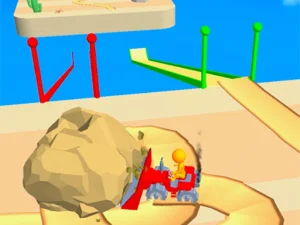
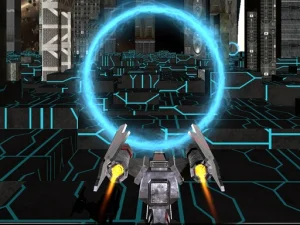
As a format tag, 3D covers many genres instead of locking players into one mechanic or theme. Common actions include moving through environments, aiming along depth, judging distance, and navigating camera angles. The section usually favors short to medium sessions with quick loading and direct browser access. Expect varied pacing from relaxed exploration to fast action depending on the chosen genre.
Selecting By Mood, Time, And Device
Choose based on mood, available time, and whether touch or keyboard input feels better on your device. Pick slower exploration or puzzle titles for short breaks, and choose action or racing picks when faster pacing fits. Consider camera comfort, since some browser titles use free look while others lock the view. Check device fit and input style to keep sessions smooth and comfortable.
Access And Compatibility In The Browser
Most 3D browser titles run in modern browsers without downloads, using WebGL or HTML5 rendering for direct play. Desktop play often favors keyboard and mouse, while mobile play relies on touch gestures and on-screen controls. Performance depends on device power, browser updates, and scene complexity, so simpler scenes load faster. Many collections mix genres and session lengths, making cross-device play practical for quick picks. For easy access, look for instant play browser titles that load fast and support both mobile and desktop.
Picking Better Titles Faster
Start by checking genre, session length, and whether the camera style feels comfortable for you. If load times matter, prefer lighter scenes or titles marked as quick to start. Maintain focus on input comfort by trying short rounds before committing to longer runs. Use browsing filters for device support, genre, and session pace to narrow choices quickly.
Why Players Return To This Tag
Players choose 3D for spatial depth, clearer distance cues, and more convincing movement than flat layouts. Replay value comes from trying different genres, adjusting camera or input settings, and revisiting scenes for better runs. The tag fits both quick sessions and longer play when device power and controls support it.
3D FAQs
Q: Do 3D browser titles need downloads? A: Most run directly in modern browsers without installing files or apps.
Q: Can 3D browser titles work on phones? A: Many support mobile touch, though some play better with a keyboard and mouse.
Q: Why use the 3D tag instead of genre filters? A: It groups titles by spatial depth and rendering style across many genres.
Q: What hardware helps with 3D browser performance? A: A recent device, updated browser, and steady connection usually improve loading and frame rate.