Choose a viewpoint that helps you understand the task
Before playing quickly, work out what the camera follows. In a driving game you need to see both the vehicle and the route ahead. A first-person shooter instead puts the view close to the aiming direction. Turn or move a short distance and notice how the scene changes. This first check helps separate an awkward camera setting from a movement mistake, and gives you a reference for judging distance later in the session.
Depth can hide an obstruction behind another object. Read a narrow opening as a space with width and height, rather than assuming it is clear because the centre looks empty. When you change position, inspect the scene again. A route that seemed straightforward from one angle may reveal another obstacle or a turn once you are closer.
Explore driving events and stunt approaches
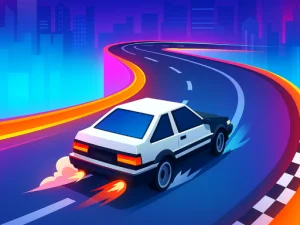
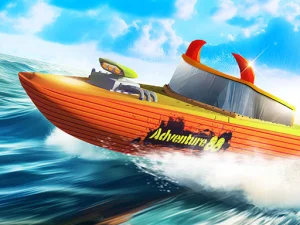
Top Speed Racing 3D combines driving events, stunts and vehicle personalisation. WASD or arrow keys drive, Space brakes and either Shift key activates nitro. Establish a comfortable steering and braking reference before using more pace on a demanding approach. Read the current event's objective and consider both the space leading into a manoeuvre and the area available afterward.
For this kind of game, observe an entire approach. Where did you start turning, how much room remained, and where did the vehicle finish? If a passage goes wrong, adjust one part of that approach on the next attempt. Repeating the same large correction at a higher speed gives you less information about the handling.
Compare a battlefield with a vehicle route
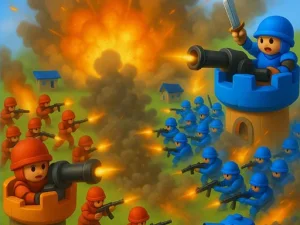
Frontline Conquest uses a first-person view for squad fighting and flag objectives around Port Valor. Its class choices, vehicles and destructible cover make position important for a different reason. WASD movement and mouse aiming need to work together, while E handles interactions and entering vehicles. Read the current objective instead of treating every visible opponent as the only reason to move.
Cover can change during that game, so remember that a useful barrier is part of a changing scene. Before leaving it, identify a destination and the exposed space between. The driving game asks you to judge an event route; the shooter asks you to judge sight lines, threats and a team objective. Sharing a three-dimensional presentation does not make their controls or priorities interchangeable.
Make the first few minutes informative
Pick one goal you can observe clearly: complete a short section without abrupt steering, learn a comfortable view, or locate an objective before joining a fight. Read any camera, sensitivity and graphics choices offered by the selected game. Change one setting at a time so you can tell whether it helps. A 3D label does not establish a particular device requirement or touch layout; inspect the controls shown by the loaded title.
When you browse another card, compare its viewpoint and finish condition with the activity you just played. That helps you decide whether you want to continue practising depth and movement in a similar setting or switch to a different use of space. Keep each game's instructions as the reference for its specific keys and actions.
Pay particular attention when the camera makes a nearby object appear large. Its apparent size does not explain whether it is a target, cover or scenery. Use the game's actual prompt and the result of a small movement to identify its role before building a route around it.