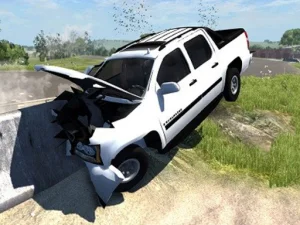
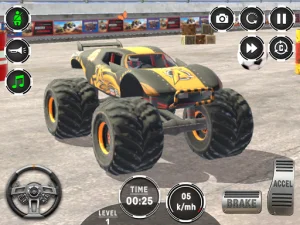
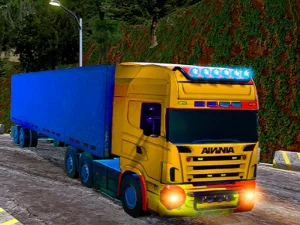
The 3dgames category groups browser-based titles that render three-dimensional environments for interactive play. Players browse this section to find titles where navigation, perspective, and object depth are handled in a three-dimensional space rather than a flat plane. This format tag helps users locate browser games that offer spatial exploration and realistic lighting without needing high-end hardware.
Last Updated:
Exploring the Depth of the 3dgames Tag
This section usually contains a mix of genres, including first-person shooters, racing titles, platformers, and sports simulations, all rendered with 3D graphics. Players navigate through three-dimensional spaces, manage spatial awareness, and interact with objects that have depth and volume. Most titles in this collection load quickly in modern browsers and support both keyboard and touch controls depending on the device. The pacing varies from fast-paced action to slow exploration, but the consistent trait is the use of three-dimensional rendering.
Selecting Titles Based on Device and Play Style
Choosing the right title depends on the device being used, as some 3dgames are optimized for desktop keyboard play while others support mobile touch gestures. Players should consider their available time, as some titles offer quick arcade-style rounds while others provide longer exploration sessions. Checking the control scheme before starting helps ensure the game fits the preferred input method. This selection process helps users find browser games that match their current setup and mood.
How 3dgames Render and Run in Browsers
Most titles in this collection use WebGL or similar technologies to render three-dimensional graphics directly in the browser. Players can expect smooth performance on modern devices, though older hardware may struggle with more complex scenes. The no-download format means users can start playing immediately without installing software or plugins. Many titles support both mouse-look controls on desktop and swipe-based movement on mobile devices. This browser-based access makes it easy to try different 3dgames without committing to large downloads.
Tips for Finding Better Picks in This Collection
Start by filtering titles based on preferred mechanics, such as first-person exploration or third-person platforming. Maintain realistic expectations about performance, as more detailed 3dgames may require newer browsers or devices. Look for titles that explicitly mention touch support if planning to play on mobile or tablet. Reading user reviews can help identify titles with smooth controls and stable performance across different devices.
Why Players Return to 3dgames
Players often return to this category because three-dimensional environments offer a different sense of space and immersion compared to flat 2D titles. The replay value comes from mastering spatial navigation and learning level layouts through repeated play. This format works well for both quick sessions and longer exploration, depending on the specific title chosen. The browser-based access means players can return to their progress without needing to reinstall anything.
3dgames FAQs
Q: Do 3dgames require powerful computers to run smoothly? A: Performance depends on the specific title and your device's graphics capabilities. Q: Can most 3dgames work on mobile phones and tablets? A: Many titles support touch controls, but some are designed primarily for desktop play. Q: Why do some 3dgames load slowly in the browser? A: Complex three-dimensional graphics may take longer to load on slower internet connections. Q: Are there 3dgames that work without a mouse or keyboard? A: Touch-based titles exist, but some mechanics may be difficult without precise input.