What the color tag covers in browser collections
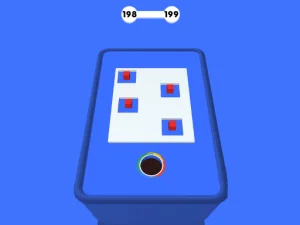
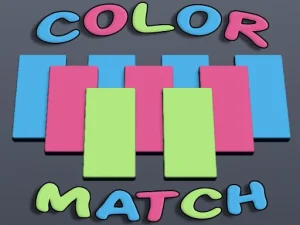
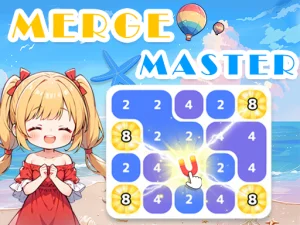
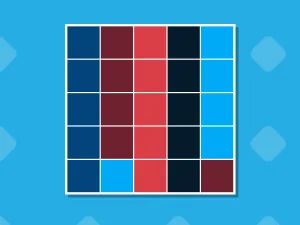
This tag usually collects online html5 titles where palettes guide goals, signal hazards, or highlight objects, and it favors short sessions that load fast in modern browsers. Players match hues, sort sequences, avoid clashing tones, or read visual cues that guide movement and timing across mixed genres. Access stays simple through direct page loads with no download games steps, and most modern browser titles run on phones, tablets, and desktops when controls fit. Many collections group monochrome challenges, neon-themed levels, pastel puzzles, or high-contrast action, letting users pick a mood before playing.
How to pick color-focused titles that fit your session
Decide whether you want calm sorting, fast reaction tasks, or pattern hunting, then pick a mood from pastel, neon, monochrome, or high-contrast sets. Check device fit and control style, since many browser titles use touch-friendly layouts on phones while others favor keyboard-friendly play on desktops. Consider session length: some color picks deliver quick rounds, while others support longer runs with steady pacing and repeat attempts. Read category notes about access, loading speed, and browser support to match your time, connection, and device.
Typical mechanics and browser access inside the color tag
Mechanics often include matching, sorting, memory recall, timing tasks, and pattern recognition, with goals that reward careful observation and steady pacing. Color signals hazards, highlights paths, or marks interactive objects, so players learn to read palettes as part of the core loop. Controls stay simple, using taps, clicks, drags, or keys depending on the title, and most cross-device games adapt layouts for mobile and desktop. No download games steps mean instant page access, quick loading, and easy replay, which suits short breaks and frequent returns. These browser titles often mix genres, so you may find puzzle rounds, light action, arcade timing, or calm sorting inside one collection.
Tips for choosing better picks in the color section
Start with a clear mood goal, since pastel sets tend to feel calmer while neon or high-contrast sets often support faster reactions. Try short rounds first to gauge pacing, then keep a pick only if the loop feels steady and readable on your device. Maintain focus on palette clarity, because some titles use subtle shades that need bigger screens or brighter settings. Use category filters for touch support, keyboard-friendly titles, and loading speed to match your connection and session length.
Why players return to the color tag
Players choose this tag for visual variety, low-friction access, and sessions that fit busy schedules without long setup. Replay value comes from trying different palettes, comparing mood effects, and practicing timing or sorting until patterns feel natural. Many users prefer instant play games for quick breaks, while others explore longer runs to test focus and observation across mixed genres.
color FAQs
Q: Do color-focused browser titles need downloads? A: Most run in the browser with no download steps, using direct page access for quick starts.
Q: Can color picks work well on phones? A: Many titles use touch-friendly layouts, though some rely on keyboard-friendly controls better suited to desktops.
Q: Are color tags only puzzle collections? A: No, the tag often mixes puzzles, arcade timing, light action, and calm sorting under a palette-focused theme.
Q: Do these browser titles load fast on weak connections? A: Loading speed varies, but many online html5 titles are lightweight and start quickly on modest networks.