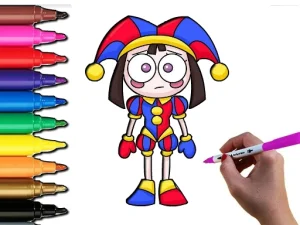
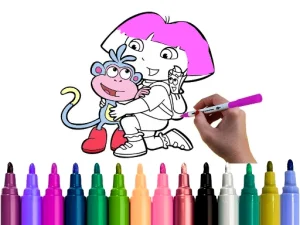
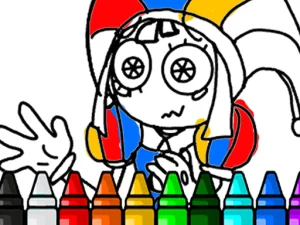
The coloring category gathers browser titles focused on applying hues, shades, and patterns to digital outlines and scenes. Players select palettes, brushes, and fill tools to complete artwork without needing to download files. This section helps users find quick creative outlets that load instantly on mobile and desktop screens, making online coloring pages easy to access.
Last Updated:
Digital Artwork And Palette Selection
Inside this collection, the focus remains on visual customization rather than complex story progression or combat. Many browser titles offer pre-drawn templates ranging from simple shapes to detailed illustrations, allowing players to match colors or invent new schemes. The pacing is slow and steady, ideal for short breaks or longer relaxation sessions. Since most browser-based coloring picks run directly in web browsers, they provide instant access without installation.
Picking The Right Coloring Title
Selection often depends on the level of detail desired and the available tools within a specific browser title. Some players prefer simple fill mechanics for rapid completion, while others look for brush-based shading and texture options. Device preference matters too, as touch screens support finger painting, whereas mouse and keyboard setups offer precision. Choosing a title with a clear interface ensures a smoother creative flow.
Brushes, Fills, And Browser Access
Most browser titles in this category use standard input methods like clicking to fill areas or dragging to paint strokes. The mechanics usually include undo buttons, color pickers, and zoom features to handle intricate sections. Since these are browser-based coloring games, they require no downloads and run on modern web standards. Performance stays consistent across devices when the layout supports touch or mouse controls equally well.
Improving Your Coloring Sessions
Start by testing different color combinations before committing to a full palette. Zooming in on complex areas helps maintain accuracy when working on small details. Many titles allow saving progress, so players can return to unfinished artwork later. Maintain a steady pace to avoid mistakes, especially when using fill tools on adjacent sections.
Creative Goals And Replay Value
Players choose this section to relax and practice color theory without high-pressure objectives. Replay value comes from re-coloring the same template with different themes or trying new techniques. The category fits both quick five-minute sessions and extended creative periods. Since browser-based coloring titles store no local files, users can switch devices easily and continue their work.
Coloring FAQs
Q: Do coloring titles require drawing skills? A: Most rely on selecting colors and filling shapes rather than freehand drawing. Q: Can browser coloring work on tablets? A: Yes, many titles support touch input for painting and zooming. Q: Are there different coloring styles available? A: The category includes simple fills, detailed shading, and pattern-based options. Q: Do I need to save my progress manually? A: Some titles offer auto-save, while others require manual saving.