Make something in a block sandbox
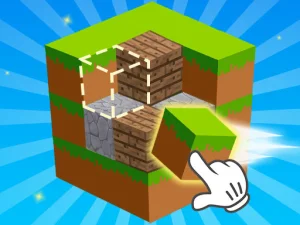
Minecraft Unblocked Online provides a cubic world and building blocks for experimenting with structures. The version's visible instructions identify WASD movement, Space to jump, E to remove and F to put. Q is labelled See. Learn those actions in the current player before beginning a large construction.
Start with an outline you can inspect from several sides. A short wall or a simple enclosed shape gives you a useful first project because misplaced blocks are easy to notice. Walk around the result and consider whether the spaces connect as intended before adding more height.
Keep room for the character to move. Building while standing in one spot can hide an awkward corner or an opening on the far side. Revising a few blocks is part of the activity, so judge a first design by what you learned about placement rather than expecting it to be finished immediately.
The familiar name should not replace the instructions for this particular browser version. Base your expectations on the displayed block selection and documented actions. There is no need to assume an account system, shared server or additional mode in order to enjoy arranging and removing blocks.
Predict a rescue instead of building a structure
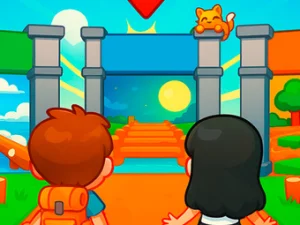
Rescue Casual Pin Puzzle gives you a scene involving a couple, pins, traps and dangerous enemies. The rescue depends on the order in which you pull the pins. A click or tap is enough to make a choice, but the simplicity of the input leaves the sequence as the main puzzle.
Identify what each barrier is holding before removing it. A pin that opens a promising route may also expose a danger. Ask which condition needs to be made safe first, then watch the consequence of the first removal before choosing the next.
After an unsuccessful attempt, work backwards from the first event that threatened the couple. The final failure may happen later than the decision that caused it. A more careful opening can be more valuable than trying to make the same sequence faster.
Time a cut in Divide Puzzle Arcade
Divide Puzzle Arcade makes the moving ball the risk to watch. You drag a divider into the field to cut it while avoiding the ball. Planning the location and judging the moment are related decisions, but they are easier to understand separately.
Observe the movement first and choose the part of the field you want to divide. Wait for an opening that gives your action room. A location that looks safe when the ball is far away may be poorly timed if the ball is already travelling toward it.
When a cut fails, reconsider both elements. A different location may offer more space, or the same location may need a different moment. Use the objective actually shown in the level instead of assuming a fixed percentage target, a universal time limit or a special power-up.
Use the collection to change the task
These examples offer three distinct reasons to use a pointer or keyboard: making a structure, choosing a sequence and timing a placement. Switching between them changes the problem you are solving, even when two games both respond to a drag.
Read the next game's controls when you change activities, especially after moving from the sandbox's keyboard actions to a pointer-led puzzle. Choose a small goal that belongs to that title and watch the feedback it gives. That makes a browser session purposeful without relying on assumed multiplayer features or invented shared progression across the collection.