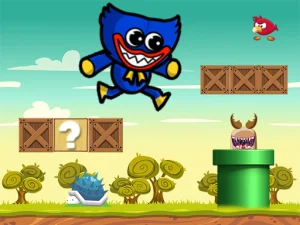
Identify the mansion escape version
Poppy Playtime Chapter 3 is a particular hosted browser build. Its supplier describes two selectable chapters with different goals and maps. The opening situation places the player in a deserted mansion, collecting keys to rooms and unlocking them to escape.
Follow that version's actual opening choices. A familiar title does not establish the content or controls of a separate platform release. Advice about installing a console game, creating an account or navigating a different map should not replace the instructions presented by this browser build.
Use the documented desktop controls
The supplier lists WASD for movement, the mouse for the camera, F for interaction and Escape for the menu. Practise looking and moving separately before combining them through an unfamiliar area. A recognisable doorway or corner can help you understand how your position changes.
For an interaction, inspect the relevant object or entrance and read any prompt the game shows. Pressing F is an action, while successfully collecting an item or opening a route is a result to confirm from the scene. Do not assume that every decorative object can be used.
This exact version is listed as not mobile-ready by its supplier. Keyboard-and-mouse play matches the documented setup. A phone loading the surrounding page does not prove that the embedded game provides equivalent touch controls. Other cards in the collection may have different input support and require individual checks.
Connect discoveries with accessible routes
Read the mansion as connected spaces. Identify a landmark near an unresolved doorway and remember how you reached it. That makes a later return purposeful when the game indicates that you have obtained a relevant key or changed access.
Search an area in an orderly way instead of repeatedly turning toward its most noticeable feature. Distinguish confirmed observations from theories: a route still being locked is evidence; an assumption about which key must open it needs testing.
After an apparent success, inspect what changed. An interaction may affect access, provide information or produce another visible response. Use that result to choose the next connection to examine rather than continuing along an old plan without reviewing it.
Keep horror expectations tied to the current game
A tense presentation does not by itself confirm a noise meter, hiding mechanic, enemy hearing rule or checkpoint system. Work from the prompts and behaviour actually shown. Careful observation remains useful without assigning an unverified stealth feature to the game.
If the route becomes confusing, identify whether you are trying to move, look or interact. Simplifying the immediate decision can make the next action clearer. When an input does not work as expected, check the current menu state and focus before assuming a puzzle requirement.
Use Escape to inspect the available menu options before taking a break. The existence of a menu does not establish automatic saving. Plan around the current game's actual choices instead of assuming that another Poppy-themed title's progress system applies.
Choose the next activity by its objective
The Poppy browser exploration guide develops an opening plan for the mansion game, including control familiarity, key searching and remembering unresolved connections.
For a wider selection, explore the Adventure category. Read the next game's task before transferring this version's map or F interaction shortcut. If you choose another card in this Poppy collection instead, let its own instructions explain whether the activity involves exploration, pictures, action or something else.