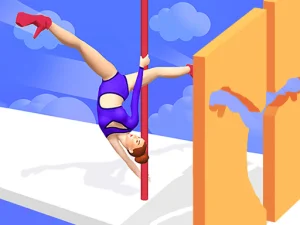
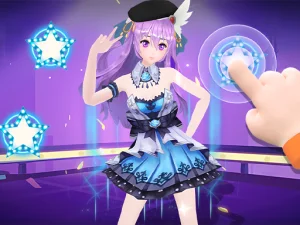
Rhythm-Driven Dance Picks Across The Browser
As a collection, dancing titles center on beat matching, timing windows, and motion feedback across music styles. Common goals include hitting notes in sequence, maintaining combo chains, and finishing songs with higher accuracy. Sessions are short, often one track at a time, which suits quick play or focused practice between tasks. No-download access through browser play means players can start instantly on desktop or mobile, with touch-friendly layouts or keyboard-friendly controls depending on the title.
Picking Dance Titles That Fit Your Pace
Choose based on song tempo, difficulty curve, and whether you want simple taps or more complex patterns. If time is limited, look for short tracks, auto-save progress, and adjustable speed settings that reduce pressure. Players who prefer movement cues can favor titles with larger note lanes and clear visual timing, while those on mobile may pick touch-first layouts. Browsing by genre tags like hip-hop, electronic, or pop can also guide mood and pacing.
Core Mechanics And Access Traits
Most dance titles use note highways, timing windows, and feedback grades that rate accuracy from miss to perfect. Some add hold notes, slides, or double-lane patterns, while others focus on simpler tap sequences for quick runs. Speed modifiers, practice loops, and visual aids help players tune difficulty without leaving the browser. Access is instant through modern browsers, with lightweight loading and touch or keyboard support depending on device. These browser games often run without downloads, making them ideal for short breaks and cross-device play.
Practical Ways To Improve Your Runs
Start with slower tracks to learn lane layout, then raise speed once timing feels stable. Maintain steady posture and keep eyes ahead of the note stream to anticipate patterns instead of reacting late. Use built-in practice tools to loop tough sections and focus on accuracy before chasing longer combos. If a title feels crowded, reduce visual clutter or switch to a cleaner skin where available.
Why Players Return To Dance Collections
Players return for repeatable runs, personal bests, and the satisfaction of cleaner accuracy on favorite tracks. Replay value stays high because songs offer different patterns, speed tiers, and optional modifiers that change feel. The category fits quick sessions or longer practice blocks, and cross-device access keeps progress close at hand. Dance browser titles also reward muscle memory, making repeated play feel smooth over time.
dancing FAQs
Q: Do dancing titles support both touch and keyboard play? A: Many support both, with layouts adapting to device and input style.
Q: Are rhythm windows adjustable in most dance collections? A: Some offer timing offsets, speed settings, or visual aids to match player preference.
Q: Can players practice specific songs before full runs? A: Practice loops or track selection screens often let players repeat sections or songs freely.
Q: Do these browser titles load quickly on mobile? A: Most are lightweight and start fast, though performance can vary by device and browser.