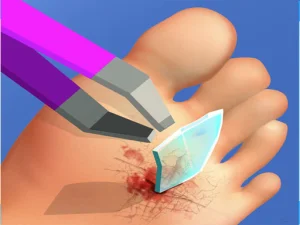
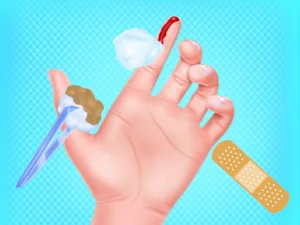
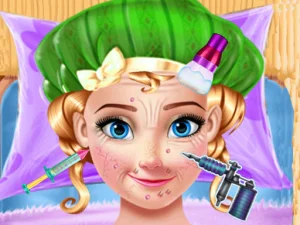
Doctor games let you follow a sequence of care in a virtual clinic. Some use a single injury to give you a clear order of tasks; others move between several animal patients or ask you to keep track of tools. The actions are simplified for the game. Go by the prompts on the screen, and leave real health questions to a qualified person.
Last Updated:
Follow one case from start to finish
Bone Doctor Shoulder Case gives you a specific shoulder injury to work through. Take the patient screens one at a time and notice how the scene tells you which instrument or part of the model it expects you to use. A game may highlight a destination before it gives you control of an object. Wait for the cue if it is still introducing the next activity. Pay attention to what changes after you complete the move. That tells you whether to continue using the same tool or return your attention to the choices the screen has set out.
A single case is a good choice if you like seeing the whole process. It also gives you time to learn how each action works without deciding what another patient needs at the same time. When part of the sequence doesn't advance, try the smallest practical change. Move the dragged item more deliberately, for example, rather than clicking all the icons on the screen. If an action needs more than one pass, the active area should give you a cue. Check it before picking a fresh tool.
Care for animals in a different clinic
Ocean Small Hospital Doctor puts animals from an underwater setting at the center of care. Choose it when you want an environment that makes the patients easy to tell apart. Begin by identifying which character and area the current scene is asking about. Some small interactive objects sit near bits of scenery that do nothing when pressed. Give your eyes an extra moment to find the marked treatment area, particularly on a compact screen.
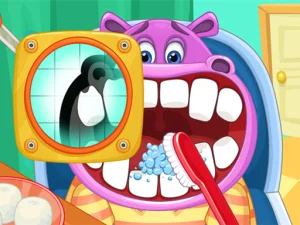
Kids Animal Doctor is another animal option, with pets such as puppies among its cases. Look at what the current animal needs in the game's own terms. A tool that made sense in one treatment may not belong at the next station. If you've been following a routine automatically, the first new patient is a chance to slow down and see which parts of the sequence stayed the same. A good run through these clinics comes from noticing the next prompt, not memorizing the order of icons regardless of context.
Find the kind of guidance you enjoy
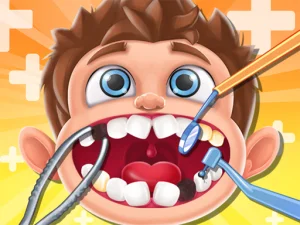
A dental game may ask you to work on one part of the model before moving to another. A broader clinic game can introduce a different procedure every time you switch screens. Look at a preview for how much of the task is visible and how the game marks the current step. On a large display, a case with several tools placed around a patient may be comfortable to read. On a smaller one, choose a scene where you can distinguish the active object without covering the target with the finger you're using to drag.
An adult playing with a child can help by asking what's changing on the screen instead of doing the moves for them. Point out the difference between selecting an item and applying it in the right place. After one or two attempts, ask how they know a step is done. This directs attention to feedback the game provides and lets the child stay in charge of the next choice.
The category is a good fit if you enjoy following a clear sequence and seeing one completed result. Start with one patient to learn the controls, or try a second game if you want a different visual style and a fresh set of prompts. Use progress in the game as feedback about those actions rather than a lesson in how to diagnose or treat an actual condition.