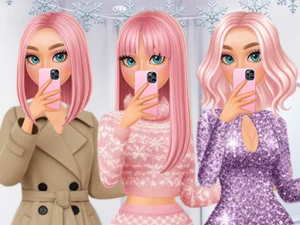
Build a layered look for a selfie
Black Friday Dress Up Selfie offers looks for shopping days, cooler weather and festive outfits. Choose a garment that can carry the look, such as a coat, then see whether the layer underneath is still visible. If both pieces have strong patterns, check the picture from the angle the game offers before adding something else. An item that seems obvious in the menu can get lost under a second item in the finished outfit.
The selfie is a chance to look at the clothing as one scene. Start with a combination that suits the season you picked, add one accessory and then check how much of it you can see from the framed view. If an item makes the picture feel unbalanced, either move the attention to a different part of the outfit or use a simpler piece as a reference. The next photo can show a meaningful variation without throwing out all the choices you just made.
Match the costume to a feature you like
K Pop Halloween Dress Up puts costumes, accessories and face paint in the same selection. Look through the available costume options and choose a detail that says something about the character. It can be a strong outline, a small piece near the face or a color you want repeated. Then bring in another item only after you have seen what that first piece looks like on the character.
When you are working with face paint, decide how much of it the hair and accessories will leave on view. If the detail is near one eye or cheek, try a hairstyle that exposes that part of the face. When you want the headpiece to be the most visible part, give it space with simpler choices below. The Halloween setting lets you use shapes and colors you might not pick for another theme. A short session can produce one coherent costume even if the game offers enough pieces for many more.
Use an open closet for comparisons
Character Closet gives you room to work without following a seasonal brief. Try a top, trousers or dress on the base character and look at its proportions. Then bring in the pieces you want to compare. A wide accessory reads differently alongside a compact outfit than alongside layers that extend the overall shape. Compare two versions under the same conditions before deciding whether you want to stay with the change.
You can use the first version as a reference for a second. Keep one item in place and change the things around it. For example, keep a bag or hairstyle and see how the character looks when the main clothing changes from one dominant color to another. If you prefer the first combination, return to it and try a smaller change. Clothes and accessories are easy to revisit when the game keeps the wardrobe nearby.
Time the session around one fitting
When you want a quick choice, use a game whose theme makes the wardrobe easier to narrow down. For a longer session, choose a game that allows you to take the same character through several looks. Finish by viewing the complete outfit and deciding which piece it would be hard to replace. That makes the design easier to remember. Open a different card when you want to work on another character or when the same wardrobe has already given you the comparisons you came for.