Learning-Focused Browser Titles
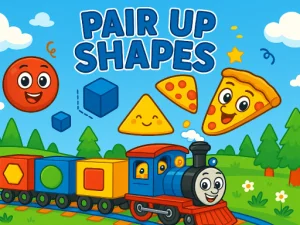
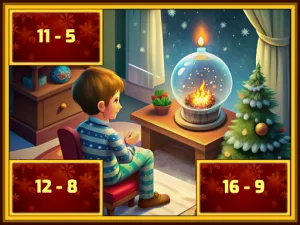
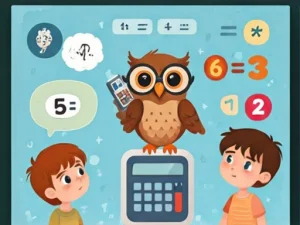
As a collection of browser titles, the educational section includes puzzle-based logic challenges, math drills, word-building tasks, and simple science experiments. Players can expect quick loading, no-download access, and touch-friendly layouts that work on phones and desktops. Goals often center on completing exercises, matching answers, or solving problems at a steady pace. Session length stays flexible, with many titles fitting short breaks or longer review periods.
Choosing Titles For Study Or Practice
Players can choose based on the subject they want to practice, the time available, and whether they prefer logic puzzles or word tasks. Short sessions fit quick math or spelling drills, while longer practice suits science exploration or multi-step problem sets. Device preference matters too, since touch support helps on phones and keyboard-friendly layouts suit desktops. Sorting by subject or difficulty helps narrow choices without guessing.
How Educational Titles Work In The Browser
Most educational browser titles load without downloads and run in modern browsers on both mobile and desktop. Common mechanics include matching, sorting, filling blanks, solving equations, and identifying patterns. Many titles provide instant feedback after each answer, guiding players toward correct responses. Controls usually stay simple, with taps, clicks, or keyboard input handling most actions. This format supports no-download play and quick access from any device with a browser.
Practical Advice For Picking Better Educational Picks
Start by choosing a subject area, then test a short session to see if the pacing feels right. Maintain focus by selecting titles with clear instructions and immediate feedback on answers. If a title feels too slow or too complex, switch to a simpler set to keep practice steady. Use device previews to confirm touch or keyboard support before committing to longer sessions.
Why Players Return To Educational Sections
Players return to this section because it supports repeat practice without downloads or account setup. Replay value comes from trying different subjects, revisiting tricky problems, and tracking personal progress over time. The category fits both quick review sessions and longer study blocks, depending on available time. Many browser titles in this collection load fast enough for short, focused play between tasks.
educational FAQs
Q: Do educational browser titles need downloads to play? A: Most run directly in the browser with no downloads required.
Q: Can these titles work on phones and tablets? A: Many titles support touch controls on mobile and tablet devices.
Q: Are educational picks only for children? A: No, players of different ages use them for practice and review.
Q: How do I choose the right educational title? A: Pick a subject, test a short session, and adjust based on pacing.