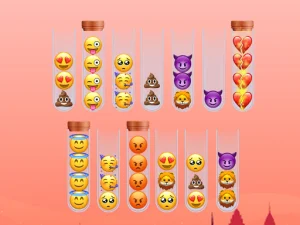
Browsing the Emoji Visual Collection
This collection often features short-session browser titles where the main goal is to interact with icon-based characters, objects, or environments. Players can expect quick loading, no-download play, and a focus on simple actions like matching, sorting, or navigating scenes built from familiar symbols. Many titles in this tag use touch-friendly layouts or keyboard-friendly controls, letting users pick a format that fits their device and available time. The pacing usually stays light, with rounds that start fast and end quickly.
Finding the Right Emoji Style for Your Session
Players can choose based on mood, available time, and preferred device, since this tag mixes puzzle, arcade, and casual picks under one visual theme. If a short break is the goal, look for titles with quick rounds and simple objectives. If longer browsing fits the plan, select options with progression or repeated rounds that build familiarity. Checking access details helps too, since many emoji browser games run without downloads and load well on both phones and desktops.
How the Emoji Tag Shapes Access and Play
Access in this tag usually means direct browser play, modern HTML5 support, and no install required, which keeps sessions flexible. Mobile and desktop layouts are common, with touch controls on phones and keyboard-friendly inputs on computers depending on the title. Loading speed is generally fast, and the format supports mixed genres, so players can find emoji browser titles that lean toward matching, movement, or light strategy. Many options fit short breaks, while others allow longer sessions through repeated rounds and simple goals. This makes the tag useful for quick browsing, easy replay, and cross-device play.
Getting the Most From Emoji Browser Titles
Start by scanning the title screen for control hints and session length, since some emoji browser games use tap-based actions while others rely on keyboard input. Maintain a focus on simple goals, like matching icons or clearing scenes, rather than expecting deep story content. If a title feels too fast or too slow, try another pick in the same tag, because pacing varies across the collection. Checking device fit helps too, since touch-friendly layouts and keyboard-friendly layouts can change how a title feels.
Why Players Return to the Emoji Tag
Players return to this tag for quick access, lighthearted visuals, and a format that fits short breaks or casual browsing. Replay value comes from trying different picks within the collection, since each title may use emoji in a different way or focus on a different mechanic. The category suits users who want instant browser play without setup, and who prefer mixed genres under one recognizable visual style.
emoji FAQs
Q: Do emoji browser titles need downloads or installs? A: Most run in the browser with no download required.
Q: Can emoji browser games work on phones and tablets? A: Many titles support touch play on mobile devices.
Q: Are emoji tags only for puzzle picks? A: No, this tag includes arcade, casual, and other mixed genres.
Q: What makes emoji browser titles different from standard icons? A: They use expressive symbols as characters, interfaces, or main visuals.