Learn a direct robot encounter
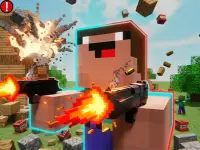
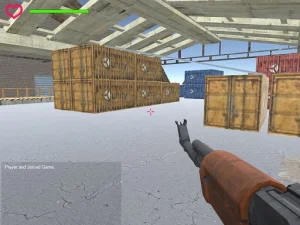
Robot Strike: FPS Shooter presents a three-dimensional first-person battlefield with robot opponents. Its confirmed desktop controls use WASD to move and the mouse to aim. Left click fires, Space jumps and R reloads. Esc releases the mouse cursor. The description does not establish an equivalent touch layout for this version.
Start with a short movement and a deliberate turn of the view. Line up a visible robot before firing, then notice whether another direction needs attention. A jump is an available movement action, not evidence that jumping prevents damage. Follow the on-screen objective when deciding where to go rather than inventing a mission count or reward system.
Read several threats in a wave defence
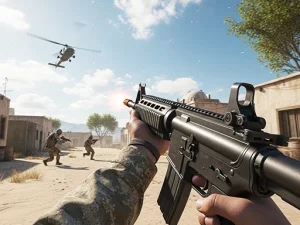
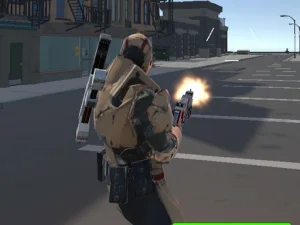
Frontline Strike starts at Desert Outpost, where riflemen, heavier troops and distant marksmen appear across successive waves. Its HUD shows health, ammunition, wave number, kills and score separately. These indicators help you decide whether to continue firing, reload or change position.
The opening career menu begins at Recruit and provides a ten-rank progression. Harbor Night is initially locked until Private rank. An Armory and three daily missions add preparation choices outside the immediate fight. Read the current mission targets before deploying; a weapon-specific goal can ask for a different approach from a total-score goal.
Bring one target into a manageable view
A first-person camera can make a hurried turn feel like a problem with the entire encounter. Focus on controlled mouse movement first. Choose one visible target, move the view towards it and notice the effect of the motion. Sweeping across several threats without a clear stopping point makes it harder to judge why a shot missed.
Move with a reason as well. A new position should improve what you can see or reduce the directions that threaten you. After advancing, inspect the next route before continuing. The aim is not constant motion for its own sake; it is a position from which you can understand and respond to the current situation.
Keep track of the actions beyond firing
Reloading changes the rhythm of an exchange. Check ammunition before committing to an exposed approach, and learn the reload key while the action is manageable. Both examples document R, but their other actions differ. Frontline Strike additionally lists grenades, sprinting and several weapon-switch inputs. Do not assume Robot Strike provides those same systems.
Prepare the input arrangement that the selected build actually supports. A familiar first-person view does not establish a controller layout, mobile buttons or automatic aiming. Read the game's own instructions, make sure the playable area receives input and practise the commands you intend to use. Comfortable controls help you distinguish a decision error from an unfamiliar button.
Turn a difficult encounter into a clear next step
After an attempt, name the earliest problem you noticed. You may have lost sight of a robot while turning, reloaded with no protection or concentrated on a distant enemy while a nearer threat approached. Choose one correction for the next run. Testing that correction gives you more useful feedback than changing every action at once.
Use this collection to explore different first-person tasks while respecting each game's own rules. Robot encounters and wave defence share a viewpoint, but they do not automatically share equipment, modes or progression. Learn the current objective, bring movement and aiming under control and build a repeatable response to the scene you can actually see.