Free Games is a broad collection of browser titles with very different ways to spend a few minutes. You can start with a small sensory activity, an open world with mini-games or a more structured rescue. Look for a task that begins close to where you want to spend your time. A free-to-play page can still show ads, a loading screen or optional items, and each loaded game has its own terms and prompts. Check the actual opening before planning a longer visit.
Last Updated:
Pick one small activity from a collection
Smooth Mood Mini Games offers short activities such as popping, squishing and stretching. Open one that shows an object you can interact with immediately. Try a gentle input and see how the object reacts. Some activities are satisfying because they respond at once, while another can be more interesting when you repeat a motion to see what changes. Select a toy or material based on the kind of feedback you want from the screen.
A collection makes it easy to turn a quick break into time spent browsing menus. Give yourself a small stopping point. Finish a row of bubbles or try one texture long enough to know how it moves. Then decide whether another activity would offer something you want to see. You can leave after a single interaction without having to finish a larger list of games.
Find an activity inside an open world
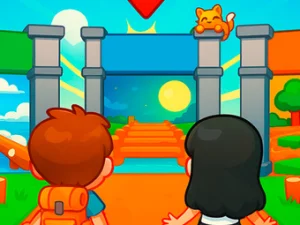
Open World: Mini Games Online offers an exploration space with avatar options, pets and mini-games. Decide whether you want to roam or find a particular activity. On a first run, pick a landmark that you can recognize after leaving it. Follow a visible path until you reach one place with a prompt you want to explore. Knowing how you got there makes it easier to return without starting from a different section of the world.
If you have just a few minutes, choose one interaction that gives you feedback right away. An open world can offer a lot of choices and still be enjoyable in small pieces. If you have longer, make the first goal a small area you can understand and then explore beyond it. Use the menus and world prompts to find the mini-games that are actually available in the current version.
Follow a defined mission instead
Helicopter Rescue Games 3D gives you rescue tasks set in areas such as mountains and cities. Read the first mission and take a moment to identify its intended destination or action. Before moving into a crowded scene, try the game's inputs with enough room to see what one short motion does. The view and control options matter when you have more than one thing to keep in sight.
Use the objective to measure how far you got in the session. You may only have time to see how the game presents a pickup, route or destination. A longer visit can follow one whole rescue or try a different environment. If a movement is difficult, return to its on-screen instructions and make one small test on the next attempt. That gives you something you can recognize without having to finish every mission in a row.
Check the version that is open in front of you
Read the control prompts and let the game load before pressing several buttons at once. If the keyboard moves the web page, give focus to the game window where you are allowed to play. On touch, check what controls the current version shows. For a short session, choose a mini-game with a single clear interaction. For an exploratory visit, find one landmark and see what it offers. For a defined finish, choose a mission and see the part you have time to complete.