Browsing a Mixed Browser Collection Without Downloads
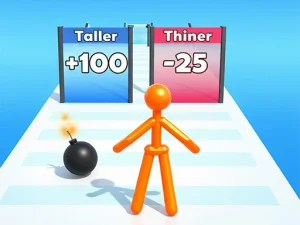
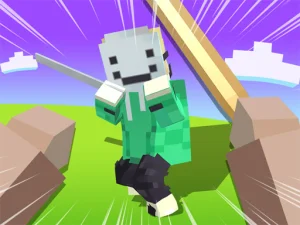
Game sites like crazygames group many separate titles into one page structure, so players can move between genres such as racing, puzzle, shooting, and arcade without leaving the browser. Most titles load through modern browser support, work with no download games, and open directly from a link. Sessions vary from a few quick rounds to longer runs, and the collection keeps different pacing styles side by side for easy comparison.
How to Pick a Title That Fits the Session
Selection usually depends on the time available, the device in hand, and the pace a player wants. Short breaks suit quick arcade picks or light puzzle rounds, while longer sessions suit racing runs, shooting stages, or building-style play. Players can check whether a title supports touch input, keyboard-friendly play, or both before opening it. Free html5 games in this format often make it easy to compare several options without committing to downloads.
Browser Support, Loading Speed, and Device Fit
Most sites like crazygames rely on HTML5 or similar browser-based engines, so titles open without separate installs and often load in seconds on a stable connection. Mobile browser games work when the layout supports touch controls, while desktop sessions tend to favor keyboard-friendly titles and larger screens. Loading speed varies by title, so players can check page weight or try a lighter pick when a connection is slow. The format mixes genres in one place, which makes it practical to switch between puzzle rounds, racing runs, and action picks during the same visit. Because access is direct, players can revisit a page later and resume browsing without account setup.
Practical Ways to Browse This Format
Start with a genre filter or a mood-based section, then open a few short sessions to compare pacing before settling on one title. Check whether the page supports touch, keyboard, or both, since control fit changes how well a session plays on a phone or laptop. Maintain a short list of browser titles that load quickly and match the time available, so switching between picks stays simple. If a session feels too long or too short, use the collection structure to move to a different genre without leaving the page.
Why Players Return to This Browsing Format
Players choose game sites like crazygames because the format offers instant access, mixed genres, and the ability to start a session in seconds without installing anything. Replay value comes from the large number of titles, since a player can revisit a favorite genre or try a new one on the same page. The format suits both quick sessions and longer runs, depending on the title and the device used, which keeps browsing flexible across different days and moods.
game sites like crazygames FAQs
Q: Do sites like crazygames require downloads before play? A: Most titles open directly in a modern browser without separate installs.
Q: Can browser games from these sites work on phones? A: Many titles support touch input, depending on the game layout.
Q: Are mixed genre collections useful for short breaks? A: Yes, quick arcade and puzzle rounds fit short sessions well.
Q: Do these collections support keyboard and mouse play? A: Many desktop titles use keyboard-friendly controls when the game supports it.