The Games Unblocked tag brings together browser games with very different controls. If you came here looking for one title, check the name on its game page before pressing Play. If you're browsing, decide what you want to do in the first minute: swing at a nearby opponent, steer into a narrow parking space, or find a path through a moving obstacle course.
Last Updated:
Choose by the next action you want to take
In Bus Parking Unblocked, the interesting part comes before the bus reaches the parking space. A big turn can leave the vehicle with very little room to straighten. Give yourself space on the approach and compare the angle of the bus with the entrance before moving farther. If you're repeating a turn, change where you begin it rather than making a bigger correction at the last second. Look at the screen for the controls your device offers; a virtual steering control will feel different from holding a key. Pick this one when you'd like a short spatial problem and time to look at the result of each adjustment.
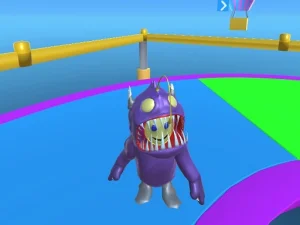
Fall Guys Unblocked Web Multiplayer opens Fall Boys And Girls 2024, an obstacle course game. If you expected the official Fall Guys release, the title on the loaded game tells you what you're actually playing. Here, looking one obstacle ahead matters. Find a place to land before you jump, especially if a moving object could reach it first. When you repeat a stretch, pause for a full movement cycle and look for the part when the path stays open longest. Then take the same approach twice. This makes it easier to tell whether your timing improved or whether you simply found a different route.
Know which games ask for quick decisions
Iron Snout Unblocked gives you a piglet facing wolves. The quickest way to learn the rhythm is to watch which side the next threat comes from. If you're pressing the same direction repeatedly while another threat approaches, stop and give your attention to the side with the shorter distance to cover. On a fresh attempt, follow one enemy until you can recognize its approach without losing the other side of the screen. That exercise is more useful than measuring a first run against someone else's score.
For something broader, scan the game cards for mini-game collections or another single challenge. A collection makes sense when you want to try several activities in one visit. A standalone game is often a better pick when you're learning one input and want feedback on each attempt. A driving game may reward taking a turn slowly twice. A brawler can teach you to change direction sooner. An obstacle course might ask you to wait for a platform before committing to a jump. Those are three distinct skills even though their pages sit under the same tag.
Check the page and the device before starting
The word “unblocked” in a page title identifies how the game is listed. It doesn't guarantee access on a managed network or say that every embed will run on every device. Play where browser games are permitted. On a computer, click inside the game area if your first arrow key scrolls the surrounding page. On a phone, see whether the loaded player offers usable on-screen controls before choosing a keyboard-heavy title. If a frame opens but the launch button doesn't respond, waiting for the input prompt or choosing another title on the list is a better use of a short break than guessing at controls.
Make one retry count
Pick a single thing you can see change: the bus lines up sooner, the character lands nearer the center of a platform, or the piglet turns toward the next threat earlier. Give yourself two tries under similar conditions and look for that one change. Stay with the game if the feedback makes sense. If you would rather switch activities, go back to the cards and choose by the controls you now know you enjoy.