Why HTML5 Titles Work Across Devices
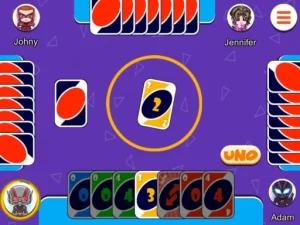
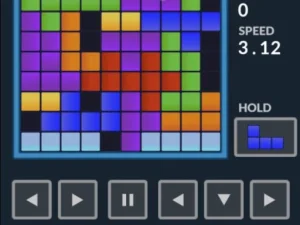
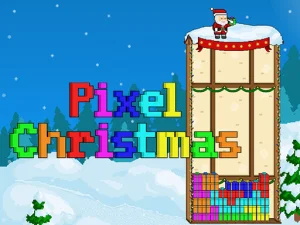
This collection groups browser games built on HTML5, WebGL, and JavaScript, covering action, puzzle, racing, dress-up, cooking, sports, and more. Typical player actions include tapping, clicking, dragging, or using keyboard shortcuts depending on the title, with objectives ranging from quick scoring runs to longer progression loops. Session pacing varies from a few minutes to extended play, and access benefits include no download, direct page loading, and broad device support. Players often choose browser games when they want immediate play without installation.
How to Pick From the HTML5 Section
Start by considering available time and preferred pace: short bursts suit arcade or puzzle picks, while longer sessions fit strategy or simulation titles. Check device type and input support, since many mobile browser titles use touch while desktop versions may favor keyboard or mouse. Look for genre tags, estimated session length, and loading indicators to gauge whether a title matches your mood. When access needs matter, prioritize no download games with clear compatibility notes.
Access, Compatibility, and Play Sessions
Most HTML5 games load in modern browsers like Chrome, Safari, Edge, or Firefox, and many support both desktop and mobile layouts. Controls adapt to device: touch-friendly layouts for phones, keyboard-friendly titles for laptops, and mouse or pointer support for desktops. Performance depends on device hardware and browser updates, so some titles run smoothly on older phones while others need newer systems. Mixed genres mean mechanics vary widely, from click-based timing to drag-and-drop tasks, but the common thread is instant browser access. For cross-device games, check whether save states or progress syncing are available.
Picking Better Browser Titles
Filter by session length and input style to avoid mismatched expectations, especially on phones with small screens. Maintain focus on titles with clear loading states and readable interfaces, since cluttered layouts can slow quick sessions. Try a few short rounds first to test responsiveness, then continue if the pace feels right. If browsing on a shared device, choose instant play games that do not store local data.
Why Players Return to HTML5 Collections
Players return for low-friction access, quick restarts, and the ability to jump between genres without installing software. Replay value often comes from score chasing, variant modes, or procedural elements that change each run. This tag suits both quick breaks and longer evenings, depending on the chosen title and device. Many users favor browser-based titles when they want immediate access across devices.
html5games FAQs
Q: Do HTML5 games need downloads or plugins? A: Most run directly in modern browsers without downloads or plugins.
Q: Can HTML5 browser games work on phones and tablets? A: Many titles support touch controls on mobile browsers when layouts adapt.
Q: Why are no download games useful for short breaks? A: They load fast, require no install, and fit brief sessions.
Q: Are HTML5 titles only puzzle games? A: No, this tag covers action, racing, sports, dress-up, cooking, and more.