Learn the knight's main actions
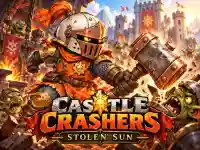
Castle Crashers: Stolen Sun uses WASD or the arrows for movement. J or the left mouse button performs strikes and combos, K or the right mouse button uses a skill, and Space jumps. Choose the documented input arrangement you can follow comfortably and observe the effect of one action at a time.
A strike and a skill are separate choices, even when both contribute to a fight. Learn which command you used before trying a rapid sequence. If an encounter becomes confusing, returning to a deliberate movement and one intended action makes the result easier to read.
Touch play provides movement, Jump, Skill and Strike buttons. Use those displayed controls when on a phone instead of trying to translate every keyboard letter into an imagined touch shortcut. The action's purpose stays important even when its input changes.
Read the exit and the environment
An exit can require handling guards and operating red levers. That gives you a reason to examine more than the nearest enemy. Look for the route you want to open and the object that may affect it before assuming that continuing to attack is the only way forward.
Set a small immediate objective. It might be reaching a lever, dealing with a nearby guard or crossing a section safely. Keeping that objective visible helps you recognise when it has been completed and when the next decision should change.
When movement is involved, choose the landing before jumping. Consider where the knight should stand afterward and whether the next section remains reachable from that position. The movement part of a scene deserves its own attention alongside the combat.
Diagnose a fight and a jump differently
A missed strike asks you to reconsider the target and the moment of the attack. A missed landing asks a different question about approach and position. Separating those mistakes prevents a jump problem from being answered merely by attacking more often.
Watch how a scene changes after using a lever or clearing a nearby threat. A route that was blocked may now deserve another look. Base the next movement on that updated scene instead of continuing a plan formed before the interaction.
Optional paths add another decision: whether to investigate a side route now or continue along the route you understand. Inspect what is visible and keep track of how you would return. Exploration is easier to manage when you remember the connection to the main path.
Connect improvements with the adventure
Salvage and equipment improvements become part of progression. Read the available options and consider which part of the current adventure a choice is meant to help. A named improvement is more useful when you can connect its description with a difficulty you have actually encountered.
Esc or P opens options and M controls muting. Learn the menu command before a moment when you need it, then follow the game's own information about continuing or leaving. The confirmed action list does not establish additional recovery powers or an automatic solution after a fall.
Use the Knight collection when you want to compare another fantasy activity. The character theme may be familiar, while the next game can use different movement, combat or route rules. For this adventure, start by distinguishing strikes, skills, jumps and environmental interactions, then let the kingdom's current scene determine which action has the clearest purpose.