What The Online Games For Ipad Tag Actually Covers
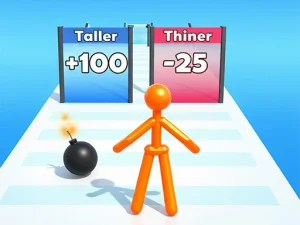
The tag usually collects mixed genres, from puzzle picks to racing titles, all chosen for their compatibility with tablet screens. Many titles respond to tap and swipe input, while others support keyboard-friendly play when a keyboard is attached. Sessions range from quick two-minute rounds to longer runs that take advantage of the iPad's display size. Access stays simple because most titles open directly in the browser without an app store step, which keeps the browsing path short and direct.
Picking Titles That Match Your Session And Screen
Start by checking how much time is available, then scan for titles that fit short breaks or longer sitting sessions. Players who prefer fast rounds can look for quick-loading browser titles, while those settling in can choose deeper mechanics like strategy or simulation. Device fit matters too, so check whether a title relies on touch input or keyboard controls before opening it. Sorting by access type, such as no download games, helps narrow the list quickly when browsing on a tablet.
Touch Input, Browser Support, And Loading Behavior
Most modern browser titles in this tag run on standard HTML5 engines, which means they load without plugins and work across common iPad browsers. Touch-friendly layouts place buttons and menus within thumb reach, and larger screens give puzzle and strategy picks more room for readable detail. Loading speed varies by title, but browser-based titles generally start within seconds on a stable connection. Players can switch between genres freely because the tag groups mixed game types rather than one mechanic. Cross-device play is common, so a session started on an iPad can often continue on a phone or desktop when the same browser account is used.
Quick Checks Before Opening A New Title
Skim the title description to confirm it supports touch input, since some browser titles expect a keyboard. Maintain a short list of picks that loaded quickly last time, which saves scrolling through slow-loading options. Check whether the layout scales to the iPad screen, because cramped menus make longer sessions harder to follow. If a title feels awkward, switch to another genre inside the same tag rather than forcing a bad fit.
Why Tablet Players Return To This Tag
Players pick this tag because it removes the install step and puts mixed genres one tap away on a familiar device. Replay value comes from the rotating selection, since new browser titles appear and older picks stay accessible for repeat sessions. Short rounds suit quick breaks, while longer mechanics reward an extended sit-down with the iPad propped up. This format also suits couch play, where a phone screen feels too small but a laptop is not nearby.
online games for ipads FAQs
Q: Do online games for ipads require an app download? A: Most titles open directly in a browser without any install step.
Q: Can online games for ipads use touch controls? A: Many titles are built with tap and swipe input for tablet screens.
Q: Do online games for ipads load slowly on older iPads? A: Loading speed depends on the title and the device's browser version.
Q: Are online games for ipads limited to one genre? A: The tag groups mixed types, from puzzles to racing and strategy picks.