Begin with the room's actual task
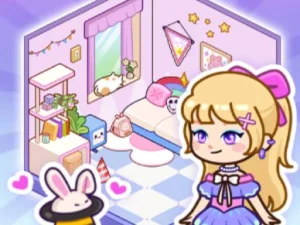
In Kiki World, clear rubbish and old, dirty belongings before shaping the living space with furniture. Read the current prompt and identify which cleaning action it is asking for. The makeover has a sequence, so a later decorating idea should not distract you from the task the interface currently presents.
Look at the indicated object or area before acting. If the response is unexpected, compare your selection with the prompt rather than assuming a hidden feature will correct it. Understanding one action gives the next part of the makeover a clearer starting point.
Learn a placement with one object
The supplier describes clicking, dragging and dropping furniture. Try an available piece and inspect its position after release. Read the adjustment tools shown by this build instead of borrowing a rotation shortcut, removal command or keyboard mapping from another decorating game.
The current version is listed as mobile-ready. Follow the layout displayed on your device and keep the intended item clear enough to select deliberately. A supported touch interface does not establish that every adjustment looks exactly like the desktop version.
Give a main piece a useful role
Choose a main furnishing as a reference for the surrounding arrangement. Consider the space around it before placing smaller details. This creates a clearer design question than filling every available area at once: what should the room's centre of attention be, and how do nearby pieces support it?
You can experiment with a consistent colour direction or another simple visual idea. These are creative suggestions, not verified scoring requirements. The current game should establish any placement conditions; the fact that you like a composition does not prove it satisfies an instruction the player is showing. Revisit the main piece after adding a smaller furnishing and compare the relationship between them. A change that seemed minor by itself may affect how clearly the room's focus reads.
Revise one relationship in a crowded room
If the arrangement feels difficult to read, inspect one group of objects before adding more. Compare their positions and the visible space around them. A small change can be easier to assess than moving every furnishing and losing track of the original idea.
Ask what you intended the change to do. You might want a selected piece to stand out or a group to look less crowded. Inspect the result against that intention. This makes repeated decoration a useful creative comparison rather than a random sequence of placements.
Keep the collection name separate from game features
Kiki World's verified description does not establish an enormous roaming map, a shared online world, unrestricted building or a common progress system with other titles. Its own cleaning-and-decorating loop is a valid reason to select it without adding those assumptions.
Other Open-world cards should likewise be judged by their actual objectives and controls. Read the destination page to discover whether the activity is the kind of exploration or creativity you want. A catalogue membership is not a technical promise about every game's scale.
For a short Kiki World session, choose a manageable aim: complete a cleaning prompt, understand one placement or make a clearer furniture grouping. Inspect the player's continuation information before leaving. Carry the useful design observation into your next arrangement while letting each separate game define its own spaces, tools and rules.