Pixelart Games brings small colored blocks into creative pictures, memory cards and moving puzzles. BestCrazyGames lets you browse the theme through the action you want to perform. You might fill an image, remember where a matching card appeared or clear blocks with a cannon. Read the selected game's instructions before beginning. The opening screen gives you a way to find the active area, recognize the current goal and see what a single input changes in relation to the surrounding pixels.
Last Updated:
Build a picture from small colored areas
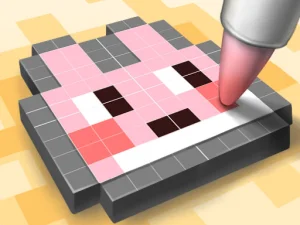
PixelArt asks you to fill pixel images with a reference picture shown in the corner. Look at the reference and the working area before choosing a color or position. Find a distinctive part of the image, such as a strong outline or a large patch of one color. Completing a small recognizable section gives you a reference for the neighboring area and helps you keep track of which part of the picture you are currently reconstructing on the screen.
Compare the developing image with the reference after a few placements. A small error is easier to understand when the surrounding region is still clear in your memory. Work in an order that makes sense to you, whether that means following an outline or filling a color area. Use any correction tools the game actually offers when you need a change. A completed picture gives the creative session a definite result and a useful point to decide whether to begin another design or try a different pixel-based activity.
Remember pictures and positions
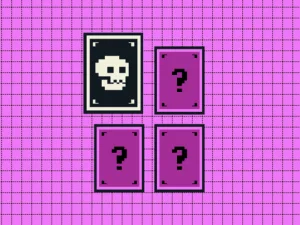
Pixel Memory uses matching cards with colorful pixel graphics and no time pressure. Begin by revealing a pair and noticing both the image and its location. A failed match still adds information you can use later. Try describing a picture to yourself through its color or shape so it is easier to recognize when its partner appears. Follow a simple search order through the board instead of choosing positions so randomly that previously seen cards become difficult to remember.
When a familiar picture turns up, pause and recall its partner before selecting the next card. A remembered location gives the move a clear purpose. If you confuse two similar images, compare their details the next time they are visible. The absence of a timer gives you room to inspect them at a comfortable pace. Clearing one row or finding a small group of pairs can be a useful first goal. A finished board then gives you a natural pause before another arrangement changes the locations you need to learn.
Clear matching blocks with ordered shots
Pixel Flow uses cannons to clear matching pixel blocks while you manage the shot flow. Read the opening controls and identify which cannon relates to the visible blocks. Look at the available order before firing. One shot gives you a chance to see the path and the change on the board. Watch what becomes accessible afterward so the next decision follows the current arrangement rather than the one that was visible before your previous input was completed.
As the puzzle becomes busier, focus on one part of the flow you can explain. It may be a color match, the order of two cannons or a block that prevents another shot from contributing. If an attempt fails, remember that specific point and compare a different choice on the replay. A completed level makes a clear result to assess. Give the following layout a fresh inspection, since a familiar color can appear in a different position and require another order of actions to clear the board.
Choose creation, recall or a moving puzzle
Pixel imagery can support very different sessions. A picture gives you a visual target to recreate, cards give you locations to remember and a cannon board gives you an order to test. Choose the activity that suits your available attention and device. Check each game's controls before switching between them. One completed image, board or level is a manageable goal and helps you decide which kind of pixelart challenge you would like to return to during another visit.