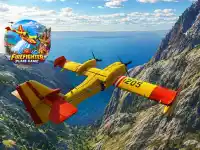
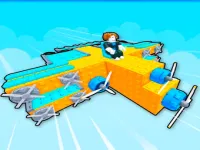
Plane Games can put you in a virtual cockpit, let you guide a paper plane or make you responsible for an airport. The useful difference is where you spend your attention. A flying game uses changes in the view as feedback. A management game gives you a layout to examine between choices. Open the title whose first task suits what you want to do.
Last Updated:
Build around the schedule at an airport
Airport Simulator Plane Tycoon gives you facilities to build and flights to manage. Look at the opening requirements before spending on every item the game offers. Choose a facility that helps with a specific task and see what becomes possible when it is in place. A small arrival area or useful runway can give you a better idea of the game's flow than beginning with a series of unrelated additions.
When a new flight or construction opportunity appears, find where it sits in the current layout. Check what the game asks you to provide next. If the display is busy, choose one part of the airport to follow until you see how it affects the task. Use the new view to decide whether you want to expand in that direction. A short session can end after working out how two visible parts of the airport connect.
Follow a paper plane through a moving course
Paperly: Paper Plane Adventure takes a paper plane through areas with obstacles. Check the player controls and find a section where you can see what a small movement does. Look at where the plane ends up relative to the next object. One long push may take you past the line you wanted, while an earlier brief movement can leave room to change again. Use a simple stretch for the first comparison.
If you have trouble seeing a gap before reaching it, look at the part of the scene that tends to precede it. That can be a change in the shape of the path or an object you recognize from a previous run. Use that point to prepare for the next move. Once you can read one section comfortably, you can decide whether to continue or repeat it with a different approach.
Learn one cue in a short tap-based flight
BoomRocket gives you a plane to guide upward with taps, with obstacles and shield items appearing as the game moves. In the opening, watch how far the plane moves on a single input before adding more. Notice how much time you have to see another object beside it. If a shield is within reach, observe what the game displays when you pick it up. You can learn the cue without needing to force a difficult path toward the first one.
Plane Crash Ragdoll Simulator uses a busier aircraft setting with its own objectives and physics. Read the mode before starting and see what it asks you to follow. A brief visit may be enough to learn why the camera or movement feels different from a simpler flight game. If the current scene gives you several targets to watch, start with one simple purpose such as identifying where the next prompt appears.
Pick the kind of flight you want to watch
Choose the airport for planning and visible progress in a fixed layout. Try a paper plane for a lightweight moving route. Choose a tap-based flight when you want immediate feedback from a small set of controls. The grid has several distinct flight activities, so use the current screen for the exact objective and the supported input. Try one delivery, build or crossing that fits the time you have. Then decide whether the next session should follow that same kind of flight or explore a different one.