Find the objective before choosing the approach
An aviation game can ask for a guided route, a precise landing or another task, and those objectives demand different decisions. Read the opening instructions of the selected title to discover what is expected. Identify any route markers, progress indicators or movement prompts that the game actually displays. Begin by understanding those signals rather than immediately applying controls learned from another simulator.
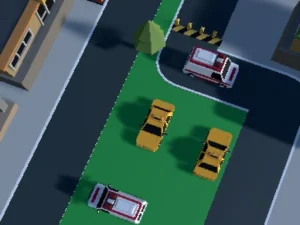
The cards currently include Fall Boys Ulimate Tournament 2024, Tower Defenders, Angry Plants Fighting and Parking Resolver as well. Their presence makes this a mixed browsing page. A parking challenge or an obstacle tournament is a different activity from handling an aircraft, even if it appears under the same collection label. Choose from the actual card title and confirm the game shown after opening it.
Practise with a verified aircraft route game
Real Airplane Simulator is an established aviation option in the wider BestCrazyGames catalogue. Its levels use green arrows and lines to guide the route, with changes in height forming part of the approach. It also has a garage where aircraft can be selected and unlocked. These are features of that particular game, rather than a description of every destination in the current grid.
When beginning a level there, locate the next green direction cue and consider how your aircraft is positioned relative to it. Decide whether you need to adjust the heading, the height or both. Making a large correction without identifying the intended route can leave you less certain about what helped. A smaller adjustment gives you a clearer view of the aircraft's response.
Keep direction and height separate while learning
If an approach misses its intended path, review those two parts independently. You may have been facing towards the right area but passing above or below it. Alternatively, the height may have been workable while the aircraft was pointing away from the next cue. Describing the problem precisely makes a retry more informative than simply moving every available control at once.
Use the instructions inside the selected flight game for the actual inputs. A simulation label does not establish a universal keyboard arrangement, a cockpit view or an identical response across titles. Learn which action changes direction and which changes height before combining them. Try that learning step where the current level gives you space to observe the result.
Change the view to answer a specific question
Real Airplane Simulator supports changing the view. Use that option when it helps you judge where the aircraft is in relation to the guided route. After a view change, allow yourself to understand the new perspective before making a major correction. An unfamiliar angle can make a small movement appear larger or hide the distance you were using as a reference.
When comparing other aviation choices, inspect the camera options that their own menus provide. Do not assume a shared view system because the games appear near one another in a catalogue. The practical question is whether the current view shows the next decision clearly enough for the task you are trying to complete.
Review one part of a route at a time
After an unsuccessful approach, remember the last clear marker and the first point where your position stopped matching it. Keep the earlier part that worked and alter the uncertain movement on the next attempt. If the game offers another aircraft, first understand the present one's response so you have a useful comparison when changing your selection.
Return to this collection when you want to browse another title, and use its individual instructions as the reference. The word unblocked does not override a school, workplace or device restriction. Where a game is available to you, choosing a clear objective and learning its own controls will make a short flying session more purposeful.